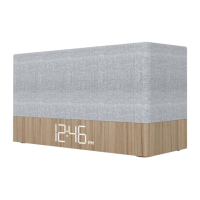
setting the alarm
Slide the ALARM 1 switch to the “SET” position and the display will begin flashing “12”.
Press the TUNE / SKIP
<<
or TUNE / SKIP
>>
button repeatedly to advance the alarm hour. When you
reach the desired alarm hour, press the TIME SET button to confirm.
With “:00” flashing now, press the TUNE / SKIP
<<
or TUNE / SKIP
>>
button repeatedly until you reach
the desired alarm minute.
Press the TIME SET button to confirm the alarm setting.
(continue on next page)
setting the clock and date
Plug in the CR50 Charge Up but leave the power ‘OFF’.
Press and hold the TIME SET button until the display flashes “12” then press the TUNE / SKIP
<<
or
TUNE / SKIP
>>
button repeatedly to advance to the correct current hour.
Press the TIME SET button to confirm and now the digits “00” will begin flashing. Pressing the TUNE /
SKIP
<<
or TUNE / SKIP
>>
button repeatedly to adjust the minutes.
When you reach the correct current minute, press the TIME SET button again to confirm.
Four digits which display the year will begin flashing below the time. Press the TUNE / SKIP
<<
or TUNE / SKIP
>>
button repeatedly to advance to the correct current year.
Press TIME SET button to confirm the current year and the display will begin flashing “1/1”. Press the
TUNE / SKIP
<<
or TUNE / SKIP
>>
button repeatedly to advance the correct current month.
Press TIME SET button to set the current month then press the TUNE / SKIP
<<
or TUNE / SKIP
>>
button repeatedly to advance the correct current day then press TIME SET again to confirm.



 To Next Page