EasyManua.ls Logo

capello CR60 - User Manual

capello CR60
12 pages
Print Icon
To Next Page IconTo Next Page
Loading...
User Guide
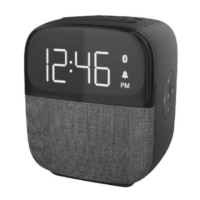
Clock Radio with Bluetooth Speaker CR60
IMPORTANT SAFETY NOTIFICATIONS
ATTENTION:P
CAUTION: TO REDUCE THE RISK OF ELECTRIC SHOCK,
DO NOT REMOVE COVER (OR BACK). NO
USER-SERVICEABLE PARTS INSIDE. REFER SERVICING
TO QUALIFIED SERVICE PERSONNEL.
ATTENTION: The exclamation point within an equilateral triangle is
intended to alert the user to the presence of important operating and
maintenance (servicing) instructions in the literature accompanying
the appliance.
DANGEROUS VOLTAGE: The lightning flash with arrowhead
symbol, within an equilateral triangle is intended to alert the user to
the presence of uninsulated dangerous voltage within the product’s
enclosure that may be of sufficient magnitude to constitute a risk of
electric shock
to persons.
WARNING: Changes or modifications to this unit not expressly approved by the
party responsible for compliance could void the users authority to operate the
equipment.
ATTENTION: POUR ÉVITER LES CHOC ÉLECTRIQUES, INTRODUIRE LA
LAME LA PLUS LARGE DE LA FICHE DANS LA BORNE CORRESPONDANTE
DE LA PRISES ET POUSSER JUSQU’AU FOND.
FCC RF Radiation Exposure Statement Caution: To maintain compliance with the FCC’s RF exposure guidelines,
place the product at least 20cm from nearby persons.
The device must not be co-located or operating in conjunction with any other antenna or transmitter.
Question and Answer IconNeed help?

Do you have a question about the capello CR60 and is the answer not in the manual?

Summary

IMPORTANT SAFETY NOTIFICATIONS

Electric Shock and Voltage Warnings

Covers CAUTION, DANGEROUS VOLTAGE, and ATTENTION symbols related to electric shock hazards.

FCC RF Exposure Caution

Details FCC RF radiation exposure guidelines for device placement and co-location.

FCC Compliance and Environmental Safety

FCC Part 15 Compliance Statement

Explains equipment compliance with FCC Part 15 rules for digital devices and interference.

Environmental Hazard Warnings

Warns against exposing the unit to rain, moisture, or excessive heat; recommends surge protectors.

General Safety Instructions

Handling and Usage Precautions

Provides 14 numbered instructions for safe operation, installation, and maintenance of the apparatus.

Additional Electrical Precautions

Advises on preventing water exposure and ensuring AC/DC adaptor accessibility for safety.

Power Source and Battery Safety

Device Usage and Battery Precautions

Lists precautions for device placement, ventilation, battery use, and disposal.

AC Power and Backup Battery Setup

Details connecting the AC adaptor and installing backup batteries for clock accuracy.

Battery Handling and Replacement

Battery Indicator and Replacement Timing

Explains when to replace batteries based on the display indicator and notes on adapter disconnection.

Battery Precautions and Warnings

Outlines precautions for battery installation, mixing types, recharging, and potential explosion risks.

Device Controls Overview

Control Identification

Identifies and labels the physical buttons, ports, and indicators on the device.

Display Indicators Explained

LED Display Symbols

Details the meaning of various icons and indicators shown on the LED display.

Core Functions

Setting the Clock Time

Step-by-step guide to accurately setting the current time on the clock radio.

Alarm Setting and Silencing

Instructions for setting, activating, and deactivating alarms, including wake-up options.

Operational Features

Snooze and Brightness Settings

Explains how to use the snooze function and adjust display brightness levels.

Input Source Selection

Guides on switching between different audio input sources like FM Radio and Bluetooth.

Radio and Bluetooth Usage

FM Radio Tuning and Presets

Instructions for tuning into FM stations and saving them as presets for easy recall.

Bluetooth Pairing Procedure

Details how to connect and stream audio wirelessly from Bluetooth-enabled devices.

Connectivity and Specifications

Bluetooth Reconnection and USB Port

Explains reconnecting paired Bluetooth devices and the function of the USB charging port.

Technical Specifications List

Provides detailed technical specifications for the clock radio, including power, range, and dimensions.

capello CR60 Specifications

General IconGeneral
Brandcapello
ModelCR60
CategoryClock radio
Display TypeLED
Radio BandAM/FM
Presets10
Alarm TypeBuzzer
Power SourceAC
Battery Type2 x AAA for backup