INSTRUCTIONS FOR USE
The references (A-H) in this section refer to the part list shown on previous page in Diagram 1.
STEP 1
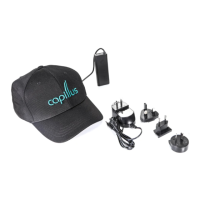
Unpack the components and make sure all the parts are present according to Diagram 1. All parts are
stored in the Carrying Case (G) with exception of this User Manual (E). Battery Pack (B), Battery Clip
(C), AC Adapter (D) are packed within Drawstring Pouch (H) inside the Carrying Case. The Laser Dome
is tted inside the Sports Cap. If there are parts missing contact customer service at 1-888-272-9599
or support@capillus.com.
STEP 2
Please refer to charging instructions on previous page.
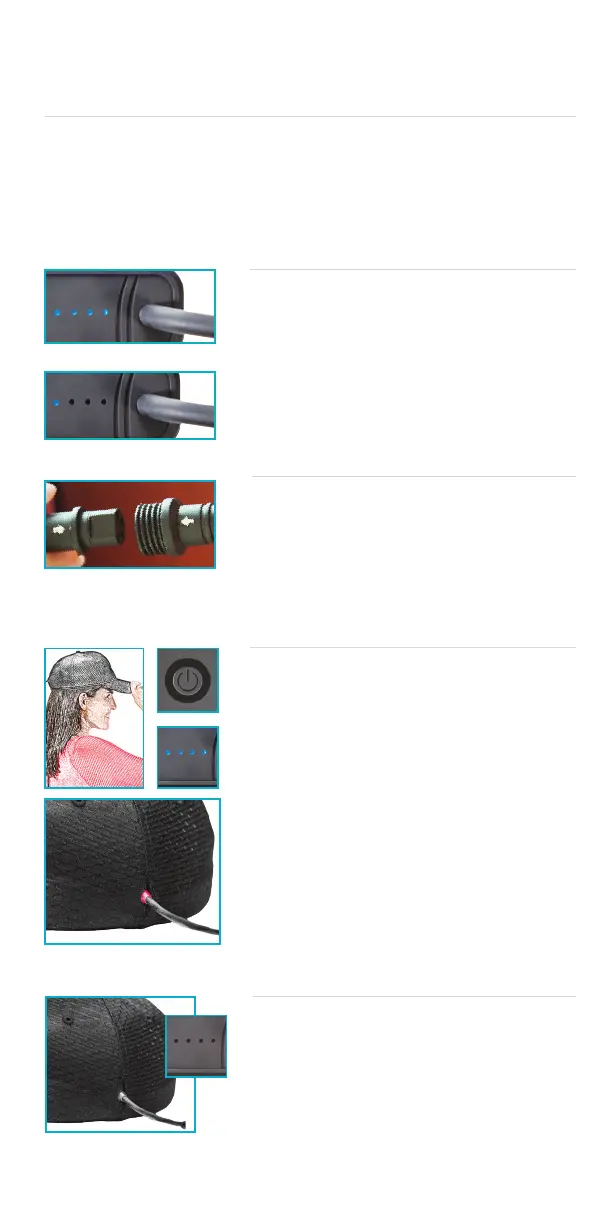
For optimal battery life, battery pack should be charged
completely before rst use until all 4 indicators lights on top
of battery pack are on and static (6-12 hours). Battery should
also be disconnected from laser device between uses for
optimal battery life and performance.
After initial charge, please charge Battery Pack only when
nal light is blinking.
STEP 3
Connect the Laser Dome (A) to the Battery Pack (B) by
matching up the small white indicator arrows on the cables to
each component. Important: The arrows must be aligned
for the cables to make a proper connection. Once the
arrows are aligned, push cables together and secure with
the twist lock connector.
STEP 4
Place Laser Dome on your head as shown and tap on the
Power Button on front of Battery Pack (B) to begin treat-
ment. Battery level indicators on top of Battery Pack will light.
You will hear one short beep when device turns on, followed by
two successive beeps when treatment begins. The emission
indicator light on the back of the cap will light up to indicate
that treatment has begun and lasers are operational.
Please note that there is a sensor on the inside of the
device that only allows light to be emitted when the cap is
on the head. If treatment is interrupted because the sensors
are disrupted, you will hear two short beeps intermittently until
proximity sensors are triggered. If treatment is interrupted for
10 minutes or longer, the treatment session will be reinitiated
upon start.
NOTE: The Capillus® laser device will not operate if the
Battery Pack is connected to the AC Adapter.
STEP 5
When the automatically programmed treatment session is
nished (6 minutes), you will hear three longer successive
beeps to indicate the treatment period is over, the lasers will
automatically shut off, and the emission indicator light on the
back of the Dome will turn off.
Press and hold Power Button on front of Battery Pack at
end of treatment session until all lights on battery pack
turn off. Disconnect battery pack from laser cap and store
until next use.
Fully Charged Battery Pack
Recharge is Needed
All indicators o.
Emission indicator is
red during operation.
6



 To Next Page