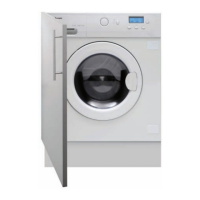
This document is an instruction manual for the Caple WDI2203 built-in washer dryer. It provides comprehensive information on the appliance's components, safety instructions, installation, operation, maintenance, and technical specifications.
Function Description
The Caple WDI2203 is a built-in washer dryer designed for domestic use. It combines the functions of a washing machine and a dryer, allowing users to wash and dry laundry in a single appliance. The machine offers a variety of wash programs tailored to different fabric types and soil levels, as well as drying functions. It features a control panel with a program knob, buttons for delay start, extra rinse, intense wash, dry, start/pause, wash temperature, and spinning speed, along with an LED display for showing remaining time and error messages.
Important Technical Specifications
- Model Code: WDI2203
- Power Source: 220-240V~/50Hz
- Max. Working Current: 10A
- Water Pressure: 0.03≤P ≤1 MPa
- Nominal Load (Washing): 6 kg
- Spinning Speed: 1200 r/min
- Washing Programs: 11
- Drying Programs: 1
- Max Power: 2000 W
- Dry Heating: 1400 W
- Dry Load: 3 kg
- Dimensions (HxDxW): 825 x 535 x 595 mm
- Net Weight: 65 kg
- Power Consumption (Off-mode): 0.48 W
- Power Consumption (Left-on): 0.48 W
- Energy Label Program Settings:
- Washing: "Cotton+60°C+Intense+Max speed"
- Drying: "Dry"
- Consumption Table Highlights:
- "Cotton" 6kg, 60°C wash: 3:00 washing time, 53% spin drying performance, 0.98 kWh energy consumption, 46L water consumption.
- "Dry" 3kg: 2:00 drying time.
Usage Features
The washer dryer offers a user-friendly interface with a program knob to select from 11 washing programs and a dedicated drying program.
- Program Selection: Programs include Refresh, Dry, Spin, Quick Wash (to 30°C), Underwear (to 90°C), Prewash (to 90°C), Cotton (to 90°C), Synthetic (to 60°C), Wool (to 40°C), Delicate (to 40°C), and Self Clean (to 90°C). The "off" program is used to turn off the washer dryer.
- Detergent Drawer: Features three compartments for prewash detergent, main wash detergent, and fabric softener. Specific instructions are provided for liquid detergent usage and pre-wash programs.
- Delay Start: Allows setting a delayed start time from 0.5 to 24 hours, increasing in half-hour increments.
- Extra Rinse: Adds one, two, or three additional rinses to the wash cycle, indicated by "P-1", "P-2", or "P-3" on the display.
- Intense Wash: Increases wash and rinsing times for heavily soiled clothes.
- Drying Function: Activated by the "Dry" button. Drying time can be increased in 30-minute increments. A 120-minute setting enables a sensor dry program that adjusts drying time based on load contents.
- Wash Temperature and Spin Speed: Adjustable for most programs, allowing customization based on laundry type.
- Start/Pause Button: Initiates, pauses, and resumes wash cycles. Turning the program knob to "off" while blinking cancels the program.
- Child Lock: Activated by pressing and holding "delay" and "extra rinse" for 3 seconds, disabling all buttons.
- Power Off Memory Function: In case of power failure, the machine saves selected functions and resumes operation when power returns.
- Alarm Sound Cancellation: The alarm sound can be turned off or on by selecting the spin cycle, then pressing and holding "Intense" and "Dry" buttons for 3 seconds.
Maintenance Features
Regular maintenance is crucial for the appliance's longevity and optimal performance.
- After Each Wash: Turn off the water supply, unplug the power cord, and leave the washer door ajar to prevent moisture and odors.
- Detergent Drawer Cleaning: The drawer can be pulled out, the blue catch pressed, and flushed clean under cold water.
- Machine Cleaning: Unplug the machine. Use a soft cloth dampened with soap to clean the case and rubber components. Avoid organic chemicals or corrosive solvents.
- Filter Cleaning:
- Carefully remove the bottom cover.
- Pull out the drain hose, remove the plastic plug, and drain excess water into a container. Reinstall the plug and push the hose back.
- Remove the filter by turning counter-clockwise.
- Flush the filter clean with running water.
- Replace the filter by turning clockwise and remount the cover.
- Caution: The filter must be in place to prevent leakage. A container should be placed under the drain pump filter to collect water during removal.
- Water Inlet Valve and Filter Cleaning: Regularly clean to prevent blockages from foreign substances.
- Moving the Machine: Reinstall the transportation bolts and plastic stabilizers removed during initial installation to prevent damage.
- Long Periods Without Operation: Pull the electrical plug, turn off the water supply, and leave the washer door ajar to prevent moisture and odors.
Troubleshooting and Display Codes
The manual provides a comprehensive troubleshooting guide for common issues like the machine failing to operate, not filling with water, draining while filling, drainage failure, strong vibration, and operation stops. It also lists display codes (Err1 to Err14, EuAr, End, 1:25, 19:25, UNb) with their causes and corresponding solutions, such as checking door closure, water supply, drain hose, filter, and contacting maintenance personnel if necessary. The UNb code indicates an unbalanced load, with solutions provided to rebalance the laundry or restart the spin cycle.

 Need help?
 General

 To Next Page