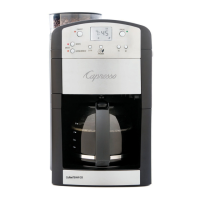
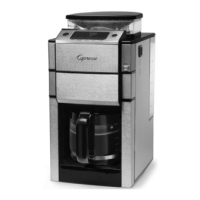
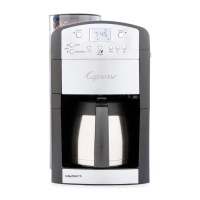
The Capresso CoffeeTEAM TS, model #465, is a 10-cup digital coffee maker combined with a conical burr grinder, designed to maximize coffee flavor and aroma by grinding beans just before brewing.
Function Description:
The CoffeeTEAM TS integrates a coffee maker and a conical burr grinder into a single unit. It allows users to grind whole coffee beans and brew coffee automatically, or to use pre-ground coffee. The conical burr grinder operates at a slower speed, generating less heat to preserve the coffee's aroma. After grinding, the machine automatically initiates the brewing process. A drip-stop function enables users to temporarily remove the carafe to serve a cup or two before brewing is complete. The machine features an LCD display for time, auto-on programming, and grind/aroma settings. It also includes a charcoal water filtration system to remove chlorine and other impurities from the water, enhancing coffee taste.
Important Technical Specifications:
- Capacity: 10-cup coffee maker.
- Grinder Type: Heavy-duty conical burr grinder.
- Bean Container Capacity: Approximately 150 grams of beans, sufficient for up to two pots of coffee at grinder setting 10.
- Grind Settings: Five fineness settings, adjustable by turning the bean container. The largest dot indicates the coarsest grind, suitable for darker, oilier beans, while finer settings are for lighter or medium roasts.
- Grind Volume Settings: Selectable for 2, 4, 6, 8, or 10 cups (indicated on the LCD display).
- Strength Settings: "AROMA" button allows fine-tuning for mild, regular, or strong coffee. A lighter bean setting reduces grinding time, resulting in milder coffee, while a darker bean setting increases grinding time for stronger coffee.
- Carafe: Thermal stainless steel carafe (Model #465) designed to keep coffee hot for up to 4 hours. It brews through a closed lid.
- Display: Easy-to-read LCD display with AM/PM clock and auto-on programming.
- Water Filtration: Includes a charcoal filter holder and one charcoal filter cartridge. The filter removes up to 82% of chlorine from tap water.
- Power Interruption: In case of power failure or unplugging for more than 60 seconds, current time and program settings are lost and must be reset.
Usage Features:
- Setting Time and Auto-On: The machine requires the actual time to be set before operation. An auto-on time can be programmed, allowing the machine to start grinding and brewing at a pre-set time. Two separate grinder settings (volume and aroma) can be configured: one for immediate use and one for auto-on use.
- Grinding and Brewing:
- Ensure beans are in the bean container, water in the tank, and the GoldTone filter and filter insert are in place and empty.
- Close the filter holder and insert the carafe with its lid closed.
- Select the desired grind volume (2-10 cups) and aroma strength.
- Push the ON/OFF button to start immediate grinding and brewing.
- For auto-on brewing, activate the PROG button after setting the auto-on time; the machine will start at the programmed time.
- Brewing with Pre-Ground Coffee:
- Fill the water tank with cold water.
- Open the filter holder, fill ground coffee into the GoldTone filter, and close the filter holder.
- Insert the carafe with its lid closed.
- Push the "BREW" button, then the ON/OFF button to start brewing.
- For auto-on brewing with pre-ground coffee, follow the auto-on setup, ensuring the "BREW" light is illuminated.
- Drip Stop / Stop and Serve: During brewing, the carafe can be removed for up to 20 seconds to pour coffee, as the drip stop automatically closes.
- Bean Storage: Coffee beans should be stored in a dry, dark container. Avoid storing beans in the freezer or refrigerator, as they can absorb odors. If frozen, thaw beans before adding them to the grinder to prevent moisture from clogging the feeder channel.
- Bean Type: The grinder is calibrated for all roast types. Dark, oily beans may leave oil residue, which can slow down ground coffee flow.
- Prohibited Items: Never fill instant coffee, sugar/powder-coated beans, liquid flavorings, syrups, water, or any other liquids/items (chocolate, nuts, spices) into the bean container. These can damage the grinder and void the warranty.
- Stone Detection: Small stones can occasionally be found in coffee beans. While very small stones may pass through, larger ones can block the grinder. If a loud noise occurs, push the On/Off button and contact customer service. Shaking bean bags and checking the bottom half of the bag for stones can help prevent issues.
Maintenance Features:
- Cleaning:
- Always turn off and cool down the machine before cleaning.
- Never use scouring agents or immerse the machine in liquid. Do not clean under running water.
- GoldTone Filter and Filter Insert: Dishwasher safe (upper rack). Clean after each use to prevent coffee oils from clogging the mesh. Test the drip stop to ensure it closes completely.
- Bean Container: Wipe off oil deposits with a dry cloth when empty. Do not pour liquids into it or attempt to disassemble it.
- Feeder Channel: Periodically check for oil and coffee build-up. Clean if ground coffee flow is slow or if the grinder won't be used for more than a week. To clean, ensure the GoldTone filter is inserted, push down the small pin in the window, slide the plastic cover forward (Figs. 6 & 7), wipe the inside clean with a dry cloth, and replace the cover.
- Charcoal Filter Replacement: The filter indicator button symbol will blink after 60 pots of coffee or 6 weeks of first use, signaling it's time to change the filter. Unused cartridges can be stored indefinitely. Replacement cartridges are available through Capresso dealers or their website.
- Decalcifying:
- Decalcify when brewing slows down, at least twice a year, or more often with hard water.
- Before decalcifying, remove the GoldTone Filter and Charcoal Filter.
- Capresso recommends DURGOL. Fill the water container with 18 oz. of cold water and 6 oz. Durgol. Ensure the filter insert is in place and the carafe is empty with its lid closed. Push the ON/OFF button with the BREW light illuminated.
- After the solution runs through, remove, empty, and rinse the carafe thoroughly. Let the machine cool for 5 minutes.
- Run 20 oz. of fresh cold water through the machine.
- If using other decalcifying agents, ensure they are suitable for drip coffee makers and follow their instructions carefully.

 Need help?
 General


 To Next Page