CONNECTION DIAGRAM
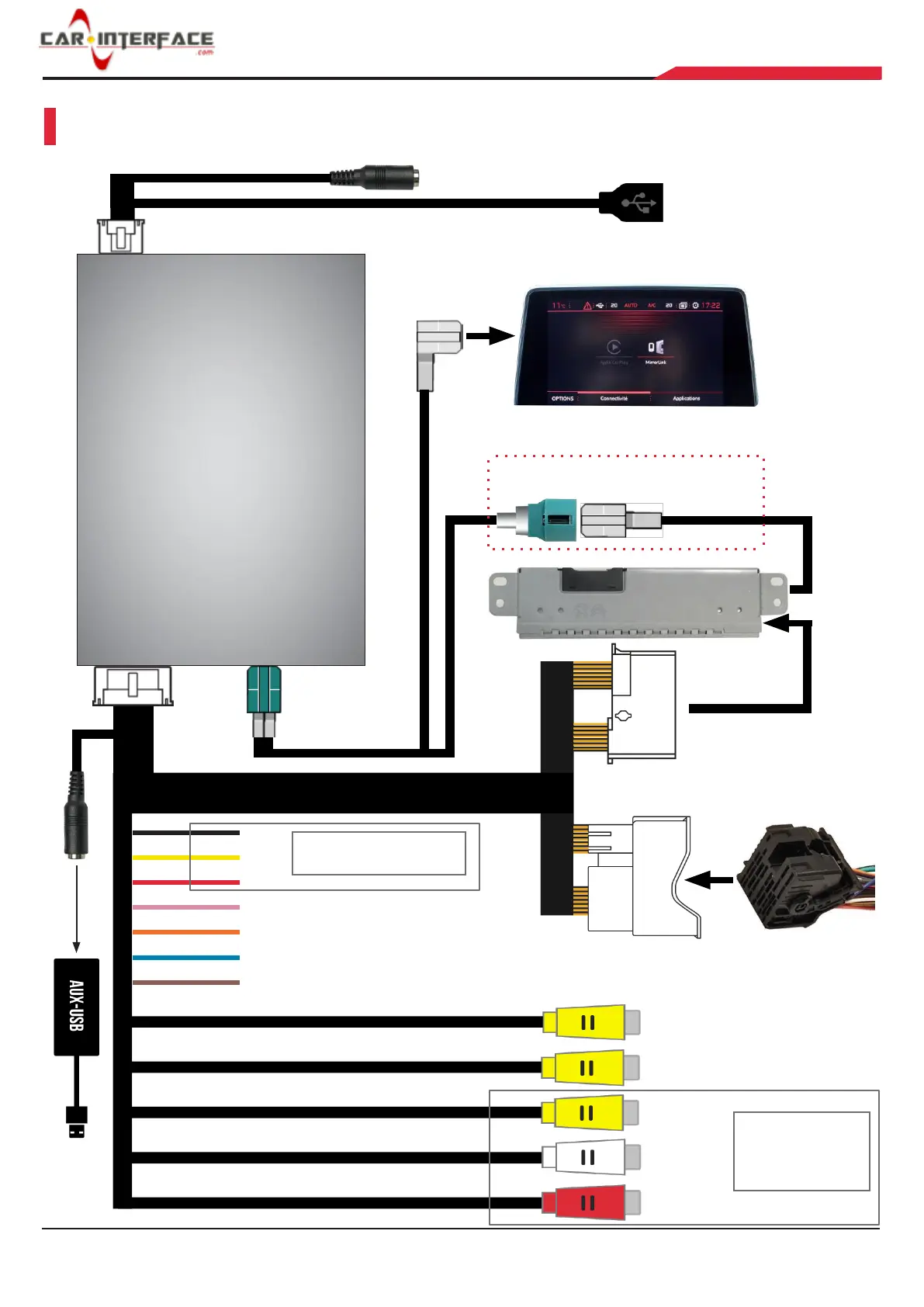
Connect external MIC
Connect phone/USB
OEM screen
Provided female LVDS connects to
OEM male LVDS cable from HU
OEM head unit
Provided 4pin
LVDS cable
GND
B+
ACC
Left-Det, N/A
Right-Det, N/A
CAM-POWER, Supply 12V power for front & rear camera
OEM quadlock
connector
REVERSE Det, connect to reversing light if CAM_POWER cable does not output 12V
REAR-CVBS, rear camera input
FRONT-CVBS, front camera input
CVBS-RIGHT
Plug in
factory
USB port
AUX-IN-L
AUX-IN-R
Supply power for external
AV device


 To Next Page