Need help?
Do you have a question about the Car Keys Express GMRM-4TZ1RE and is the answer not in the manual?
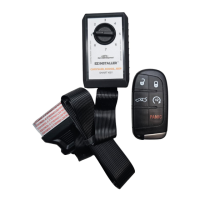
Must have an existing working key to use the EZ Installer. Return if no keys work.
All existing remotes must be present during pairing; old remotes are erased.
Ensure vehicle battery is charged and minimize draw during pairing.
Do not use EZ Installer while vehicle is in motion. Unplug before driving.
Remote features match vehicle's original features; no new features are added.
Check for a tamper-evident label for security. Exchange if damaged or VOID.
Familiarize yourself with remote compatibility on page 3 before pairing.
This product requires a pairing process to complete setup.
Follow all steps precisely; skipping steps will prevent the remote from working.
Find your vehicle's primary dial position using the compatibility chart.
Instructions have timing requirements; work at a quick and even pace to avoid timeouts.
EZ Installer will alarm if left in OBD port for over 5 minutes.
Rapid beeping signifies too many remotes paired or FAQ section reference.
Dial position 1 adds remotes; positions 2-7 erase all old remotes during pairing.
Find vehicle's make, model, year on page 3 for the correct dial position.
One working key must be present during the pairing process.
Vehicle in PARK, engine OFF. Enter vehicle and close doors.
Insert key and turn to ON position (before starting vehicle).
Remove security label, insert EZ Installer firmly into OBD port.
EZ Installer beeps twice on power up; short tune indicates programming mode start.
Press Lock and Unlock simultaneously for 15 seconds on the new remote.
Repeat step 8 for each additional remote. Turn key OFF and unplug EZ Installer.
Press buttons on each remote to confirm proper programming to the vehicle.
EZ Installer locks to the first vehicle. Purchase additional units for other vehicles.
Check compatibility/dial position. Remove EZ Installer, turn ignition OFF, retry.
EZ Installer must remain plugged in. If unplugged, restart pairing process.
 General
| Model | GMRM-4TZ1RE |
|---|---|
| Type | Remote Starter |
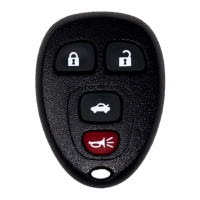
| Number of Buttons | 4 |
| Battery Type | CR2032 |
| Compatibility | Select GM vehicles |

 To Next Page