11
Settings
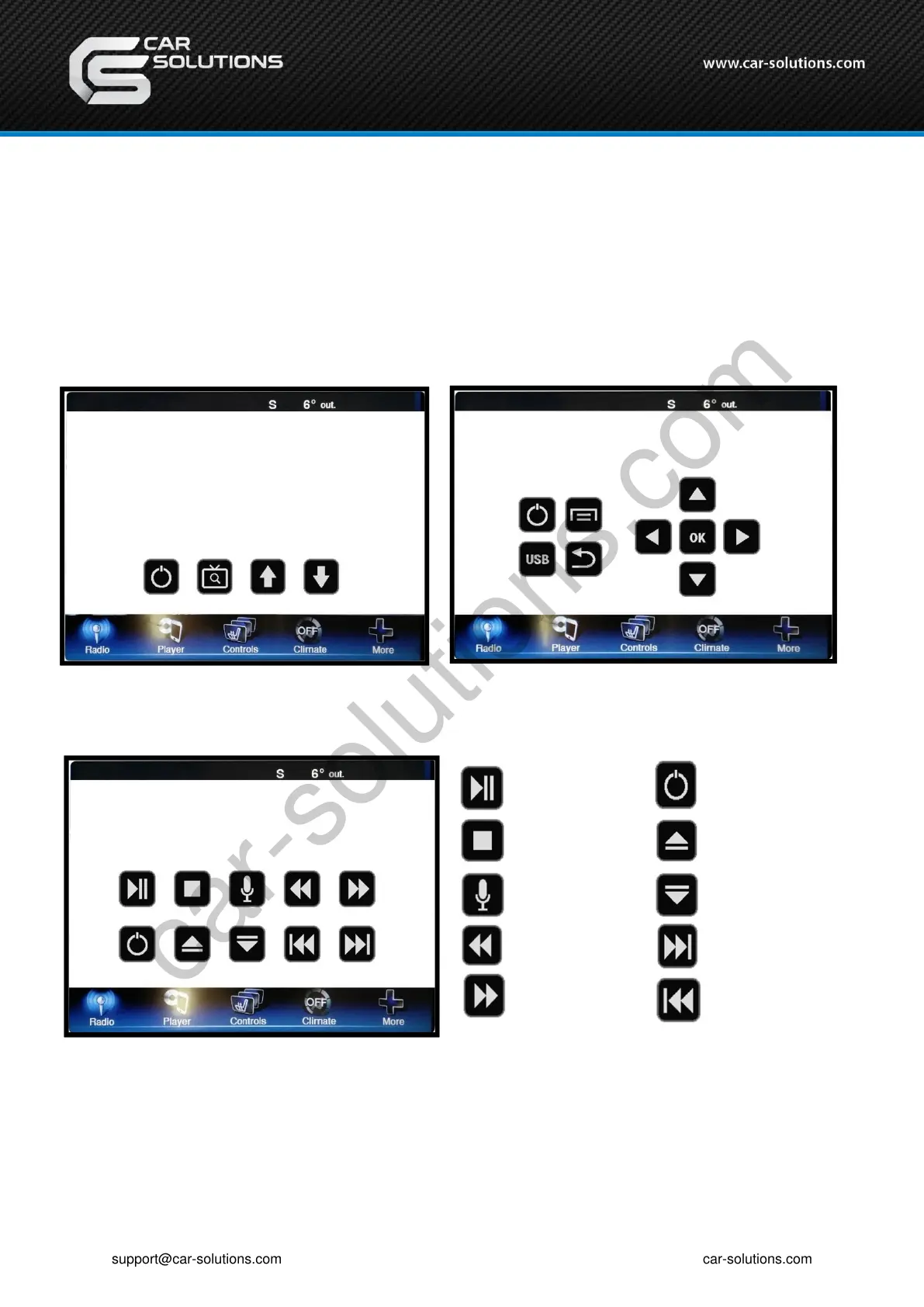
2. OEM button - DVB-T, DVD Menu
*Control the menu below by OEM button
• DTV (Select the type of I-con)
• DVD
[Type -1]
[Type -2]
[Play/Pause]
[stop]
[Audio]
[FR]
[FF]
[POWER]
[DISC UP]
[DISC DOWN]
[Play next
chapter]
[Play previous
chapter]
To use this function, It is necessary to offer the remote IR code to manufacturer or setting OSD IR – Ctrl(P. 19)
[POWER][SCAN] [Ch+] [Ch-]
support@car-solutions.com


 To Next Page