More information https://www.caravansplus.com.au
SPHERE
Wireless
Remote Control Instruction
Manual
Programming
introduction
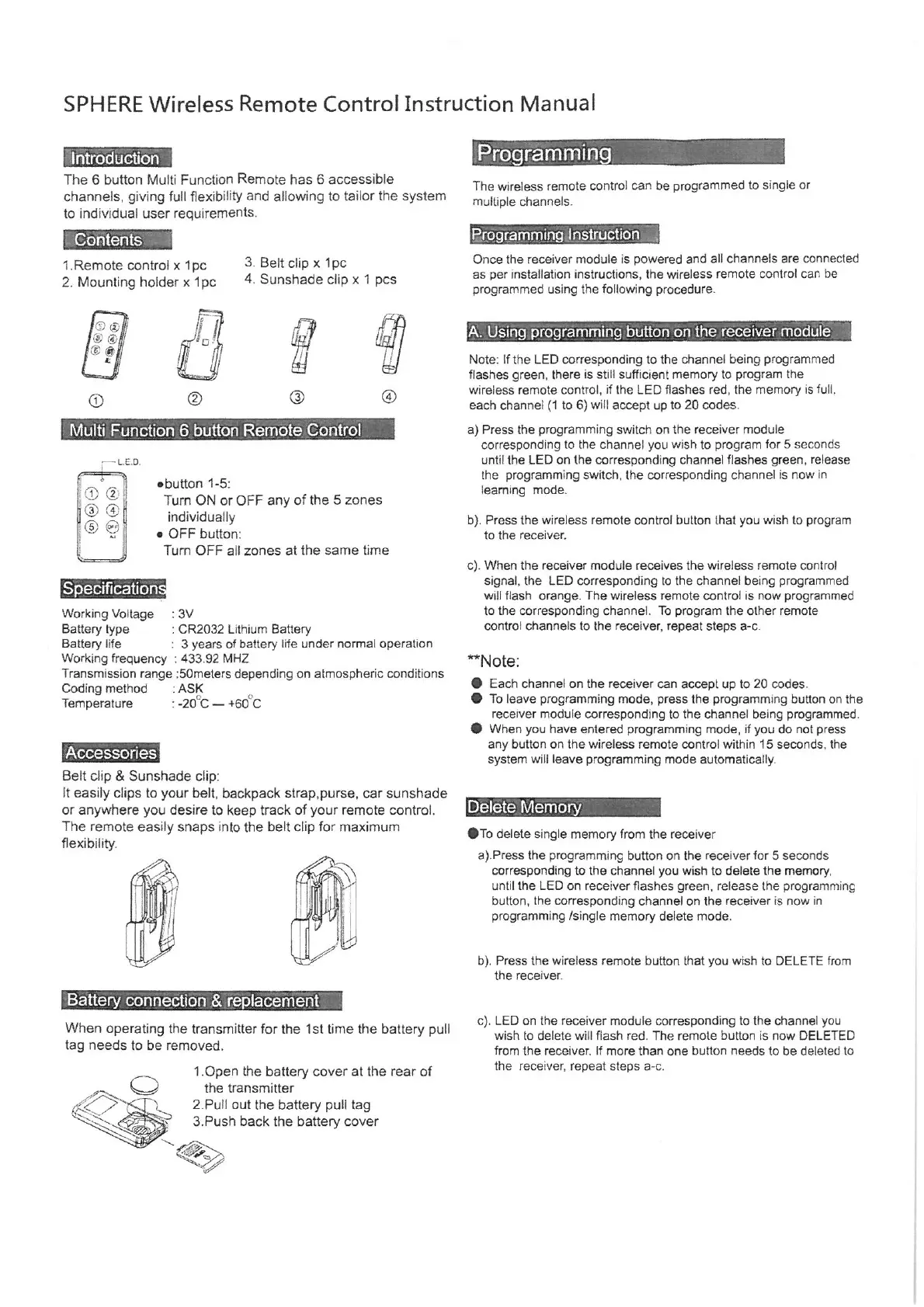
The 6
button
Multi Function
Remote has
6 accessible
channels,
giving
full
flexibility
and
allowing
to tailor
the
system
to
individual
user
requirements,
1.Remote control
x
1pc
2.
Mounting
hoider
x
1pc
@
LED.
3.
Beit
clip
x
pc
4.
Sunshade
clip
x 1
pcs
Turn
OFF
all zones
at the
same
time
Working
Voitage
:
3V
Battery type
;
CR2032
Lithium
Battery
Battery
life
:
3
years
of
battery
life under normal
operation
Working frequency
:
433.92
MHZ
Transmission
range
:
'5Ometers
depending
on
atmospheric
conditions
Belt
clip
& Sunshade
clip:
It
easily clips
to
your
belt,
backpack
strap,purse,
car sunshade
or
anywhere you
desire to
keep
track
of
your
remote control.
The
remote
easily snaps
into the
belt
clip
for maximum
flexibility.
When
operating
the
transmitter
for
the
1st
time
the
battery pull
tag
needs to be
removed.
1.Open
the
battery
cover
at the
rear of
the transmitter
2.Pull
out
the
battery pull tag
3.Push back the
battery
cover
The
wireless
remote
control
can
be
programmed
to
single
or
multiple
channels.
Programming
Instruction
Once the
receiver module is
powered
and
all channels are
connected
as
per
installation
instructions,
the
wireless
remote control
can
be
programmed using
the
following
procedure.
Note:
If
the
LED
corresponding
to
the channel
being programmed
flashes
green,
there is
still
sufficient
memory
to
program
the
wireless remote
control,
if
the LED
flashes
red,
the
memory
is
full,
each
channel
(1
to
6)
will
accept up
to
20
codes.
iA.
Using programming
button on
the receiver module
@
4
a)
Press the
programming
switch on
the
receiver
module
corresponding
to the
channel
you
wish
to
program
for
5
seconds
until the LED
on the
corresponding
channel flashes
green,
release
the
programming
switch,
the
corresponding
channel
is now
in
learning
mode.
Multi
Function
6 button Remote
Control
o
ebutton
1-5:
Turn
ON or
OFF
any
of the
5
zones
1
2
3) (4
b).
Press the wireless
remote control button that
you
wish to
program
to the receiver.
individually
e
OFF button
c).
When the receiver module receives the wireless remote control
signal,
the LED
corresponding
to the channel
being programmed
will flash
orange.
The wireless remote control is now
programmed
to the
corresponding
channel. To
program
the other remote
contro! channels to the
receiver,
repeat steps
a-c.
Specification
Note:
@
Each channel on the receiver can
accept up
to
20
codes.
@
To leave
programming
mode,
press
the
programming
button on the
receiver module
corresponding
to the
channel
being programmed.
@
When
you
have
entered
programming
mode,
if
you
do not
press
any
button on the wireless
remote
control within 15
seconds,
the
system
will
leave
programming
mode
automatically.
Temperature
:
-
460°C
Coding
method : ASK
Accessories
Delete
Memory
@1o
delete
single
memory
from the receiver
a).Press
the
programming
button on the receiver
for 5 seconds
corresponding
to
the channel
you
wish to delete the
memory,
until the
LED
on receiver
flashes
green,
release the
programming
button,
the
corresponding
channel on the receiver is now
in
programming /single memory
delete mode.
b).
Press
the
wireless remote button that
you
wish to DELETE from
the receiver.
Battery
connection &
replacement
c).
LED on the receiver module
corresponding
to the channel
you
wish
to delete
will
flash red. The remote button is now DELETED
from the receiver.
If
more than
one
button
needs to be deleted
to
the
receiver,
repeat steps
a-c.


 To Previous Page
 Loading...