EasyManua.ls Logo

Carbest 82283 - User Manual

Carbest 82283
20 pages
Go to English
Print Icon
To Next Page IconTo Next Page
Loading...
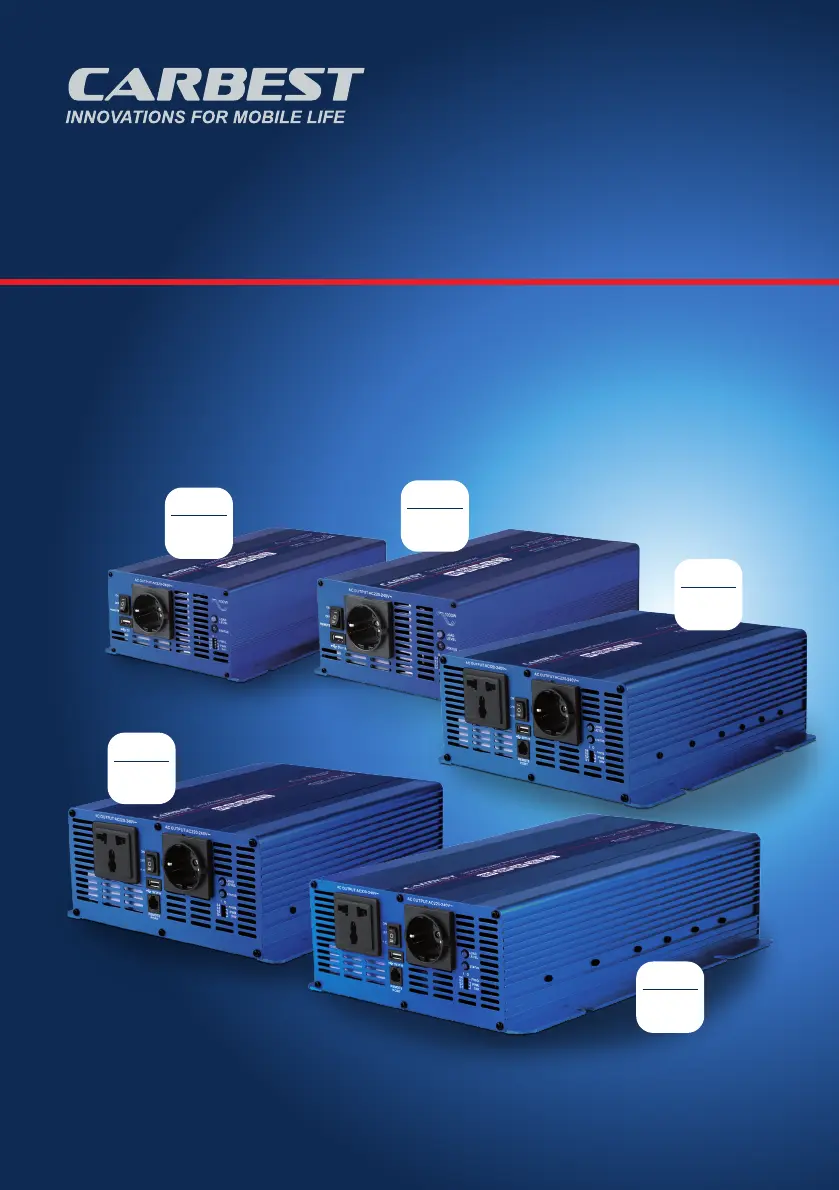
Sinus Power Inverter
Sinus-Wechselrichter · Pure Sine-Wave Inverter
DE - BEDIENUNGSANLEITUNG
GB - INSTRUCTION MANUAL
82285
700
WATT
82282
1000
WATT
82286
1500
WATT
82283
2000
WATT
82284
3000
WATT
82282_bis_82286_Inverter_A5_V3.indd 182282_bis_82286_Inverter_A5_V3.indd 1 09.02.21 13:1309.02.21 13:13

Other manuals for Carbest 82283

Questions and Answers

  • C
    Craig MackJul 25, 2025
    What to do if my Carbest 82283 Inverter has no AC power output and the red LED is on?
    • M
      Margaret WilliamsJul 26, 2025
      If your Carbest Inverter shows no AC power output and the status LED is red, it could be due to several reasons: * **Over input voltage (OVP):** Verify the input voltage and lower it if it's too high. * **Low input voltage (UVP):** Recharge the battery, and inspect all connections and cables. * **Thermal shutdown (OTP):** Enhance ventilation, ensure the inverter's openings aren't blocked, and lower the surrounding temperature. * **Short circuit or wiring error/Overload (OLP):** Examine the AC wiring for short circuits and decrease the load.
  • D
    dawn25Aug 3, 2025
    What to do if my Carbest 82283 Inverter has no AC power output and the status LED is red?
    • W
      wguzmanAug 3, 2025
      If your Carbest Inverter isn't providing AC power and the status LED is red, it could be due to several reasons: * **Over input voltage (OVP):** Check the input voltage and reduce it if it's too high. * **Low input voltage (UVP):** Recharge the battery and inspect the connections and cable. * **Thermal shutdown (OTP):** Improve ventilation, ensure the inverter's ventilation openings aren't blocked, and lower the ambient temperature. * **Short circuit or wiring error / Overload (OLP):** Examine the AC wiring for a short circuit and reduce the load.
  • M
    Michele MedinaAug 9, 2025
    Why Carbest 82283 Inverter has no AC power output and the status LED is red?
    • T
      Taylor SalazarAug 10, 2025
      The Carbest Inverter might not be providing AC power, and the status LED could be red due to: * **Over input voltage (OVP):** The input voltage might be too high. Solution: Check and reduce the input voltage. * **Low input voltage (UVP):** The input voltage may be too low. Solution: Recharge the battery and check the connections and cable. * **Thermal shutdown (OTP):** The inverter may have overheated. Solution: Improve ventilation, ensure that the inverter's ventilation openings are not obstructed, and reduce the ambient temperature. * **Short circuit or wiring error / Overload (OLP):** There may be a short circuit in the AC wiring or an overload. Solution: Check the AC wiring and reduce the load.
  • T
    Tanya SchaeferAug 17, 2025
    How to fix Carbest Inverter with no AC power output and red status LED?
    • R
      Robin WilliamsonAug 17, 2025
      To resolve a Carbest Inverter that has no AC power output and a red status LED, consider the following steps: 1. **Check for Over Input Voltage (OVP):** If the input voltage is too high, reduce it. 2. **Check for Low Input Voltage (UVP):** If the input voltage is too low, recharge the battery and check all connections and the cable. 3. **Check for Thermal Shutdown (OTP):** Improve ventilation around the inverter, ensure its ventilation openings are not obstructed, and reduce the ambient temperature. 4. **Check for Short Circuit or Wiring Error/Over Load (OLP):** Inspect the AC wiring for any short circuits and reduce the load on the inverter.

Summary

Product Introduction

Key Product Features

Critical Safety Guidelines

General Safety Precautions

Instructions to avoid fire, shock, and overheating by proper installation and handling.

Battery Safety Procedures

Precautions for handling batteries safely, including acid contact and preventing sparks.

Mechanical Specifications

Inverter Controls and Indicators

Front Panel Component Identification

Identifies input/output ports, chassis ground, and battery connectors on the front panel.

Dip Switch Configuration Options

Details settings for frequency selection and load power adjustments via dip switches.

LED Status and Load Interpretation

Explains the meaning of various LED indicators for load level and operational status.

Main Switch Operation Modes

Describes the ON, OFF, and REMOTE modes of the main power switch.

Installation and Connection

Operating the Inverter

Troubleshooting Common Issues

Maintenance and Care

Warranty and Product Disposal

Warranty Terms and Limitations

Details on the warranty period, exclusions, and liability limitations.

Environmental Disposal Instructions

Guidelines for proper disposal of electronic equipment according to EU directives.

Carbest 82283 Specifications

General IconGeneral
BrandCarbest
Model82283
CategoryInverter
LanguageEnglish

Related product manuals