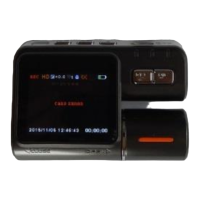
In the status of Image,press and release the UP Button
In the status of Image,press and release the DOWN Button to switch between Day Status and Night Status.
When it switchs to Night Status,the LED will be burning.
Image Resetting
Press and release the MENU Button to Reset it.
Shooting mode: Single shot / Self-timer (2 seconds / 5 seconds / 10 seconds) / Continuous
Resolution: 12M/8M/5M/3M
;
Image Quality: Best / quality / standards;
Sharpness: strong / standard / soft;
White Balance: Auto / Daylight / Cloudy / Tungsten / Fluorescent;
Color: normal / black / brown;
ISO: Auto / 100/200/400;
Exposure Compensation: -2.0 - +2.0;
Face: Face / smile recognition;
Anti-Shake: Off / On;



 To Next Page