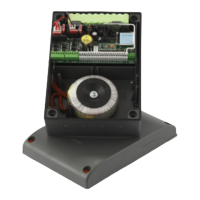
MR
PROGRAMMING PROCEDURE
(gate travel distance and current sensor)
The system can be remotely activated using radio control devices; each
channel has a choice of 5 possible functions: open - shut - limited open-
ing - sequential command - stop.
To set the functions to channels "A","B","C","D" use the command "CHAN-
NEL FUNCTIONS" from the "REMOTE" menu. The sequential command
may be set to "open-stop-shut-stop" or "open-close".
Memory module (MM)
This is extractable, furnished with a non volatile EEPROM type memory,
contains the transmitter codes and allows you to memorise up to 300 codes
S4XX / 1000 codes S500 series. The programmed codes are maintained
in this module even during blackouts. Before memorising the transmitters
for the rst time remember to cancel the entire memory content.
If the electronic card has to be replaced due to failure, the module can
be extracted from it and inserted into the new card. Make sure that the
module is correctly inserted as shown in g. 1.
TRANSMITTER CODE MANAGEMENT
Memorising a channel
1. Scroll to the "MEMORISATION" step in the "REMOTE" menu and conrm
using the "PROG/OK" button:
the indication "Activation 1" will ash on the LCD.
2. Activate the transmitter channel that is to be memorised:
the indication "Activation 2" will ash on the LCD.
3. Activate the transmitter again (same transmitter, same channel*):
the indication "Code memorised" will ash on the LCD.
The number of channels already present in the memory is shown on the
rst line in brackets.
* if the channel is different or it is a different transmitter (point three) the
memorisation attempt will abort without success however "Activation 1"
will still ash on the LCD.
Note: It is not possible to memorise a code which is already in memory:
if you attempt this the indication "COD. IN MEM." (point one) will appear
on the LCD.
Cancelling a channel:
1. Scroll to the "CANCELLATION" step in the "REMOTE" menu and conrm
using the "PROG/OK" button:
the indication "Activation 1" will ash on the LCD.
2. Activate the transmitter channel that is to be cancelled:
the indication "Activation 2" will ash on the LCD.
3. Activate the transmitter again (same transmitter, same channel*):
the indication "Code cancelled" will ash on the LCD.
The number of channels already present in the memory is shown on the
rst line in brackets.
* if the channel is different or it is a different transmitter (point three) the
cancellation attempt will abort without success however "Activation 1" will
still ash on the LCD.
Note: It is not possible to cancel a code which is not already in memory: if
you attempt this the indication "COD. NOT MEM." (point one) will appear
on the LCD.
Cancelling all user codes from memory:
1. Scroll to the "CANCEL ALL MEMORY" step in the "REMOTE" menu
and conrm using the "PROG/OK" button: a procedure conrmation
request "CANC ALL MEMORY?" will appear on the LCD (press one of
the arrows to exit the procedure).
2. Press the "PROG/OK" button to conrm the total cancellation:
the indication "CANCELLING" along with a progress bar will appear on
the display.
3. Once the total cancellation has been carried out the display will return
to "CANCEL ALL MEMORY".
Memorising ulterior channels via radio (S4XX transmitters)
• The system can be remotely activated using radio control devices; (with-
out opening the receiver) by setting
"MEMO RADIO" has been activated
in the "OPTIONS" menu.
1. Using a transmitter, in which at least
one channel button "A, B, C or D"
has already been memorised in the
receiver, press the button in the
transmitter as shown in gure.
• The installation of both anti-derailment buffers is absolutely obliga-
tory.
• Make sure the safety devices are at rest and the ECU is receiving
mains power otherwise you will not be able to enter programming.
• It is not possible to enter programming when working off battery power.
• Before programming set the main operating parameters in the
"OPTIONS" menu.
REPOSITIONING
Attention! During the repositioning manoeuvre the current sensor
value could be altered. At the end of the manoeuvre, however,
it will reset automatically to the chosen value.
If the programmer blocks due to an encoder count error ("Error ENC1-
ENC2" on the display), after a programmer reset ("Out of pos.") or when
there is a problem with the motor ("error Mot1-Mot1") the warning lights
and indicator light will ash simultaneously for 2 seconds and will then
switch off for 10 seconds.
If in this stage you send a (TA, TC, TAL or TD) command to the programmer.
The programmer will move the gates slowly to the completely closed
position (2 times as in the programming procedure) in order to recover the
correct position.
At this point the programmer will function normally. If a "TA" command is
given the positioning recovery is carried out in the opening direction.
No commands will be accepted during repositioning but the security devices
will cut in and block all movement if they go into alarm.
To interrupt the repositioning manoeuvre press the "PROG" or "TB" button.
REMOTE CONTROL
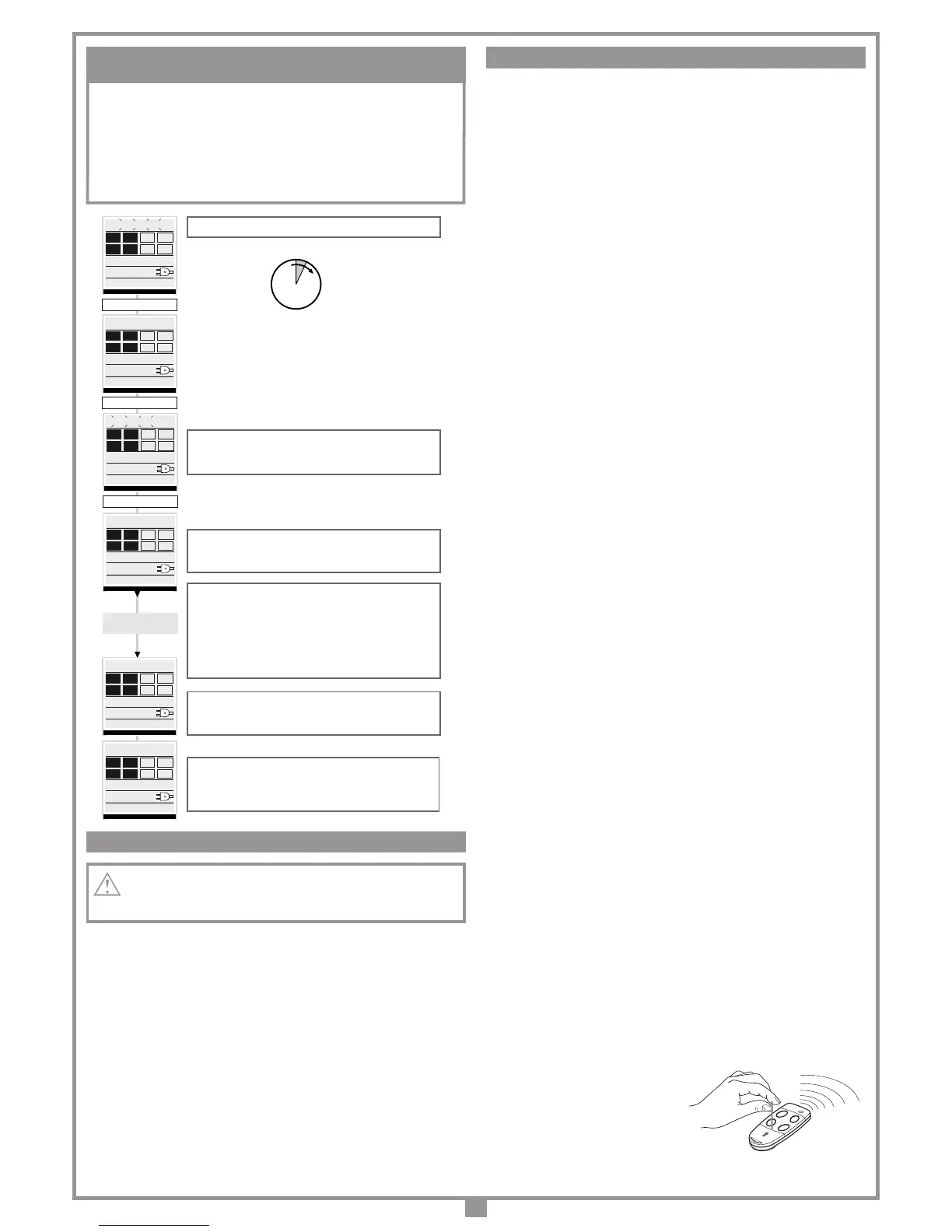
1...4... sec.
The pause time count will start (min. 2 seconds: max. 240
seconds) indicated by "PAUSE" and the elapsed time
appearing on the display
Press “PROG” to set the pause time to the required value. The
gates will now open slowly in order to nd the completely open
position.
When the gates reach the completely open position they
invert the travel direction and after moving for a few
centimetres they will open again to conrm the completely
open position. At this point the leaves move one at a time in
the closing direction (rst gate leaf 2). When one of the gate
leaves reaches the completely closed position it inverts the
travel direction and after moving for a few centimetres it will
close again to conrm the completely closed position.
After carrying out this manouvre the control logic will carry out a
complete opening and closing cycle at the standard operating
speed in order to calibrate the current sensor.
When the gate reaches the completely closed position the
programmer saves the parameters and quits the
programming mode.
The operation has not succeeded.
You will have to repeat the programming procedure.
Press and hold down prog/ok for 4 seconds
“PROG/OK” for 4 sec.
AUTOMATIC
PROGRAMMING CYCLE
PROGRAM
TB
FI
FS
CP
TA
TD
TC
TAL
00.000.007
CC2X24 V1.00
“PROG/OK”
PAUSE
TB
FI
FS
CP
TA
TD
TC
TAL
00.000.007
CC2X24 V1.00
AUTO PROG.
“PROG/OK”
TB
FI
FS
CP
TA
TD
TC
TAL
00.000.007
CC2X24 V1.00
AUTO PROG.
OPENING
TB
FI
FS
CP
TA
TD
TC
TAL
00.000.007
CC2X24 V1.00
AUTO PROG.
CLOSING
TB
FI
FS
CP
TA
TD
TC
TAL
00.000.007
CC2X24 V1.00
AUTO PROG.
PROGRAM
TB
FI
FS
CP
TA
TD
TC
TAL
00.000.007
CC2X24 V1.00
PAUSA
[030]



 To Next Page
 Loading...