7. Track Installation Instructions
T-Series Track Installation
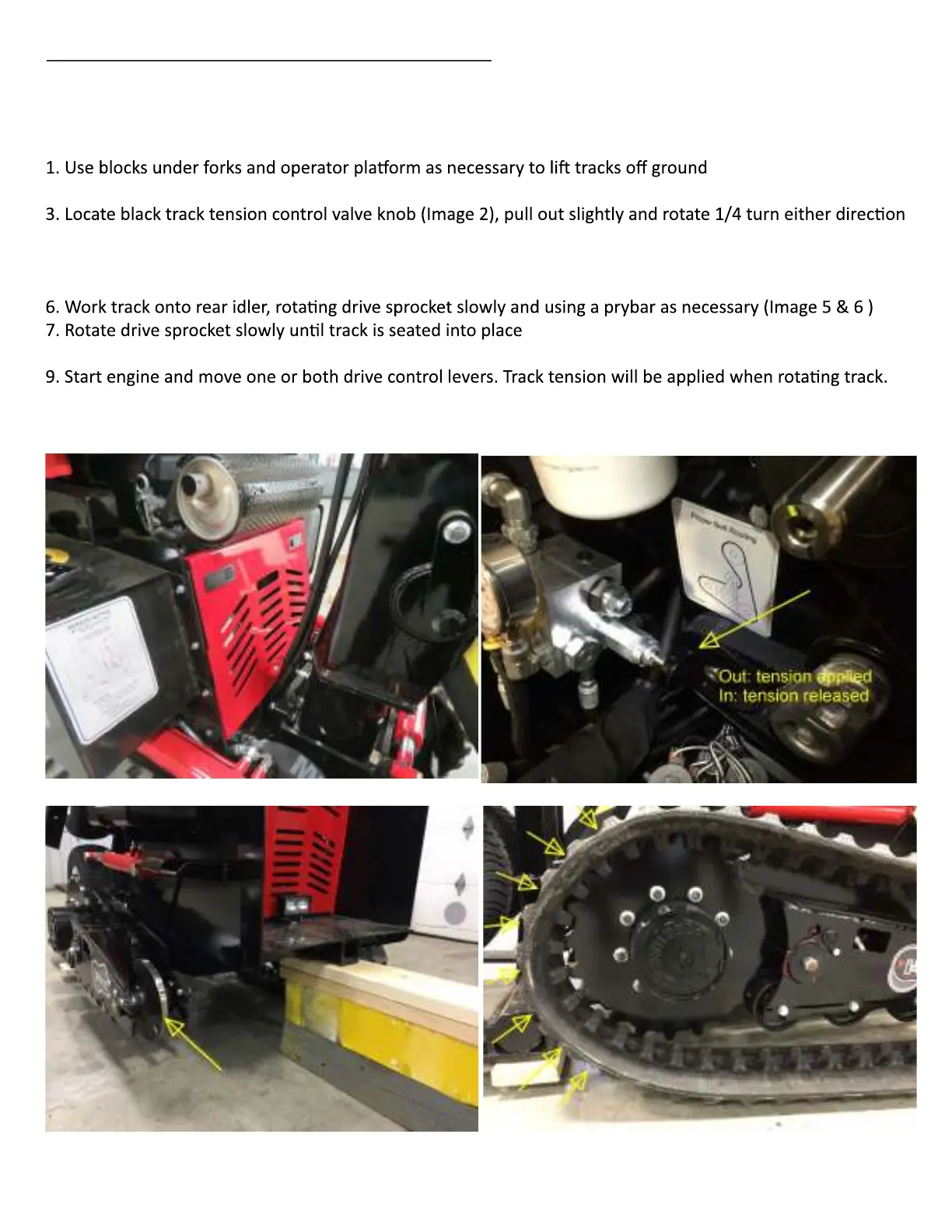
2. Remove front lower hood below muffler (Image 1).
to allow it to drop in, which will release track tension
4. Apply force to rear idler roller (image 3) to retract it fully toward drive sprocket
5. Place track onto front drive sprocket, ensuring track drops into drive teeth (Image 4)
8. Pull out black tension control knob and rotate 1/4 turn to latch out (Image 2)
Image 1
Image 2
Image 3 Image 4


 To Next Page