EasyManua.ls Logo

CARDIOSTRONG Ergometer BX70i - User Manual

CARDIOSTRONG Ergometer BX70i
48 pages
Print Icon
To Next Page IconTo Next Page
Loading...
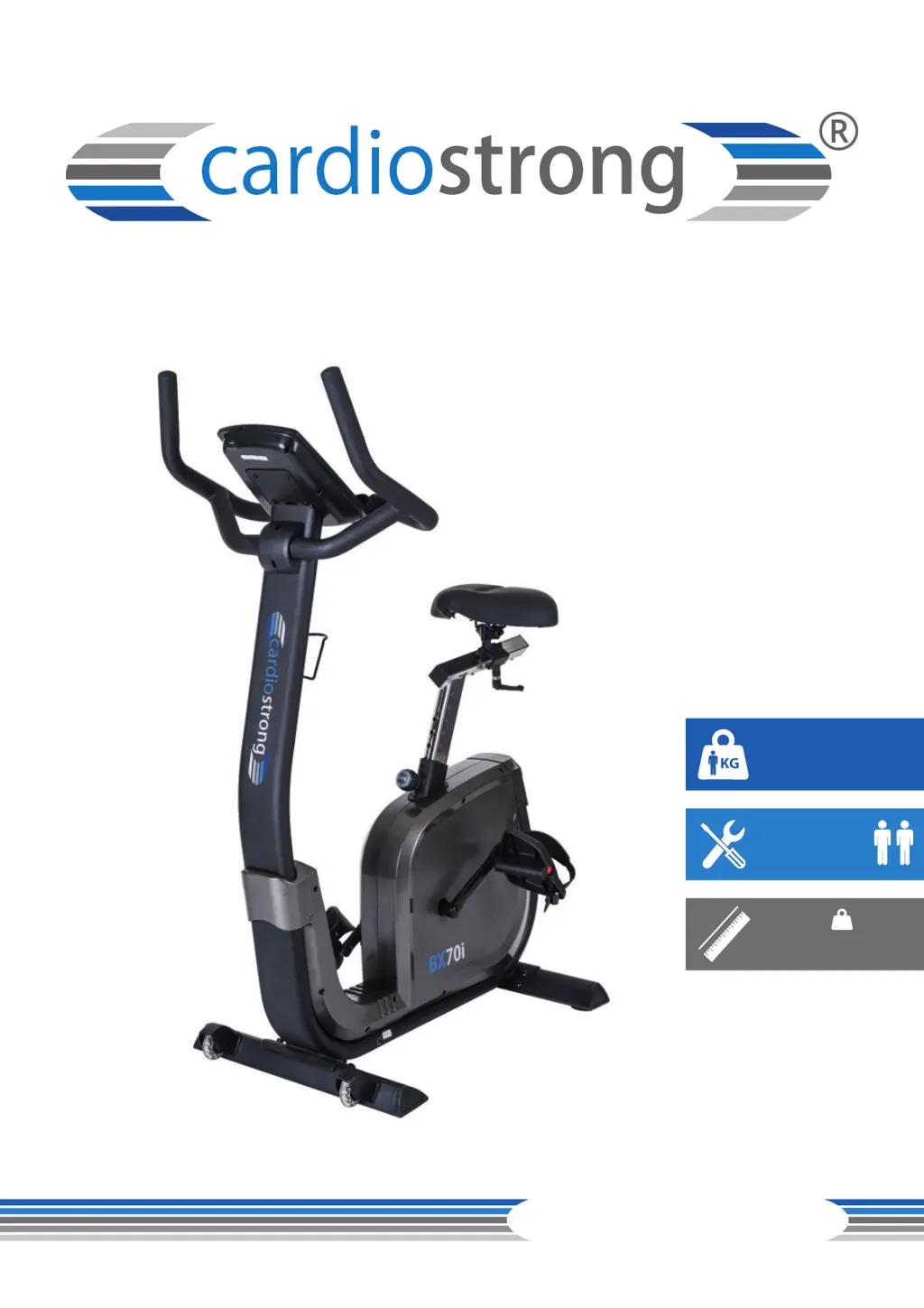
max. 150 kg
~ 30-60 Min.
CM
47 kg
ErgometerBX70i
CSTBX70i.02.07
Art. No. CST-BX70i-2
Assembly and Operating Instructions
L 96 | W 56 | H 143

Questions and Answers

  • M
    Mrs. Samantha Dougherty DDSJul 28, 2025
    Why is there no pulse display on my CARDIOSTRONG Ergometer BX70i?
    • R
      Richard CamposJul 28, 2025
      If there is no pulse displayed on your CARDIOSTRONG Fitness Equipment, the cause may be due to interference in the room, an unsuitable chest strap, incorrect positioning of the chest strap, a defective chest strap, an empty battery, or a defective pulse display. To resolve this, eliminate any sources of interference such as mobile phones or WLAN devices. Ensure you are using a suitable chest strap, reposition the chest strap, and moisten the electrodes. You may also need to change the batteries. Check if pulse display by hand pulse is possible.
  • K
    Karen JohnsonAug 2, 2025
    What to do if the display is blank on CARDIOSTRONG Fitness Equipment?
    • T
      Tara ThomasAug 3, 2025
      If the display of your CARDIOSTRONG Fitness Equipment is blank or not working, this could be due to empty batteries or a loose cable connection. Try replacing the batteries or check the cable connections to resolve this issue.
  • S
    Samuel KruegerAug 8, 2025
    How to stop my CARDIOSTRONG Fitness Equipment from wobbling?
    • N
      Nicole AdamsAug 8, 2025
      If your CARDIOSTRONG Fitness Equipment wobbles, it is likely that the equipment is not level. You can fix this by aligning the feet of the equipment.
  • K
    Karen WilliamsAug 14, 2025
    Why does the handlebar wobble on my CARDIOSTRONG Fitness Equipment?
    • R
      Richard SmithAug 14, 2025
      If the handlebar or saddle on your CARDIOSTRONG Fitness Equipment wobbles, the cause is probably loose screws. Make sure to tighten the screws firmly.
  • A
    Alex KellerAug 20, 2025
    How to fix cracking sound in the pedal area of CARDIOSTRONG Ergometer BX70i?
    • B
      bennettmistyAug 20, 2025
      If you hear cracking in the pedal area of your CARDIOSTRONG Fitness Equipment, it might be that the pedals are loose. Try tightening the pedals.

Summary

ABOUT THIS MANUAL

Accuracy classes

Explains different accuracy classifications for training devices.

Use classes

Defines classes based on the intended use of training equipment.

GENERAL INFORMATION

1.1 Technical Data

Lists detailed technical specifications of the ergometer.

1.2 Personal Safety

Details crucial safety precautions for users.

1.3 Electrical Safety

Covers essential electrical safety guidelines for operation.

1.4 Set-Up Place

Provides guidance on selecting an appropriate location for the equipment.

ASSEMBLY

2.1 General Instructions

Offers general advice and warnings for the assembly process.

2.2 Scope of Delivery

Lists all parts and tools included in the product package.

2.3 Assembly

Step-by-step instructions for assembling the ergometer.

OPERATING INSTRUCTIONS

3.1 Console display

Describes the components and layout of the console display.

3.2 Button Function

Details the functions of each button on the console.

3.3 Turning On and Setting the Equipment

Guides users on powering up and initial setup.

3.4.1 MANUAL MODE

Instructions for using the manual training mode.

3.4.2 PROGRAM MODE

Steps for selecting and using pre-set training programs.

3.4.3 H.R.C. MODE

Guide for Heart Rate Controlled training mode.

3.4.4 WATT MODE

Instructions for the Watt controlled training mode.

3.4.5 USER PROGRAM MODE

How to create and use custom training programs.

3.4.6 RECOVERY

Explains the recovery test feature.

3.4.7 BODY FAT

Details on how to measure body fat percentage.

3.5 Connection with Kinomap

Instructions for connecting the ergometer with the Kinomap app.

STORAGE AND TRANSPORT

4.1 General Instructions

Provides general guidelines for storing and transporting the equipment.

4.2 Transportation Wheels

Explains how to use transportation wheels for moving the unit.

TROUBLESHOOTING, CARE AND MAINTENANCE

5.1 General Instructions

Offers general advice for troubleshooting and maintenance.

5.2 Faults and Fault Diagnosis

Helps identify and diagnose common faults and their causes.

5.3 Error Codes and Troubleshooting

Explains error codes and provides troubleshooting steps.

5.4 Maintenance and Inspection Calendar

Outlines a schedule for routine maintenance tasks.

DISPOSAL

RECOMMENDED ACCESSORIES

ORDERING SPARE PARTS

8.1 Serial Number and Model Name

Guides on identifying serial and model information for ordering parts.

8.2 Parts List

A comprehensive list of all parts for the ergometer.

8.3 Exploded Drawing

Visual representation of parts with numerical references.

WARRANTY

Warranty Conditions

Outlines the terms and conditions required for warranty validity.

Proof of Purchase and Serial Number

Explains the necessity of proof of purchase and serial number for claims.

Service outside of the Warranty Period

Information on service and repairs after the warranty expires.

CONTACT

CARDIOSTRONG Ergometer BX70i Specifications

General IconGeneral
TypeErgometer
ModelBX70i
BrandCARDIOSTRONG
Max User Weight150 kg
DisplayLCD
BluetoothYes
User Profiles4
Power SupplyMains adapter
Programs12
Heart Rate MeasurementHand pulse sensors, chest strap (optional)