Safety
The security guide we we sent separately explains how to protect your card reader, business and customers’ payment data from fraud.
To make sure you get the most out of your card reader, please avoid:
•
removing any parts of the card reader, such as the screws
•
trying to repair the card reader yourself, as this could damage it
•
placing or holding the card reader near liquids or wet areas
•
putting anything made of steel into the card reader
•
dropping the card reader.
You may have to pay for the card reader if you don’t follow the above.
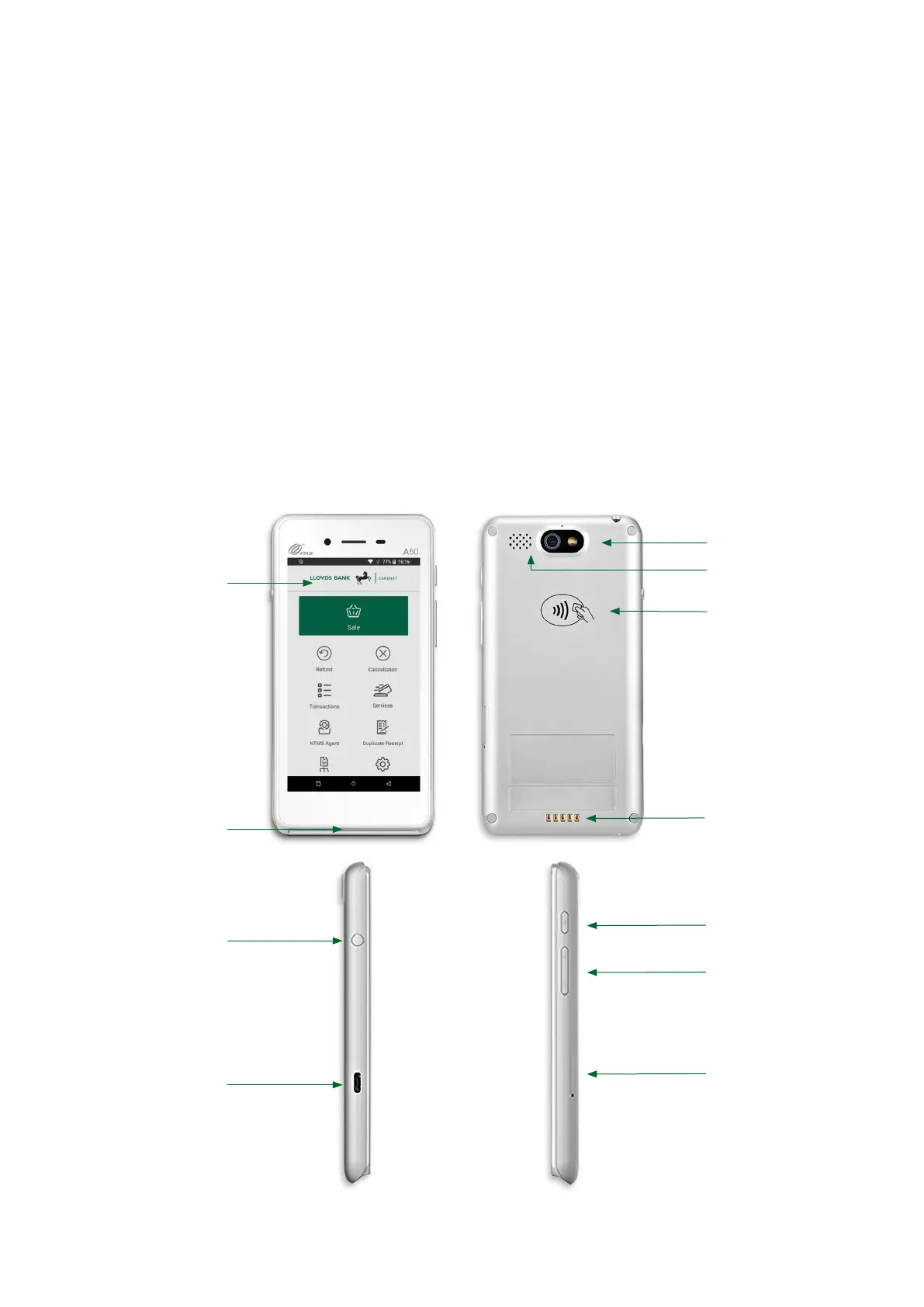
Your card reader
Front
Display
Chip card reader
Button to turn on
the camera
USB-C port
Back
Speaker
Camera
Contactless reader
Charging contacts
Power button
Volume control
SIM slot
Sides
1



 To Next Page