Need help?
Do you have a question about the Cardo Systems Spirit HD and is the answer not in the manual?
Step-by-step guide to pairing the SPIRIT HD with mobile phones and other Bluetooth devices.
Instructions for handling phone calls using voice dial, speed dial, answering, and ending calls.
How to set up and use Bluetooth intercom connections with other units.
Methods to perform a soft reset if the SPIRIT HD unit becomes unresponsive.
Steps to delete all paired devices and restore default configuration settings.
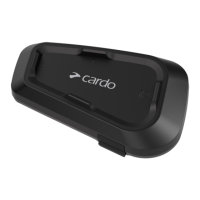
The Cardo SPIRIT HD is a communication and entertainment system designed for motorcycle helmets, offering a range of features to enhance the riding experience. It facilitates hands-free communication, music streaming, and FM radio listening, all while prioritizing safety and convenience on the road.
The SPIRIT HD serves as a comprehensive communication hub for motorcyclists. Its primary function is to enable Bluetooth intercom communication between riders, allowing for clear conversations with a passenger or another rider within a range of up to 600m (0.4mi) line of sight. This intercom system is built on the traditional Bluetooth protocol, ensuring compatibility with other Cardo Bluetooth units and Bluetooth-enabled devices.
Beyond intercom, the device integrates seamlessly with mobile phones, GPS devices, and Bluetooth music players. It features two Bluetooth channels, allowing users to pair multiple devices simultaneously. For instance, a mobile phone can be paired to channel 1, while a GPS device or music player can be connected to channel 2. This dual-channel capability ensures that essential functions like phone calls and navigation instructions are readily available.
Music streaming is a core entertainment feature, allowing riders to enjoy audio from their paired devices. The SPIRIT HD also includes a built-in FM radio, providing an additional source of entertainment. Users can scan for stations, store presets, and toggle between FM radio and streamed music.
The device supports voice dial options from mobile phones, as well as Cardo's speed dial and redial last call features, enabling hands-free phone calls. Incoming calls can be answered or ignored with simple button presses.
Operating the SPIRIT HD is designed to be intuitive, with multiple ways to control its functions. Users can interact with the device through physical buttons on the unit, or via the Cardo Connect App on their smartphone.
Basic audio functions, such as adjusting volume, are consistent across all audio sources (music, intercom, phone calls). Volume can be increased or decreased with single taps on dedicated buttons. For safety, the microphone can be muted, and speaker volume lowered to a minimal level by pressing the volume down button for 2 seconds. Any button press will unmute the microphone and restore the previous speaker volume.
For phone calls, initiating a voice dial is possible by tapping a button or using voice commands like "Hey Siri" or "OK Google." Answering or ending calls is done with a single tap of the mobile button, while ignoring a call requires a tap on the volume down button.
Music streaming is initiated by tapping the Media button. To stop streaming, users tap the mobile and volume down buttons simultaneously. Skipping to the next track is a single tap on the media button, while going back to the previous track requires a double tap.
The FM radio can be turned on by tapping a button for 2 seconds or by using the voice command "Hey Cardo, radio on." Turning it off involves tapping two buttons once. Skipping between stations is also straightforward, with single or double taps on the media button, or voice commands like "Hey Cardo, next station" or "Hey Cardo, previous station." The device remembers the last played FM station and resumes it upon activation. Scanning for and selecting new stations is also supported.
When riding with others, setting up a Bluetooth intercom connection involves a simple pairing process. The unit enters pairing mode by pressing a button for 5 seconds, and an announcement guides the user. Once paired, communication can be started or ended by pressing a button for 2 seconds. The SPIRIT HD also supports music sharing with a passenger or another rider, initiated by pressing two buttons for 2 seconds. However, Bluetooth intercom calls are disabled during music sharing.
A notable feature is Parallel Audio Streaming, which allows users to hear multiple audio sources simultaneously. For example, GPS instructions can be heard during a mobile or Bluetooth intercom call, or while listening to music or FM radio. The device intelligently manages audio source priorities, either keeping them in the foreground (full volume) or moving them to the background (reduced volume). This functionality can be configured via the Cardo Connect App.
The SPIRIT HD is designed for ease of maintenance, particularly concerning software updates and troubleshooting.
Software updates are crucial for ensuring the unit operates optimally, fixing bugs, and introducing new functionalities. The SPIRIT HD supports Over the Air (OTA) updates via the Cardo Connect App. When a new update is available, a pop-up appears on the app screen, guiding the user through the installation process. Updates can also be performed at any time through the app's settings. For those who prefer a computer, Cardo provides an Update tool that allows firmware updates by connecting the unit via a USB cable.
Troubleshooting includes a "Soft Reset" option if the device becomes unresponsive. This can be achieved by simply turning the unit off and on again, or by connecting it to a computer or wall charger for 30 seconds.
For more significant issues or to restore the device to its original state, a "Factory Reset" is available. This option deletes all paired devices and configuration settings. It is performed by simultaneously pressing three specific buttons for 5 seconds while the unit is in Standby mode. The LED flashes purple to confirm the reset.
The Cardo Connect App also serves as a central point for personalizing the device. Users can adjust various settings, such as AGC sensitivity (Automatic Gain Control, which adjusts speaker volume based on ambient noise and riding speed), audio priority (determining whether music or intercom takes precedence), background audio level, Bluetooth friendly name, language, mobile priority, and RDS (Radio Data System) for FM radio. These settings allow riders to customize their SPIRIT HD to match their preferences and riding conditions.
The device is also waterproof, adding to its durability and reliability in various weather conditions. Registration of the SPIRIT HD is encouraged to access software updates, new features, and ensure smooth handling of warranty issues.
 General
| Speaker Size | 40mm |
|---|---|
| Bluetooth Version | 5.2 |
| Battery Life | Up to 13 hours |
| Water Resistance | IP67 |
| Speaker Type | Dynamic |
| Voice Command Support | Yes |
| FM Radio | No |
| Intercom Channels | 2-way |
| Weight | 35g |

 To Next Page