Inapowerblackout
situation,theDiallerwill
notfunction.
• The9Volt
rechargeable
batteryisnot
holdingitscharge.
• ThePower
Adaptorinternal
surgeprotector
fusehasblown
• ReplacetheRechargeable
Battery
• ReplacethePower
Adaptor
TheBluelightdoesnot
appearwhenthe“Call
Button”(YellowButton)
ispressedontheremote
pendant.
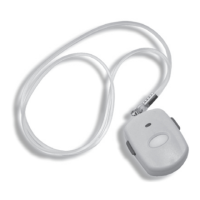
• Thependant
batteryisflat.
• FaultyPendant
• Replacethebattery.
• Replacethependant
TheSmartDiallerisnot
respondingwhenthe
“CallButton”or
“EmergencyButtons”
arepressedonthe
remotependant.
• Flatbatteryinthe
remotependant
• The“FUNCTION”
switchisnoton
“Alarm”or“Mute”
position.
• Thependantisnot
pairedtothe
dialler.
• Thecordless
phoneistooclose
tothedialler.
• FaultyPendant
• Replacethebattery.
• Setthe“FUNCTION”switch
to“Alarm”or“Mute”.
• FollowtheInstructionsto
pairthependantand
diallerfoundonpage10
• Separatethecordless
phoneandSmartDialler
byagreaterdistance
especiallyifthecordless
phoneisahigherpowered
type
• ReplacePendant
Therangeofthe
pendanttothedialleris
extremelypoor.
(CareAlerthavean
aerialboostertogive
greaterrange.For
informationandcosting
ofthisproductplease
call1300758595)
• Antennaisnotin
uprightposition.
• Mainunitisplaced
closetoelectronic
devicessuchas
computer,TV,
radio,etc.
• Mainunitisplaced
onthefloororat
thecornerofa
building.
• Thebatteryofthe
remotependantis
flat.
• Placetheantennaupright
position.
• Placethemainunitaway
fromtheelectronic
devices.
• Placethemainunitinan
openenvironment.
• Replacethebattery.


 To Next Page