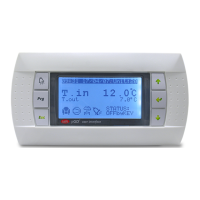
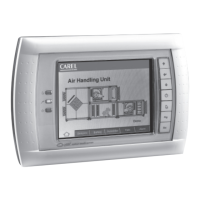
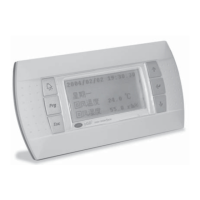
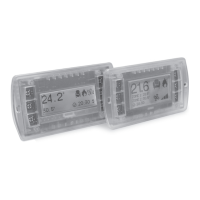
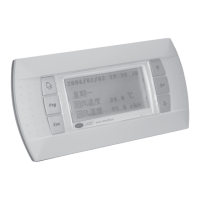
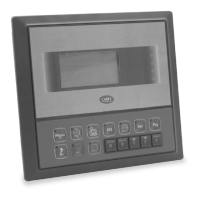
The device described in the manual is a PGD0000100 display from CAREL, designed for use with pCO controllers. It serves as a graphical user interface, allowing users to monitor and interact with the pCO system.
Function Description
The PGD0000100 is a graphical display that provides a visual representation of the pCO controller's status and parameters. It features a monochrome LCD with a resolution of 132x64 pixels, capable of displaying both text and graphical elements. The display is equipped with a backlight for improved visibility in various lighting conditions.
Its primary function is to offer a user-friendly interface for:
- Monitoring: Displaying real-time data, alarms, and operational status of the pCO system.
- Configuration: Allowing users to modify parameters and settings of the connected pCO controller.
- Diagnostics: Providing information for troubleshooting and system analysis.
The display supports multiple languages, making it suitable for international use. It communicates with the pCO controller via a serial connection, specifically using the tLAN protocol. The device is designed for panel mounting, ensuring a secure and integrated installation.
Important Technical Specifications
Display:
- Type: Monochrome LCD
- Resolution: 132x64 pixels
- Backlight: Yes (LED type)
- Graphic capability: Yes, allows for custom graphic elements and icons.
- Character height: 4.5 mm (first line), 3.5 mm (other lines)
- Number of lines: 10 lines (first line), 13 lines (other lines)
- Display area: 74.0x35.5 mm
Electrical:
- Power supply: 5Vdc, supplied by the pCO controller through the telephone cable or internal connection.
- Maximum power absorption: 1W
Mechanical:
- Dimensions (overall): 202 mm (width) x 177 mm (height) x 40 mm (depth)
- Panel cut-out: 181.5 mm (width) x 128.5 mm (height)
- Mounting: Panel mounting with spring clips.
- Protection rating: IP55 (front panel)
Environmental:
- Operating temperature: 0 to 50 °C
- Storage temperature: -20 to 70 °C
- Relative humidity: <90% RH non-condensing
Communication:
- Protocol: tLAN (Carel Local Area Network)
- Connection: RJ11 telephone connector
Certifications:
- CE, cURus, RoHS compliant.
Usage Features
The PGD0000100 offers several features to enhance user interaction and system management:
- Intuitive Navigation: The display includes a set of buttons for navigating through menus and adjusting parameters. These typically include "ENTER," "ESC," "UP," and "DOWN" buttons.
- Password Protection: Access to certain configuration menus can be protected by passwords, ensuring that only authorized personnel can make critical changes. The manual describes how to set and manage these passwords for both "Private" and "Shared" access levels.
- Display Address Configuration: The display's address can be configured, which is crucial in systems with multiple displays or when integrating with a network. This is typically done through a dedicated configuration menu.
- Firmware Updates: The device supports firmware updates, allowing for future enhancements and bug fixes. The manual provides instructions on how to check the current firmware version and perform updates.
- Customizable Graphics: Users can upload custom graphic elements and icons to the display, allowing for a more tailored and brand-specific interface. This requires specific software tools and knowledge of graphic file formats.
- Alarm Management: The display can show active alarms and their descriptions, helping operators quickly identify and address issues within the system.
- Parameter Adjustment: Users can easily adjust various parameters of the connected pCO controller, such as setpoints, timers, and control modes, directly from the display.
- Multi-language Support: The display supports multiple languages, which can be selected by the user, making it accessible to a broader range of operators.
- Contrast Adjustment: The display contrast can be adjusted to optimize visibility based on ambient lighting conditions.
Maintenance Features
Maintenance of the PGD0000100 primarily involves ensuring its proper functioning and keeping its software up-to-date:
- Firmware Verification: Regularly checking the firmware version (as described in the manual, e.g., using the "INFO" menu) helps ensure the device is running the latest stable software.
- Cleaning: The front panel, being IP55 rated, can be wiped clean with a damp cloth. Care should be taken not to use abrasive cleaners or excessive moisture.
- Connection Checks: Periodically verifying the integrity of the serial communication cable (telephone cable) and its connectors ensures reliable communication with the pCO controller.
- Backlight Longevity: While LED backlights have a long lifespan, monitoring the display's visibility can indicate potential issues with the backlight or power supply.
- Troubleshooting: The manual provides guidance on common issues, such as "Fault signals" (e.g., "NO LINK" indicating a communication problem), which can aid in basic troubleshooting.
- Password Management: Regularly reviewing and updating passwords for configuration access is a good security practice.
- Replacement: In case of hardware failure, the display is designed to be easily replaceable due to its panel-mount design and standard connections.
The PGD0000100 is a robust and versatile graphical display, providing an essential interface for managing and monitoring CAREL pCO controllers in various industrial and commercial applications.

 Need help?

 To Next Page
 General