7
row 3 short = square root
long = Pi
short = squared
long = to the power of
short = percent
long = reciprocal value
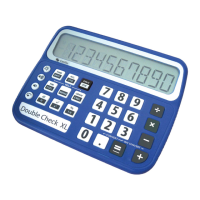
4.3: 4 x 4 Group (from left to right)
row 1 digit 7 digit 8 digit 9 divided by
row 2 digit 4 digit 5 digit 6 times
row 3 digit 1 digit 2 digit 3 minus
row 4 digit 0 short = decimal point
long = change sign
equals plus
4.4: Switch the Device on and off
To switch the device on, press the ON-key (3 x 3 group, top right). The
DoubleCheck XL will automatically switch off after 3 minutes without a keystroke. To
switch it off manually, press and hold all 3 keys of the first row in the 3 x 3 group
until you hear a short jingle.
4.5: Menu Escape Function
To escape the menu, just press the ON-key (3 x 3 group, top right).
4.6: Delete last Digit / delete all
If you have mistyped a number incorrectly, you can always delete the last digit or
the complete number. Press the ON-key short and the complete number will be
deleted, press the On-key long and only the last digit will be deleted.
4.7: Keylock
To activate or de-activate the keylock, keep the 0-key and the PLUS-key pressed
until you hear a the confirmation (4 x 4 group, row 4, left & right key).
4.8: Volume Control
The volume can be set in 7 levels (Only on talking versions), including level 0
(mute). To increase the volume press the auxiliary key in row 2, to decrease press
the auxiliary key in row 3. Another way of changing the volume is by pressing the
MENU key (3 x 3 group, row 2, column2) short together with either the button left of
the menu key (decrease volume) or with the button right of the menu key (increase
volume). DoubleCheck XL will announce the change of the volume.
Caution: The volume level can also be set to 0. DoubleCheck
XL then be silent. The settings will change when power is
removed.


 To Next Page