4
3: How to Use
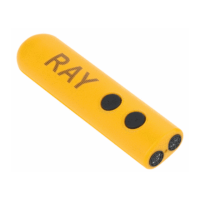
Turn the device so that the two keys now face downwards and the round end
faces away from you. Pull the lid of the battery compartment towards you to
open it. The lid is completely removable. Put two 1.5 V AAA batteries in the
compartment with the flat (negative) end of each battery contacting the coil.
Close the lid until it locks in place.
4: Switch the device on and off
Once the batteries have been inserted, Ray is ready for use and automatically
is switched on. To switch it on manually press and hold both keys until you
hear a beep and feel a vibration.
Once Ray is switched on, the following settings are active:
− Recognition Mode : Normal
− Signals : Vibrations
− Trainer Mode : inactive
If Ray does not recognize any objects or obstacles for 1 minute, it will
automatically switch off. To switch it off manually press and hold both keys until
you hear a beep and feel a short vibration.
5: Setting of signals
You can decide whether Ray should give the feedback via acoustic or tactile
signals. To change from vibrations to acoustic signals (and back again), press
key 1.
6: Recognition mode
Ray offers the possibility of two different recognition modes: normal mode and
escape mode. To change from one mode to another (and back again), press
key 2.
6.1: Normal Mode
In normal mode the maximum range of coverage is 2,5 meter (3 yds). Ray will
therefore react to every object or obstacle within this range, either by vibrations
or acoustic signal. The nearer you get to an object, the frequency of vibrations
or signals will increase and vice versa.


 To Next Page