9
Message Guide
Carlin Combustion Technology
MN70200B 101323
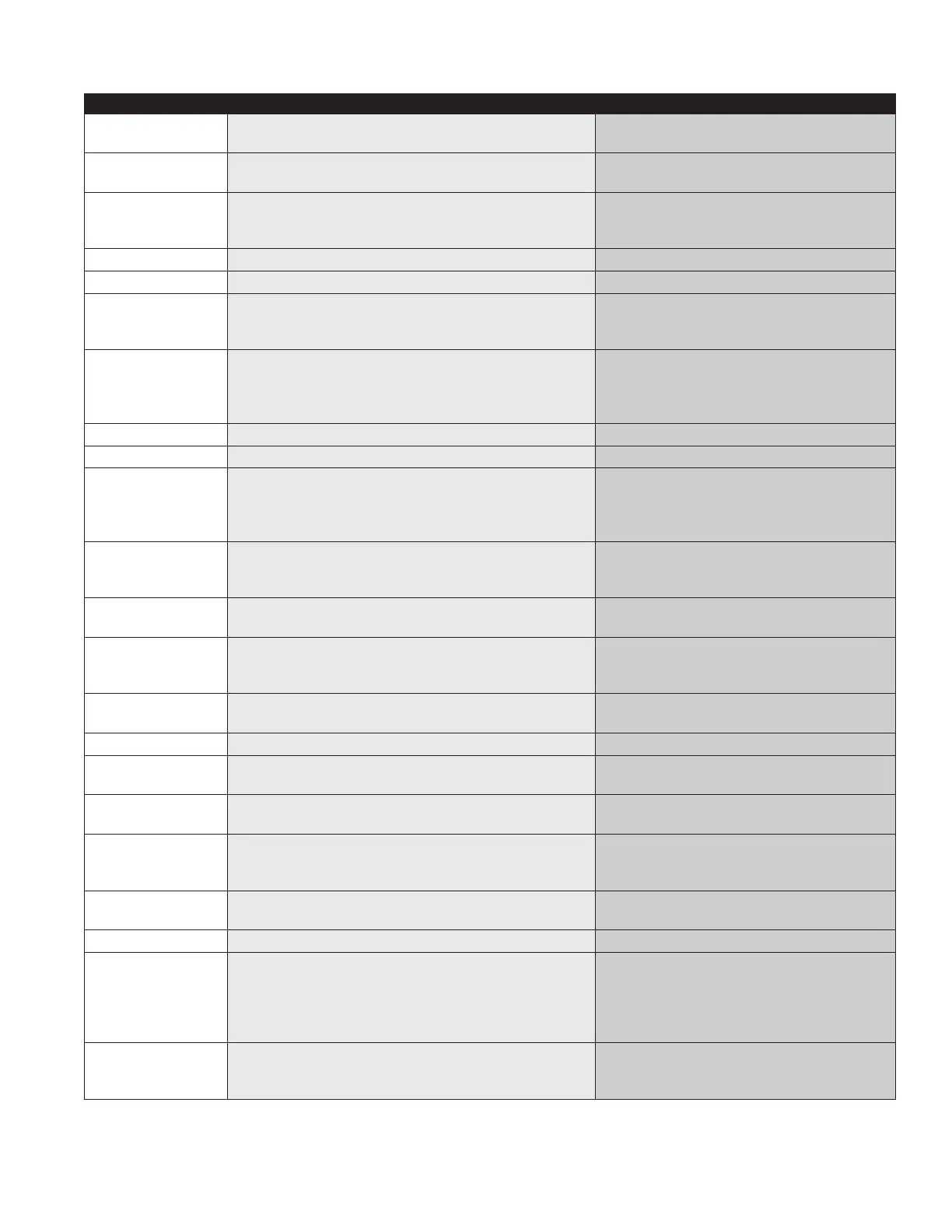
Error/Status Message Explanation What to Check
Motor Safety On
• Bad motor or dead short
• Welded relay contacts
• Check voltage at the time of the fault
• If control will not reset replace the control
Flame Detected
• CAD cell seeing light
• Short in cad cell harness
• Check CAD cell ohms in darkness
• Check ohms on the cad cell harness
Motor Output On
• Bad motor or dead short
• Welded relay contacts
• Low voltage issue
• Check the motor for internal failure or dead
short
• Replace control
No Call for Heat
• No call for heat, control in standby
Pump Prime
• Reset button has been depressed for 10 seconds • Check reset button
No Flame
• Flame expected, but not detected
• Motor, Valve and Ignitor current readings are all above
the minimum
• Check CAD cell ohms in fault history
• Ohms above tolerance setting
Recycle Limit
• Control lockout due to reaching programed recycle
limit
• Check for high vacuum
• Ensure oil supply sufficient
• Burner coupling slipping
• Poor flame retention
Low Line Volts
• Input voltage below 98 AC • Check line voltage
High Line Volts
• Input voltage over 140 AC • Check line voltage
Blocked Intake
• Control lockout due to CAP System/air intake blocked •
Check outdoor termination point or air intake
for obstruction
• Check length of intake pipe for damage/
obstruction
Blocked Exhaust
• Control lockout due to exhaust vent blocked • Check vent/flue pipe for obstruction
• Check chimney for blockage
• Check blocked vent switch (if equipped)
No Flame, Valve
Current Low
• Control lockout due no flame and low valve power • Check valve connection and functionality
No Flame, Motor
Current Low
• Control lockout due no flame and valve & ignitor power
are good, but motor power is low
• Check motor connection and functionality
• Check voltage at time of fault
• Check motor running amps
No Flame, Ignitor
Current Low
• Control lockout due no flame and valve power is good,
but ignitor power is low
• Check ignitor connection and functionality
No Limit In
• No power detected on limit input • Check limit input wiring
FlameLate Ck Cad
• Flame not seen within first 5 seconds of TFI
• Delayed ignition
• Check electrode setting
• See other No Flame causes
Ohms Low Ck Cad
• CAD cell seeing unexpected light • Check CAD cell, CAD cell holder, harness
wires
Ohms High Ck Cad
• Flame is seen, but Ohms high, flame loss potential • Check combustion set-up
• Losing flame retention
• High draft or vacuum
Reset Stuck
• Reset button held for too long (>10 seconds) • Ensure reset button not being pressed/
stuck
Replace Control
• Fatal control condition • Replace control
Lost Flame
• Flame lost during normal operating sequence • Check CAD cell ohms while the burner is
running
• Check combustion set-up
• Oil line/supply issue
• High vacuum or draft
Flame @ Preignit
• Unexpected flame during pre-ignition • Stuck valve
• RF interference/AC line noise
• Are tabs properly aligned with electrodes
Continued on next page


 To Next Page
 Loading...