This document contains confidential and proprietary information that remains the property of Carlson Software Inc.
Page 1 of 7 Updated 10/4/2010
Carlson
CarlsonCarlson
Carlson
Software Inc.
Software Inc. Software Inc.
Software Inc.
102 West 2
nd
Street
Maysville, KY 41056
www.carlsonsw.com
www.carlsonsw.comwww.carlsonsw.com
www.carlsonsw.com
Phone: (606) 564-5028
Fax: (606) 564-6422
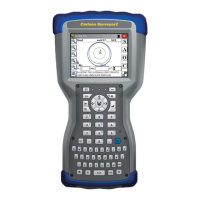
Carlson Surveyor+ GPS System
Quick Start Guide
The Carlson Surveyor+ GPS System incorporates a high accuracy NovAtel RTK GPS
receiver and an EDGE class wireless GSM modem. This pack can be fitted on any
Surveyor+ data collector. The system can operate by itself as a network rover where a
cellular signal and a web based reference network correction is available. It can also
operate as a traditional RTK rover with a GPS base receiver and a UHF radio system.
This guide will provide instructions for these steps to setup your new GPS Pack:
1) Set up a cellular service data account and receive a SIM card
2) Install the SIM card and Install the GPS Expansion Pack on the handheld
3) Install the 2
nd
battery pack and charge the system
4) Assemble the remaining System Components
5) Install SurvCE 2.52 or higher to complete the Configuration of the GPS pack and GSM cell modem
GSM Modem Activation Instructions
Thank you for purchasing an RTK GPS expansion pack containing a GSM cellular modem. Each
enclosed modem has been pre-configured to operate on the GSM network. However, before you can
begin to use the modem, you will need to set up a wireless account.
To set up a wireless account, contact your wireless provider/partner/reseller to obtain an account and/or
SIM card. Since you already have the equipment, and all you need is to set up an account, it is best to
work directly with a cellular service provider (i.e. AT&T, T-Mobile, Vodafone, etc.)
Carlson Software is not responsible for actual data usage on your device. Please consult with your
cellphone provider for current rates and costs that may be incurred while using the Internal GSM modem.
When you contact the service agent of the cellular carrier, inform them that you have a cellular data
modem and need to set up data service for this device. Your company may already have a business
account with a cell carrier. If so, you can add the account you need for this device to your business
account.
You will need to provide the following information when setting up an account:
1. Billing Information and business ID such as your Federal Tax I.D. or VAT number.
2. The wireless services required. You will need to specify that you need data only service. You do not
need voice or messaging service.
3. You may be asked for the modem’s 15-character IMEI number (this can be found in Carlson SurvCE
after the GPS pack is installed by completing all the steps then referring to Page 5 in this Guide)
4. You may be asked to provide the modem’s model number. This number allows the carrier to verify this
modem as one of its approved models.
IMPORTANT: The cell modem is a “MultiTech cellular modem” model MRSMC-E1
The cellular carrier will give you a plastic card that has a smaller break out SIM card.

 Need help?
 General

 To Next Page