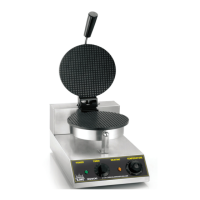
This document describes the Carnival King Digital Waffle Maker, available in two models: Item #382WBM13DGT and Item #382WBM26DGT. These units are designed for commercial use, not household use, and are intended for making waffles.
Important Technical Specifications
- Voltage: Both models operate at 120V.
- Power:
- Item #382WBM13DGT: 1100W
- Item #382WBM26DGT: 2200W (This suggests the #382WBM26DGT is a double unit, requiring two 120V connections to avoid overloading a single breaker).
- Optimal Operational Temperature: 356-400°F (180-204°C).
- Recommended Waffle Temperature: 365°F (185°C) when using Carnival King batter.
- Recommended Waffle Baking Time: 2:45 minutes.
- Safety Certifications: ETL Sanitation Listed and ETL US Listed, conforming to NSF/ANSI STD. 4 and UL STD. 197.
- Temperature Limiter: The unit is equipped with a temperature limiter that automatically shuts off if the temperature exceeds 554°F (290°C).
Usage Features
The Carnival King Digital Waffle Maker offers precise digital control over temperature and time, ensuring consistent waffle production.
Operating Steps:
- Power Connection: Plug the unit into an appropriate 120V outlet. Double units require two separate 120V connections.
- Power On: Press the 'ON/OFF' button. A buzzer will sound three times, and the LED display will show the time.
- Temperature Setting:
- Press and hold the up or down arrow simultaneously with the "Start/Stop" button.
- While holding the up/down key, repeatedly press "Start/Stop" until the desired temperature is reached.
- The recommended set temperature for waffles is 365°F.
- A green light indicates the unit is ON, while an orange light indicates heating. The orange light turns off when the set temperature is reached.
- Toggle Display (Time/Temperature): Press "Set" and "Start/Stop" simultaneously to switch the display between time and temperature modes.
- Timer Setting:
- Once in timer mode, press and hold the up or down arrow simultaneously with the "Start/Stop" button.
- While holding the up/down key, repeatedly press "Start/Stop" until the desired time is reached.
- A recommended time of 2:45 minutes is suggested.
- Preheating: Allow 30-45 minutes for the maker to preheat from a cold start, with the grids open.
- Batter Application:
- Open the grid.
- Pour the desired amount of batter (recommended 3/4 to 1 cup) evenly into the center of the lower grid, being careful not to overfill.
- It is recommended to use fresh batter and not allow it to warm too much. Carnival King Belgian Waffle Mix (Item #382BELGWAF) is specifically recommended.
- Baking:
- Close the top grid.
- Rotate the handle 180°.
- Press the "Start/Stop" button to begin the timer.
- Waffle Removal:
- When the timer "buzzes," rotate the handle 180° back.
- Remove the waffle using non-metallic tongs or a waffle fork.
- Continuous Baking: Repeat these steps for multiple waffles. Keep the grids closed between baking periods for best performance.
Important Usage Notes:
- When cold batter is added, a temporary temperature drop between the set point and actual temperature is normal and does not affect baking. Allow 15-25 seconds for the temperature to recover.
- Use wooden or plastic utensils for waffle removal to avoid damaging the non-stick coating.
- If black flakes appear on waffles or the surface, discontinue use and replace the grids, as this indicates non-stick coating damage.
- With non-stick grids, direct oil or spray is not necessary. Oil can be added to the recipe or waffle mix. If sticking occurs, lightly coat the grid with non-stick safe oil.
- If the maker is not used for 20-30 minutes between uses, it's recommended to turn the unit OFF or reduce the set temperature to 175°F (79°C).
Maintenance Features
Proper care and cleaning are essential for the longevity and reliable operation of the waffle maker.
Cleaning:
- Cool Down: Turn the thermostatic knob to '0' (off), unplug the power cable, and ensure the product has cooled completely before cleaning.
- Cooking Surface: Clean the cooking surface with a soft cloth or sponge dampened in a mild detergent. Rinse and wipe dry thoroughly to remove all detergent residue.
- Avoid Harsh Cleaners: Do not use wire brushes, stiff brushes, abrasive cleansers, harsh pads, or corrosive liquids, as these can damage the surface coating.
- No Immersion/Pressure Washing: Never clean the product with a pressure washer or by immersing it in water.
- No Disassembly: Do not take the waffle maker apart for cleaning.
- Drip Tray: Remove the drip tray (if applicable) and clean it with a soft cloth or sponge and mild detergent. The drip tray is dishwasher safe.
- Residue Removal: Use a soft-bristled high-heat brush to remove waffle residue or crumbs from the grids during baking to prevent burning.
Safety Precautions (General):
- Commercial Use Only: This product is strictly for commercial use.
- Local Codes: Installation must comply with all local codes, or in their absence, with the National Electrical Code ANSI/NFPA70 (latest edition) or CSA-STANDARD C.22.2 Number 0 M1 982 General Requirements-Canadian Electrical Code Part II, 109-M1981-Commercial Cooking Appliances for Canadian installations.
- Qualified Installer: Installation and service should be performed by a qualified installer.
- Flammable Materials: Do not store or use gasoline or other flammable vapors/liquids near the appliance. Keep the area free of combustible materials.
- Authorized Service: All maintenance and repair should be handled by a factory-authorized agent.
- Grounding: An earthing cable must connect the appliance to all other units in the complete installation and from there to an independent earth connection. The unit must be electrically grounded.
- Damaged Cord/Plug: Do not use the unit with a damaged cord or plug.
- Shock Hazard: Turn OFF all power before cleaning.
- Hot Surfaces: The surface temperature of the product becomes very hot during and after use. Avoid contact with hot parts to prevent burns.
- Children: Use with extra care if children are nearby; do not leave children alone near the product.
- Unattended Use: Do not allow the product to be used unattended.
- Power Cord Care: Do not touch the power cord with sharp objects or high-temperature surfaces. Frequently check the power cord and plug for damage.
- Unplugging: After use, press the power button to turn off and unplug the unit to prevent leakage or shock due to aging insulation.
- Location: Install in a dry, clean, ventilated, horizontal, and smooth position.
- Wet Hands: Do not plug or unplug the power cord with wet hands.
- Intended Use: Do not use this unit for purposes other than its intended use.
- Outdoor Use: Do not use outdoors or in rain/wet areas.
- Water Spray: Never clean the machine by sprinkling water.
- Modification: Do not modify the unit, as this may void the warranty.
- Lighting: Use the product in a well-lit area to prevent accidents or burns that could occur in a dark room.
- Flammable Gas: Do not use the product near flammable gas to prevent explosion or fire.
- Covering: Do not cover the product with a cloth or plastic bag while in use, as this could result in fire.
Troubleshooting
The manual provides a troubleshooting guide for common issues:
- Unit stops heating:
- Cause: High limit tripped or circuit breaker tripped.
- Solution: Let the unit cool down, check the circuit breaker.
- One side of grid assembly stops working:
- Cause: Heating element is broken or wire connection issue.
- Solution: Contact customer service.
- Black flakes in batter:
- Cause: Too much heat or abrasive utensil caused damage to the non-stick coating.
- Solution: Replace the grid. (Stop baking and serving customers if this occurs).
- Controls stop working:
- Cause: Buttons damaged or, if applicable, PCB damage.
- Solution: Contact customer service.
- Display ERR or ELL error message:
- Cause: Temperature sensor is damaged or needs to be replaced.
- Solution: Contact customer service.
- Top plate does not stay up:
- Cause: Hinge mechanism is loose.
- Solution: Contact customer service.
The serial plate for the unit is located on the back of the device. It is crucial to inspect for shipping damage immediately upon delivery and follow the outlined procedures for claiming damage with the freight carrier.

 Need help?
 General

 To Next Page