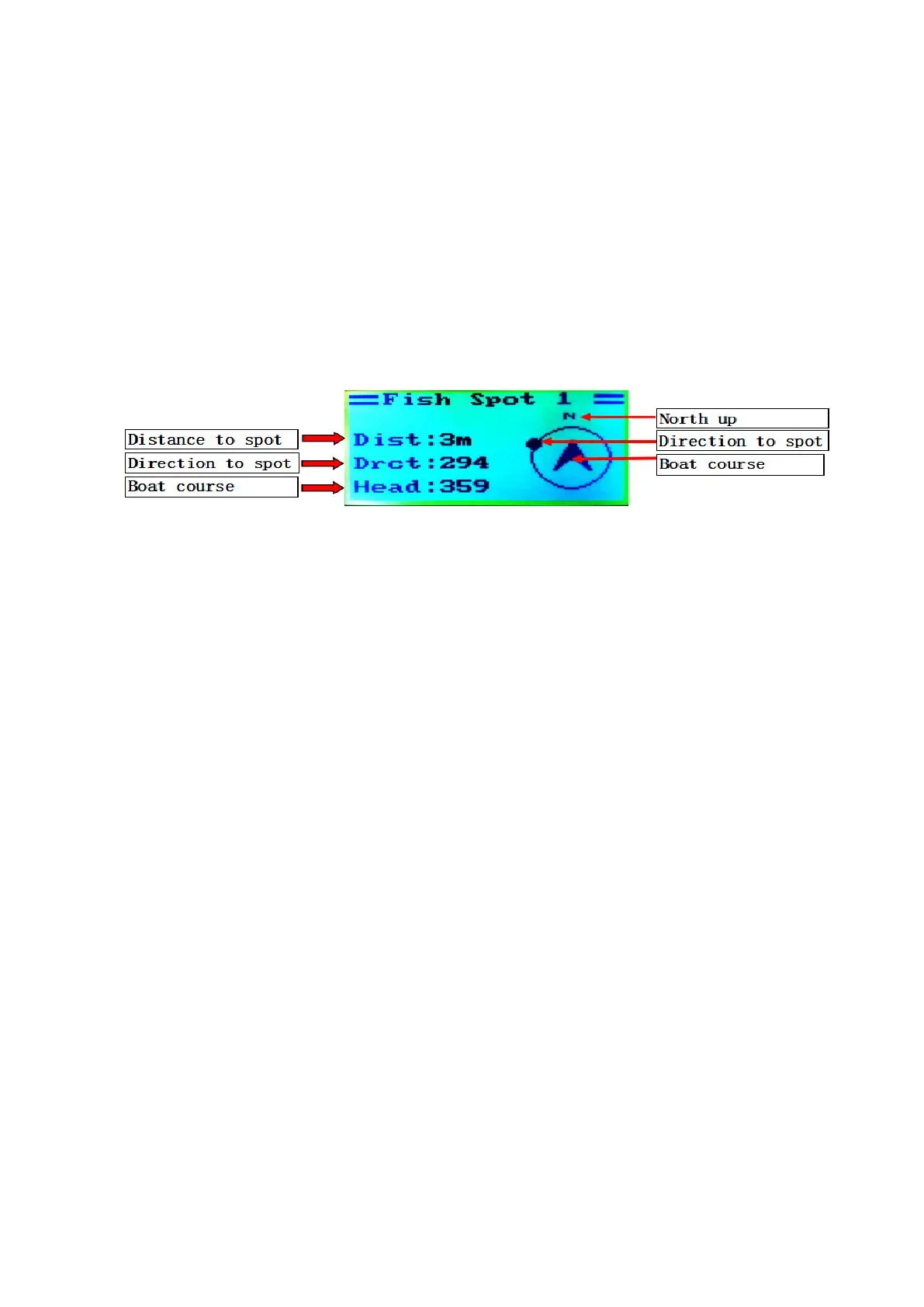
When any position point is saved, the manual function indicates to
arrive at the position point via manual operations on the graphic
navigation. The automatic function indicates to automatically drive the
boat to the position point. Operations are described as follows:
Homepage (hold Down key) → page at any position point (OK key)
→ select manual or automatic (Hold the OK key) → enable
manual or automatic function
The manual operation images are introduced as follows:
(5) View the real-time distance of the boat from the origin.(Optional Echo
sounder and temp display on GPS Remote control). This function is
operated as follows:
Homepage (up key) → Display of information such as distance
from the origin
( 6 ) Function of return automatically after drop bait.
Homepage (OK key) → Choose return automatically(OK key)
→(Up key or down key) Turn on or turn off function of return
automatically after drop bait.
When turn on the function of return automatically after drop bait, the
boat will open the bait hoppers in turn(The bait thrower will throw the bait
automatically in the same time if boat have). Then the boat will return to the
origin after drop the bait. The whole process is fully automated without human
intervention.
3. Battery charging
(1)Charge the boat battery pack by using the charger
The original 12.6V/4A charger shall be used to charge the boat battery pack.


 To Next Page