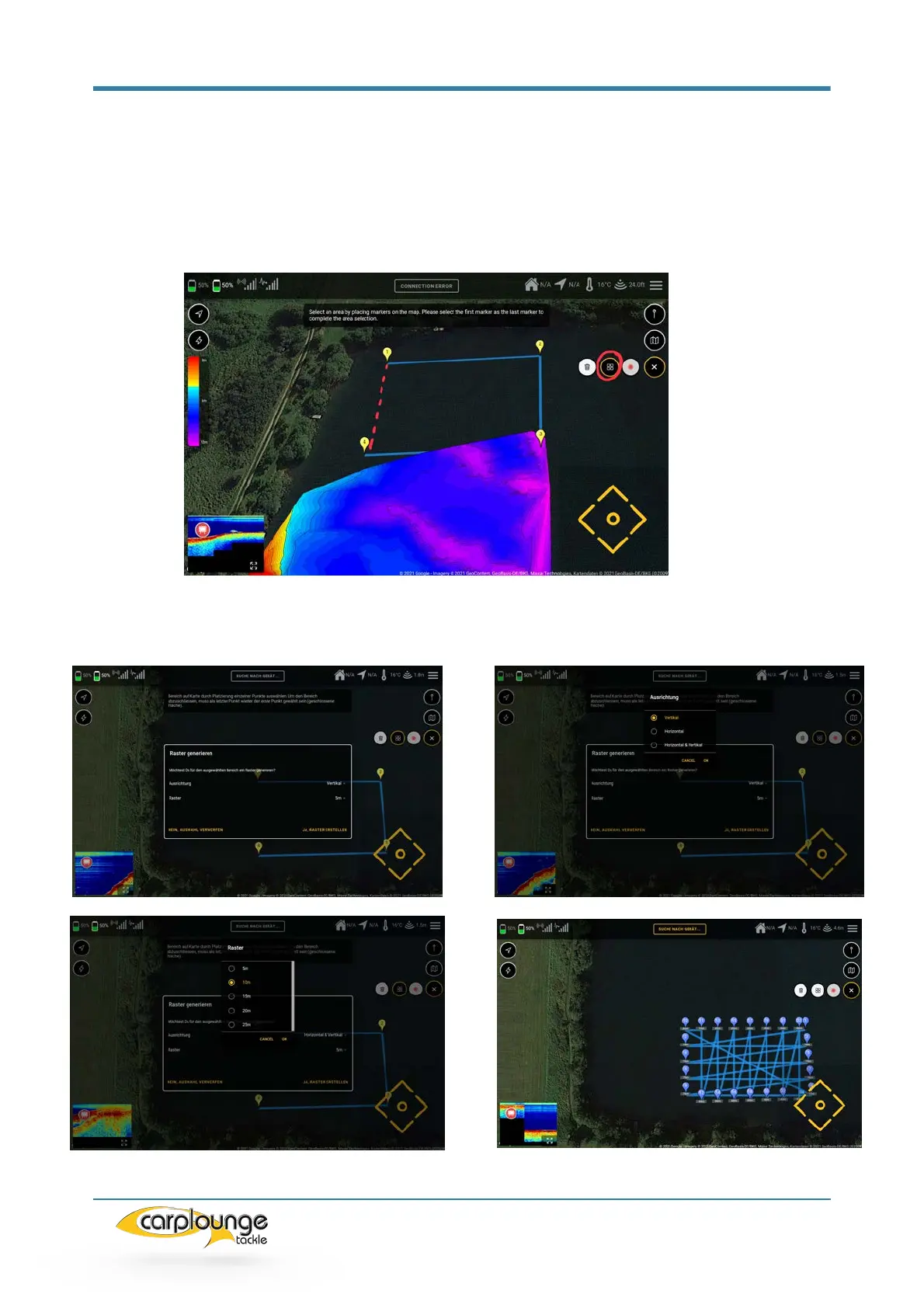
5.7.2 RECORDING DEPTH DATA WITH GRID/RASTER
To do this, you select the action "Automatically create a grid", if you have pressed
here you will be asked to limit the area to be measured: As soon as you have touched
the first point again you will come to the window for creating the grid. Here you can set
the parameters for the grid (alignment / grid spacing) then confirm and the grid is
created.



 To Next Page