EN 4
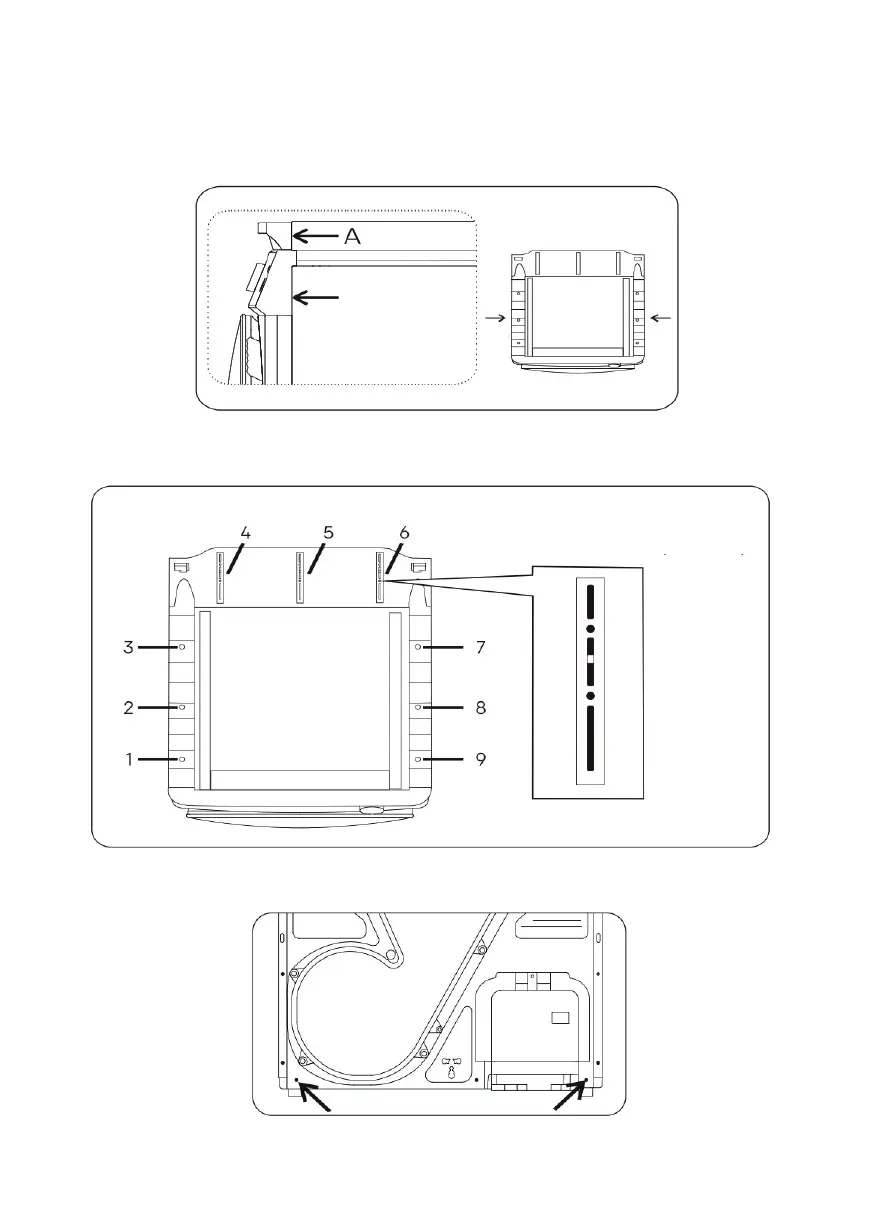
2. Put the stacking support on the washer. Surface “A” should be aligned with
surface “B” and the stacking support should be aligned with the washer at
left and right side.
3. Drive 9 screws into the plastic parts of cover plates on the washer with an
electric screwdriver along the holes on the stacking support.
4. Remove two screws on the back of the dryer
Stacking
support
Align the stacking
support with the
washer
Washer
Please drive screws at marks 4, 5 ano 6 into
the installation area (black area) according
to actual conditions
В



 To Next Page