EasyManua.ls Logo

Carrier 42QHC020 - User Manual

Carrier 42QHC020
8 pages
Print Icon
To Next Page IconTo Next Page
Loading...
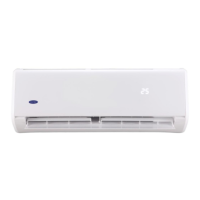
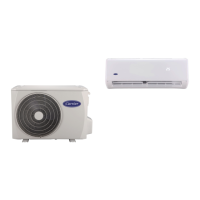
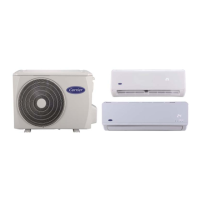
WALL MOUNTED AIR CONDITIONER
OWNER’S MANUAL
42QHC020/38QHC020
42QHC026/38QHC026
42QHC050/38QHC050
42QHC055/38QHC055
42QHC035/38QHC035
42QHC065/38QHC065
42QHC080/38QHC080
42QHF092/38QHF092
42QHF102/38QHF102
HEAT PUMP MODEL
42KHC026/38KHC026
42KHC051/38KHC051
42KHC064/38KHC064
COOLING ONLY MODEL

Questions and Answers

  • S
    Shannon HendersonAug 12, 2025
    Why does the heating operation stop suddenly on my Carrier Air Conditioner?
    • T
      Travis BrownAug 12, 2025
      If the heating operation of your Carrier Air Conditioner stops suddenly and the defrost light blinks, it means frost removal on the outdoor unit is in progress. This process usually takes 5 to 10 minutes. Wait for the defrost cycle to complete.
  • A
    Adrian MillerAug 16, 2025
    Why Carrier 42QHC020 has poor heating performance?
    • O
      owardAug 16, 2025
      Poor heating performance in your Carrier Air Conditioner may occur when outdoor temperatures are close to or below zero degrees Celsius. If problems persist, call a suitable contractor.
  • D
    Dr. Joshua Thompson Jr.Aug 19, 2025
    What to do if Carrier 42QHC020 Air Conditioner is not cool or warm enough?
    • C
      Carla HaleAug 20, 2025
      If your Carrier Air Conditioner isn't providing sufficient cooling or heating, first ensure that the temperature and mode settings are correct. Clean the air filters, and make sure that all windows and doors are closed. Check that airflow is unrestricted in and out of both the indoor and outdoor units. Finally, set the fan speed to high and adjust the louvers to allow maximum airflow.
  • K
    Katherine JohnsonAug 23, 2025
    Why my Carrier 42QHC020 unit will not operate?
    • T
      tjonesAug 23, 2025
      If your Carrier Air Conditioner isn't turning on, start by checking the power supply to see if there's a power failure. Inspect the switches, circuit breakers, and fuses. If the unit uses a remote control, replace the batteries. Also, verify that the clock and timer on the remote are set correctly.
  • J
    Jacqueline BrownAug 27, 2025
    What to do if my Carrier 42QHC020 Air Conditioner operation is erratic?
    • K
      Kevin FernandezAug 27, 2025
      If your Carrier Air Conditioner is operating erratically, it might be due to interference from cell phone towers or remote boosters. Try disconnecting the power and then reconnecting it. You can also press the ON/OFF button on the remote controller to restart operation.
  • T
    Teresa StoneAug 31, 2025
    Why is cooling or heating delayed in my Carrier 42QHC020?
    • M
      mitchellvanessaAug 31, 2025
      A 3 to 5 minute delay is normal for Carrier Air Conditioners. This delay is in place to protect the compressor. Simply wait for the delay to pass.
  • K
    kevin46Sep 3, 2025
    Why does the fan speed change in my Carrier 42QHC020 Air Conditioner?
    • M
      Michael WalkerSep 4, 2025
      If you notice the fan speed of your Carrier Air Conditioner changing in heating mode, going from off to very slow and then to normal, this is normal operation. It prevents cold air from blowing onto occupants.
  • M
    Mr. Jamie LewisSep 7, 2025
    Why is mist coming out of my Carrier 42QHC020?
    • B
      Brittney JohnstonSep 7, 2025
      The mist coming out of the indoor unit of your Carrier Air Conditioner is normal. It may occur when the unit temperature is low and the room air is hot and humid, and it should resolve on its own.

Summary

READ BEFORE OPERATING

Safety Precautions and Warnings

Essential safety guidelines and warnings for operating the air conditioner to prevent injury and damage.

Unit Component Identification

Identifies and labels the various components of the indoor and outdoor units for user reference.

AIR CONDITIONER OPERATION

Operating Temperature Ranges

Details recommended indoor and outdoor operating temperature ranges for cooling and heating modes.

Manual Unit Control

Instructions on manual operation using physical buttons when the remote is unavailable.

Understanding Operating Modes

Explains different modes (Auto, Dry, Sleep, ECO) and their functionalities for optimal use.

Airflow Direction Adjustment

Guides for adjusting vertical and horizontal air flow direction via remote and physical levers.

Advanced Unit Functions

Describes special features like Compressor Delay, Auto Defrost, Wi-Fi Control, and Turbo mode.

CARE AND MAINTENANCE

Cleaning and Storage Procedures

Procedures for general cleaning, filter cleaning, and storage preparation to maintain unit condition.

TROUBLESHOOTING GUIDE

Common Issues and Solutions

Provides common issues, explanations, and checks for troubleshooting unit malfunctions and abnormal operations.

Carrier 42QHC020 Specifications

General IconGeneral
BrandCarrier
Model42QHC020
CategoryAir Conditioner
LanguageEnglish

Related product manuals