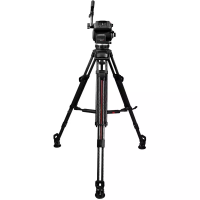
FOCUS • USER’S MANUAL
Thank you for choosing Cartoni. The CARTONI FOCUS Fluid
Head is the ideal support for the latest DV cameras weighing from
1 to 10 Kg (2,2 to 22 lbs). The following set-up instructions are for
the achievement of precise pan, tilt and diagonal movement. To get
optimum results from your Focus system, the equipment set up is
very important.
Before using the patented fl uid drag system, you will need to ac-
curately counterbalance your camera in order to allow the tilt drag
unit to operate in total freedom without gravity interference.
Please remember that pan and tilt lock levers must be set in lock
position before any attempt is made to fi t or remove equipment
mounted on the head. It is advisable to lock pan and tilt sections
when the camera is left unattended.
1
.
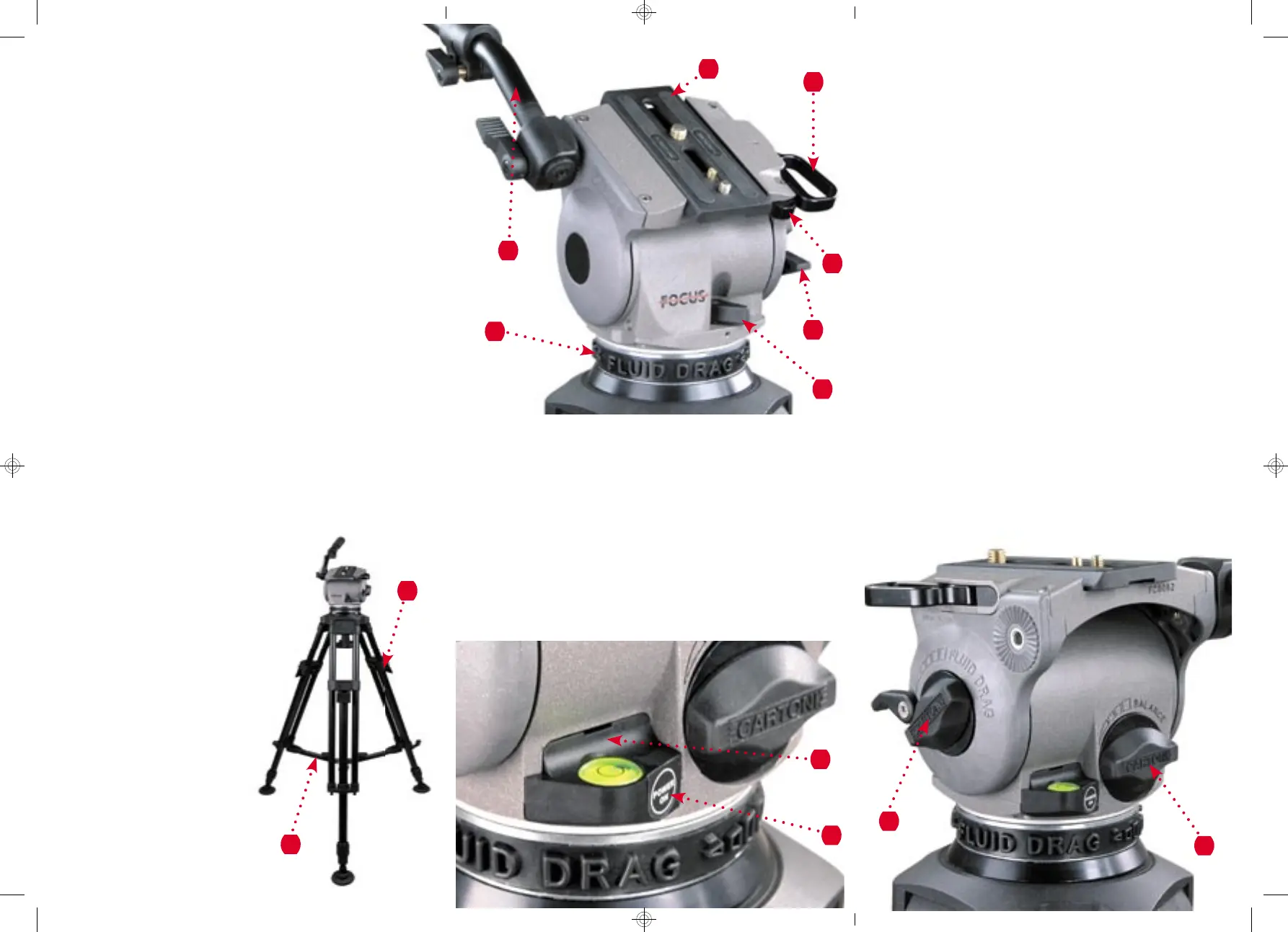
0Before opening the tripod, release all three levers (1) and lift up
the system at the desired height.
2
.
0Lock the three levers (1) and spread the tripod. Set the desired
leg angle by adjusting the extendible spreader and tighten the
knobs (2).
3
.
0Level the Focus on your tripod by loosening the knob under
the head and level according the spirit bubble. If stage or area is
dark press button (4) for light. Light will turn off by itself after
approximately 30 seconds.
4
.
0Lock both pan and tilt (5) and (6), turn both
tilt drag selector (7) and counterbalance
knob (8) to the minimum level.
5
.
0To release the camera plate (10) push the
slide lock lever release (13) to complete-
ly open the slide lock lever (11).
6
.
0Attach the camera plate (10) to the
bottom of the camera assembly and
fi rmly secure it with both screws.
Try to place the camera plate
centered on the camera, keep-
ing the center of gravity posi-
tion in mind.
7
.
0Place the camera sideways on
top of the FOCUS Head,
the wedge plate will lock
into place: in this posi-
tion the camera can slide
front to back.
FOCUS • MANUALE OPERATIVO
Vi ringraziamo per aver scelto una testata a fl uido Cartoni. La
CARTONI FOCUS è il supporto ideale per le camere DV di ul-
tima generazione fi no a 10 Kg di peso.
Per ottenere il massimo rendimento dal sistema Cartoni Focus
e dei movimenti panoramici perfetti, Vi invitiamo a seguire queste
semplici sequenze ed istruzioni.
1
.
0Allungare il treppiede fi no all’altezza desiderata e bloccare la
posizione abbassando le leve (1).
2
.
0Aprire il treppiede e regolare l’angolazione desiderata delle
gambe fi ssando le stecche estensibili della stella tramite i po-
melli (2).
8
.
0Hold the camera in horizontal position with the pan bar (9) and
release the tilt brake lever (6). Find correct center of gravity po-
sition by sliding the camera plate (10) front to back until you feel
you have achieved the desired balance. Lock the slide lock lever
(11).
9
.
0Set the counterbalance system by turning the balance knob (8) to
appropriate tension. The camera has to stay at any tilt angle. Fine
tune by adjusting the sliding plate.
10
.
Unlock the pan brake lever (5) and set fl uid drag control by ad-
justing selectors (7) and (12).
11
.
When display light becomes unstable it is time to change the
9 Volts battery (3).
NB: When the camera has been removed from the head please
close the safety lock lever (11) pushing on the wedge under the
camera plate to prevent accidental misuse.
1
4
13
11
9
2
10
5
6
12
3
8
7


 To Previous Page
 Loading...