EasyManua.ls Logo

Cartrend 10632 - User Manual

Cartrend 10632
100 pages
Go to English
Print Icon
To Next Page IconTo Next Page
Loading...
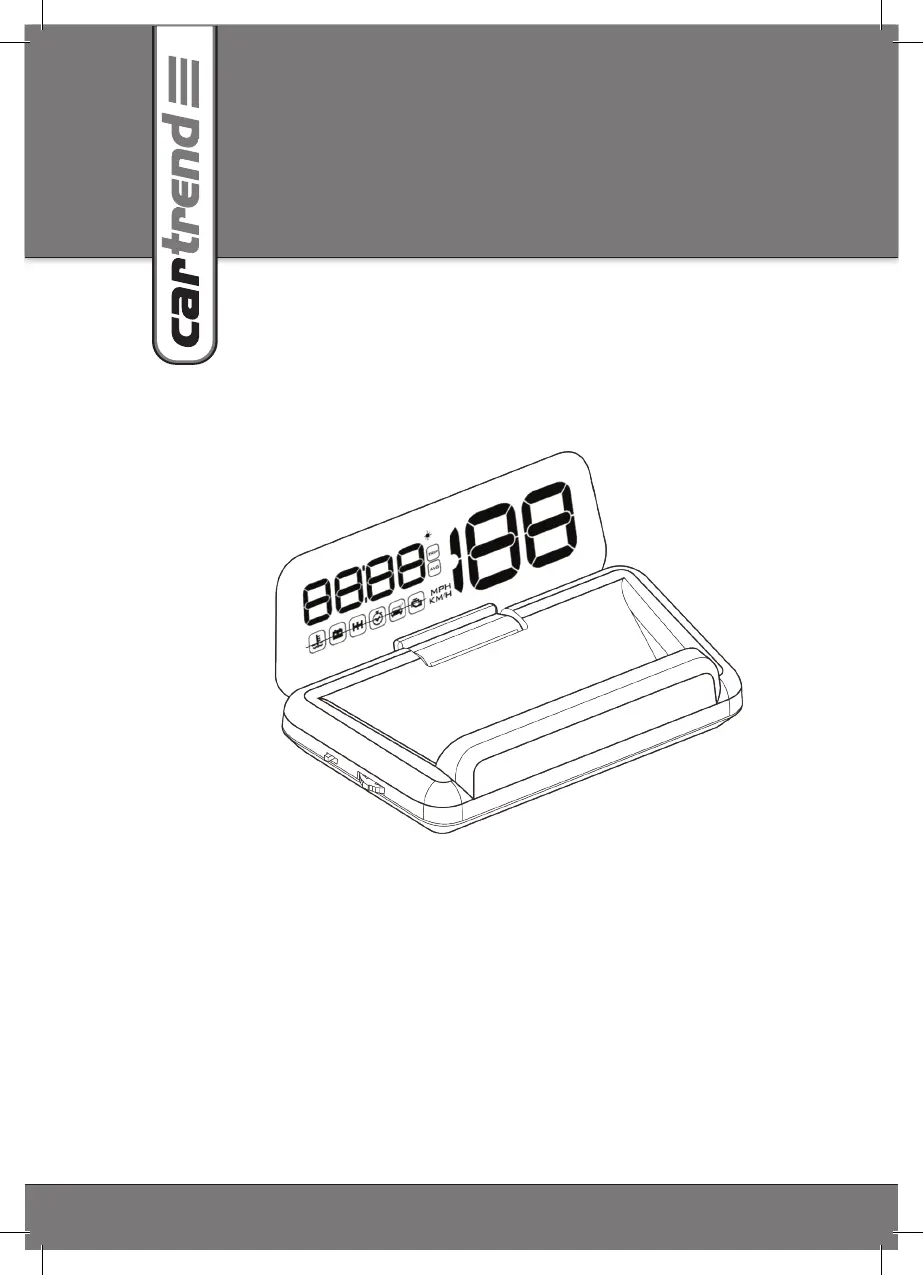
Head-Up-Display (HUD)
10632
D Bedienungsanleitung 3
EN Operating Instructions 15
F Notice d’utilisation 27
I Istruzioni per l’uso 39
CZ Návod k obsluze 51
PL Instrukcja obsługi 63
SK Návod na obsluhu 75
SLO Navodila za uporabo 87

Table of Contents

Questions and Answers

  • C
    Charles EspinozaAug 12, 2025
    What to do if Cartrend Monitor has no display?
    • J
      James McintoshAug 12, 2025
      If your Cartrend Monitor isn't displaying anything, try these steps: First, start the engine. Make sure the head-up display is switched on. Check that the OBD connecting cable is correctly and firmly connected. If it still doesn't work, test the display in another vehicle. Finally, have your vehicle’s data link connector (DLC) checked.
  • A
    aaronstaffordAug 15, 2025
    Why does Cartrend Monitor switch off while driving?
    • L
      Lonnie MillerAug 15, 2025
      If your Cartrend Monitor switches off while you're driving, you should adjust the starting voltage in the settings menu to between 12.6 and 12.8 V.
  • L
    Lisa BellAug 19, 2025
    How to fix inaccurate RPM on Cartrend Monitor?
    • H
      hudsonmarkSep 12, 2025
      To correct an inaccurate RPM reading on your Cartrend Monitor, go to the settings menu and check that the correct speed unit (km/h or MPH) is selected. You can also adjust the speed correction value in the settings.
  • M
    Maria WebbAug 23, 2025
    What to do if Cartrend Monitor display is incorrect?
    • J
      justinmurphyAug 23, 2025
      If the display on your Cartrend Monitor is incorrect, you can try the following: Adjust the correction values in the settings. If that doesn't work, restore the factory settings of the head-up display from the settings menu. Keep in mind that older vehicles might not display all values.
  • L
    Lisa AcostaAug 27, 2025
    Why does Cartrend Monitor restart after shutting off the engine?
    • A
      Alan ParkAug 27, 2025
      If your Cartrend Monitor restarts after you shut off the engine, try changing the starting voltage to 13.6 V in the settings menu.
  • D
    Dr. Christopher WilliamsAug 30, 2025
    What to do if Cartrend Monitor is unable to read display?
    • P
      Phillip Sullivan MDAug 30, 2025
      If you are unable to read the display on your Cartrend Monitor, increase the display brightness in the settings menu or set the display brightness to auto.
  • M
    morgankyleSep 3, 2025
    How to fix inaccurate fuel economy on Cartrend Monitor?
    • P
      Paul FlynnSep 3, 2025
      To fix inaccurate fuel economy readings on your Cartrend Monitor, adjust the fuel economy correction value in the settings.
  • D
    Dr. Wanda Williams MDSep 7, 2025
    Why does Cartrend Monitor not automatically switch off?
    • C
      Christopher JoyceSep 7, 2025
      If your Cartrend Monitor doesn't automatically switch off, especially in vehicles with a start-stop system, set the starting voltage to 13.2 V in the settings menu. If the voltage is lower than that, the head-up display will automatically switch off after 3 minutes.

Summary

Introduction to the Head-Up Display

Explanation of Symbols and Signal Words

Explains symbols and signal words used in the operating manual and on the device.

Intended Use and Limitations

Product Purpose and Application

Details the primary functions of the head-up display for vehicle data display and warnings.

Improper Use and Manufacturer Liability

Outlines risks associated with improper use and the manufacturer's disclaimer for damages.

Technical Data

Specifications Overview

Covers model, operating environment, power supply, display, and physical dimensions.

Safety Information

General Safety Precautions

General advice to read and observe all safety notes and instructions for safe operation.

Child Safety and Hazard Warnings

Critical warnings regarding child safety, suffocation, and accident risks.

Electrical and Operational Safety

Warnings about electrical shock from damaged cables and safe operational practices.

Driving and Airbag Safety

Emphasizes avoiding distraction while driving and safe mounting away from airbags.

Product Overview

Device Components Identification

Identifies and describes the numbered physical components of the head-up display unit.

Understanding Indicator Symbols

Explains the meaning of various symbols displayed by the head-up display.

Connecting and Assembly

Connecting the Device to the Vehicle

Provides instructions and warnings for connecting the HUD to the vehicle's OBD-II port.

Device Mounting and Assembly

Guides on selecting a mounting location and securing the head-up display.

Operation

Powering the Device On and Off

Step-by-step instructions for switching the head-up display on and off.

Display Control and Modes

How to cycle through display modes and manage the multifunction display.

Fuel Economy Display Details

Details how fuel economy is displayed and factors influencing its value.

Setting the Clock and Key Tones

Procedures for setting the device's clock and managing audible key tones.

Driving Time Monitor Function

Explains the driving time monitor feature and how to use it to remind for breaks.

Settings

Accessing and Navigating Settings

How to enter and move through the head-up display's settings menu.

Customizing Display and Units

Configuration options for speed units, temperature, brightness, alarms, and corrections.

Troubleshooting

Restoring Factory Settings

Procedure to reset the head-up display to its original factory default settings.

Common Problems and Solutions

Addresses common issues like no display, incorrect readings, and automatic switch-off with solutions.

Cleaning, Care and Maintenance

Device Cleaning and Storage

Guidelines for cleaning the device with a soft cloth and storing it properly.

Service and Disposal Information

Information on seeking service from retailers and environmentally friendly product disposal.

Cartrend 10632 Specifications

General IconGeneral
Aspect Ratio16:9
Input1 x AV
Power Supply12V DC
Operating Temperature-20°C to 60°C
Storage Temperature-30°C to 70°C