EasyManua.ls Logo

Casa Systems CFW-2132 - User Manual

Casa Systems CFW-2132
63 pages
Print Icon
To Next Page IconTo Next Page
Loading...
casa
systems
User Guide
CFW-2132
Do
c No. UG01228

Table of Contents

Question and Answer IconNeed help?

Do you have a question about the Casa Systems CFW-2132 and is the answer not in the manual?

Summary

Overview

Introduction

Provides information to configure and deploy the Casa Systems CFW-2132 antenna.

Target audience

Intended for experienced hardware installers who understand telecommunications terminology.

Prerequisites

Confirms necessary items before continuing with the installation of the CFW-2132 antenna.

Notation

Explains the symbols used in the document for notes, important information, and warnings.

Product introduction

Product overview

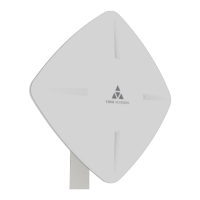
Describes the CFW-2132's purpose in optimizing signal strength in weak signal areas.

Package contents

Lists the items included in the CFW-2132 box and separately packaged accessories.

Physical dimensions and interfaces

Physical dimensions

Details the physical dimensions of the CFW-2132 antenna, including length, width, height, and weight.

Interfaces

Identifies and describes the physical ports and connectors on the CFW-2132 antenna.

Assemble and attach the mounting bracket

Overview of completed mounting

Illustrates the final assembly of the mounting bracket attached to the antenna and mast.

Mounting bracket assembly instructions

Provides step-by-step instructions for assembling the mounting bracket components.

Power the CFW

R45 cable weather seal assembly

Details the procedure for assembling the weather seal for the Ethernet cable connection.

PoE-03 power supply

PoE-03 LED indicators

Explains the status indication provided by the POWER and ANTENNA LEDs on the PoE injector.

Installation

Typical CFW antenna installation

Illustrates a typical installation scenario of the CFW-2132 antenna on a building.

CFW-2132 configuration interface

Normal configuration

Describes the default settings that should work upon initial connection of the device.

Advanced configuration

Introduces access to the web-based user interface for advanced customization.

Confirm successful connection

WWAN connection status

Details how to check the mobile broadband connection status and view connection details.

Status

System information

Displays system-related information like device version, serial number, and firmware version.

LAN

Shows LAN details including IP address, MAC address, and Ethernet port status.

Cellular connection status

Provides details on SIM status, signal strength, network registration, and operator.

WWAN connection status

Displays the mobile broadband connection profile, status, IP, APN, and uptime.

Advanced status

Shows advanced cellular network information like country code, network code, and tracking area.

Cell information

Provides details about the cellular network cells, including PCI, RSRP, and RSRQ.

Configuration tool menus

Networking menu

Accesses configuration options for Wireless WAN and LAN connections.

Services menu

Provides configuration options for time, remote management, SAS, and speed tests.

System menu

Offers configuration options for logging, system settings, administration, and rebooting.

Networking

Wireless WAN

Manages network connection and SIM card security settings.

LAN

Configures IP address, subnet mask, and DNS masquerading.

Wireless WAN

Data connection

Allows configuration and enabling/disabling of connection profiles for the antenna.

Manually configuring a connection profile

Steps to manually configure or modify an existing connection profile for data.

Operator settings

Enables selection of frequency bands and scanning for available network operators.

SIM security settings

Used for authenticating SIM cards by configuring PIN protection and unlocking.

Unlocking a PIN locked SIM

Provides steps to unlock a SIM card that is locked with a PIN.

Enabling;Disabling SIM PIN protection

Explains how to turn the SIM's security PIN protection on or off.

Changing the SIM PIN code

Guides users on how to change the current SIM PIN to a new one.

Unlocking a PUK locked SIM

Details the process for unlocking a SIM card that has been locked with a PUK code.

LAN

LAN configuration

Configures the antenna's LAN settings, including IP address and subnet mask.

DNS masquerading

Allows the antenna to proxy DNS requests from LAN clients to dynamically assigned DNS servers.

Services

Network time (NTP)

Synchronizes the antenna's internal clock with a global Internet time server.

Remote management

Covers TR-069 protocol for remote device management and auto-configuration.

SAS

Supports CBRS registration for accessing 5G broadband channels in the US.

Speed test

Checks upload and download speeds using server locations and test files.

Network time (NTP)

Timezone settings

Allows selection of the correct time zone for the antenna and its daylight savings schedule.

NTP settings

Configures NTP settings, including server address and synchronization options.

TR-069

TR-069 configuration

Configures the TR-069 protocol settings for remote management and auto-configuration.

SAS

CBRS Registration Status

Displays the current CBRS registration status and grant status of the antenna.

Speed Test

Allows checking of current upload and download speeds between the CFW-2132 and servers.

Speed test settings

Enables changing download and upload servers for performing speed tests.

Test results

Displays the results of download and upload speed tests, including start time, file size, and speed.

System

Log

Provides configuration options for customising log reports and saving them.

System configuration

Allows restoration of the antenna's configuration to its factory default settings.

Administration

Manages remote access protocols, user accounts, and passwords for the antenna.

Reboot

Allows the user to perform a soft reboot of the CFW-2132 antenna.

Log

System log

Displays and allows downloading of the System log to troubleshoot issues.

Log file

Explains how to select message levels and download the system log for offline viewing.

System log settings

Configures log capture level, non-volatile logging, and remote syslog server.

Log capture level

Defines the amount of detail stored in the system log, affecting display levels.

Non-volatile log

Configures logging to flash memory for access after a reboot, specifying log data size.

Remote syslog server

Configures the output of log data to a remote syslog server for storage and analysis.

System Configuration

Restore factory defaults

Guides on restoring the antenna's configuration to its factory default settings.

Administration

Administration settings

Manages remote access protocols, user accounts, and passwords for the antenna.

Accessing the antenna configuration pages remotely

Provides instructions on how to access the antenna's configuration interface via a web browser.

Reboot

Logging out

Explains how to log out of the antenna's web management console.

Appendix A - Default Settings

LAN (Management)

Lists the default IP Address and Subnet Mask for the LAN management interface.

Appendix B - Safety and compliance

RF Exposure

Details government requirements for radio wave exposure and FCC limits.

FCC Statement

States that the device must be professionally installed.

FCC compliance

Describes FCC testing and certification requirements for wireless devices.

FCC regulations

Outlines FCC Part 15 rules, including conditions for operation and interference.

Company details

Provides contact information and website for Casa Systems, Inc.

Product details

Lists the product name and model number of the device.

Summary

Overview

Introduction

Provides information to configure and deploy the Casa Systems CFW-2132 antenna.

Target audience

Intended for experienced hardware installers who understand telecommunications terminology.

Prerequisites

Confirms necessary items before continuing with the installation of the CFW-2132 antenna.

Notation

Explains the symbols used in the document for notes, important information, and warnings.

Product introduction

Product overview

Describes the CFW-2132's purpose in optimizing signal strength in weak signal areas.

Package contents

Lists the items included in the CFW-2132 box and separately packaged accessories.

Physical dimensions and interfaces

Physical dimensions

Details the physical dimensions of the CFW-2132 antenna, including length, width, height, and weight.

Interfaces

Identifies and describes the physical ports and connectors on the CFW-2132 antenna.

Assemble and attach the mounting bracket

Overview of completed mounting

Illustrates the final assembly of the mounting bracket attached to the antenna and mast.

Mounting bracket assembly instructions

Provides step-by-step instructions for assembling the mounting bracket components.

Power the CFW

R45 cable weather seal assembly

Details the procedure for assembling the weather seal for the Ethernet cable connection.

PoE-03 power supply

PoE-03 LED indicators

Explains the status indication provided by the POWER and ANTENNA LEDs on the PoE injector.

Installation

Typical CFW antenna installation

Illustrates a typical installation scenario of the CFW-2132 antenna on a building.

CFW-2132 configuration interface

Normal configuration

Describes the default settings that should work upon initial connection of the device.

Advanced configuration

Introduces access to the web-based user interface for advanced customization.

Confirm successful connection

WWAN connection status

Details how to check the mobile broadband connection status and view connection details.

Status

System information

Displays system-related information like device version, serial number, and firmware version.

LAN

Shows LAN details including IP address, MAC address, and Ethernet port status.

Cellular connection status

Provides details on SIM status, signal strength, network registration, and operator.

WWAN connection status

Displays the mobile broadband connection profile, status, IP, APN, and uptime.

Advanced status

Shows advanced cellular network information like country code, network code, and tracking area.

Cell information

Provides details about the cellular network cells, including PCI, RSRP, and RSRQ.

Configuration tool menus

Networking menu

Accesses configuration options for Wireless WAN and LAN connections.

Services menu

Provides configuration options for time, remote management, SAS, and speed tests.

System menu

Offers configuration options for logging, system settings, administration, and rebooting.

Networking

Wireless WAN

Manages network connection and SIM card security settings.

LAN

Configures IP address, subnet mask, and DNS masquerading.

Wireless WAN

Data connection

Allows configuration and enabling/disabling of connection profiles for the antenna.

Manually configuring a connection profile

Steps to manually configure or modify an existing connection profile for data.

Operator settings

Enables selection of frequency bands and scanning for available network operators.

SIM security settings

Used for authenticating SIM cards by configuring PIN protection and unlocking.

Unlocking a PIN locked SIM

Provides steps to unlock a SIM card that is locked with a PIN.

Enabling;Disabling SIM PIN protection

Explains how to turn the SIM's security PIN protection on or off.

Changing the SIM PIN code

Guides users on how to change the current SIM PIN to a new one.

Unlocking a PUK locked SIM

Details the process for unlocking a SIM card that has been locked with a PUK code.

LAN

LAN configuration

Configures the antenna's LAN settings, including IP address and subnet mask.

DNS masquerading

Allows the antenna to proxy DNS requests from LAN clients to dynamically assigned DNS servers.

Services

Network time (NTP)

Synchronizes the antenna's internal clock with a global Internet time server.

Remote management

Covers TR-069 protocol for remote device management and auto-configuration.

SAS

Supports CBRS registration for accessing 5G broadband channels in the US.

Speed test

Checks upload and download speeds using server locations and test files.

Network time (NTP)

Timezone settings

Allows selection of the correct time zone for the antenna and its daylight savings schedule.

NTP settings

Configures NTP settings, including server address and synchronization options.

TR-069

TR-069 configuration

Configures the TR-069 protocol settings for remote management and auto-configuration.

SAS

CBRS Registration Status

Displays the current CBRS registration status and grant status of the antenna.

Speed Test

Allows checking of current upload and download speeds between the CFW-2132 and servers.

Speed test settings

Enables changing download and upload servers for performing speed tests.

Test results

Displays the results of download and upload speed tests, including start time, file size, and speed.

System

Log

Provides configuration options for customising log reports and saving them.

System configuration

Allows restoration of the antenna's configuration to its factory default settings.

Administration

Manages remote access protocols, user accounts, and passwords for the antenna.

Reboot

Allows the user to perform a soft reboot of the CFW-2132 antenna.

Log

System log

Displays and allows downloading of the System log to troubleshoot issues.

Log file

Explains how to select message levels and download the system log for offline viewing.

System log settings

Configures log capture level, non-volatile logging, and remote syslog server.

Log capture level

Defines the amount of detail stored in the system log, affecting display levels.

Non-volatile log

Configures logging to flash memory for access after a reboot, specifying log data size.

Remote syslog server

Configures the output of log data to a remote syslog server for storage and analysis.

System Configuration

Restore factory defaults

Guides on restoring the antenna's configuration to its factory default settings.

Administration

Administration settings

Manages remote access protocols, user accounts, and passwords for the antenna.

Accessing the antenna configuration pages remotely

Provides instructions on how to access the antenna's configuration interface via a web browser.

Reboot

Logging out

Explains how to log out of the antenna's web management console.

Appendix A - Default Settings

LAN (Management)

Lists the default IP Address and Subnet Mask for the LAN management interface.

Appendix B - Safety and compliance

RF Exposure

Details government requirements for radio wave exposure and FCC limits.

FCC Statement

States that the device must be professionally installed.

FCC compliance

Describes FCC testing and certification requirements for wireless devices.

FCC regulations

Outlines FCC Part 15 rules, including conditions for operation and interference.

Company details

Provides contact information and website for Casa Systems, Inc.

Product details

Lists the product name and model number of the device.

Casa Systems CFW-2132 Specifications

General IconGeneral
BrandCasa Systems
ModelCFW-2132
CategoryAntenna
LanguageEnglish