
 Need help?
Do you have a question about the Casa Systems NetComm CloudMesh Satellite NS-01 and is the answer not in the manual?
This document provides information related to the installation, operation, and use of the CloudMesh Satellite.
Lists the necessary items required to complete the installation of the CloudMesh Satellite.
Explains the meaning of symbols used throughout the document for clarity.
Details the items included in the CloudMesh Satellite package.
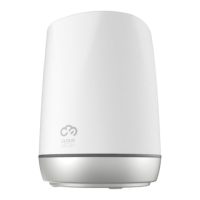
Describes the main functionalities and ideal scenarios for the CloudMesh Satellite.
Details the physical interfaces including front, rear, and bottom views with ports and indicators.
Provides the physical dimensions (width, height, depth) and weight of the device.
Guidance on placing the CloudMesh Satellite for best WiFi coverage and performance.
Information on maintaining strong signal strength and avoiding obstacles and interference.
Instructions on how to pair the CloudMesh Satellite with the CloudMesh Gateway via WPS or Ethernet.
Explains the meaning of different LED light colors and patterns for status indication.
Methods for connecting WiFi or Ethernet client devices to the CloudMesh Satellite.
Guidance on accessing the device's web interface for configuration and monitoring.
Step-by-step process for upgrading the CloudMesh Satellite's firmware.
Instructions on how to access and interpret the system log for event history.
Step-by-step guide to perform a factory reset on the CloudMesh Satellite.
Covers crucial safety instructions for device placement, environment, power, and user interaction.
Recommendations for proper care, cleaning, and handling of the device and accessories.
Instructions for setting a static IP address to access the NS-01 Web UI directly.
Details on supported wireless standards (IEEE 802.11) and wired LAN port capabilities.
Information on power input, operating conditions, and the device's part number.
 General
| Device Type | Repeater |
|---|---|
| Model | NS-01 |
| Manufacturer | Casa Systems NetComm |
| Product Name | CloudMesh Satellite |
| Maximum Data Rate | 1200 Mbps |
| Ethernet Ports | 1 x Gigabit Ethernet |
| Mesh Technology | Yes |
| Power Supply | 12V DC, 1A |
| Operating Temperature | 0°C to 40°C |
| Storage Temperature | -20°C to 70°C |
| Humidity | 10% to 90% non-condensing |
| Wireless Standards | 802.11ac |
| Frequency Band | 2.4 GHz and 5 GHz |

 To Next Page