Button controls
Turn on/off: Press and hold 3 Seconds (1 Beep)
Pairing with app: Press and hold 5 Seconds (3 Beeps)
Start or pause cleaning cycle: Press briey
Change between auto & manual mode: Press twice
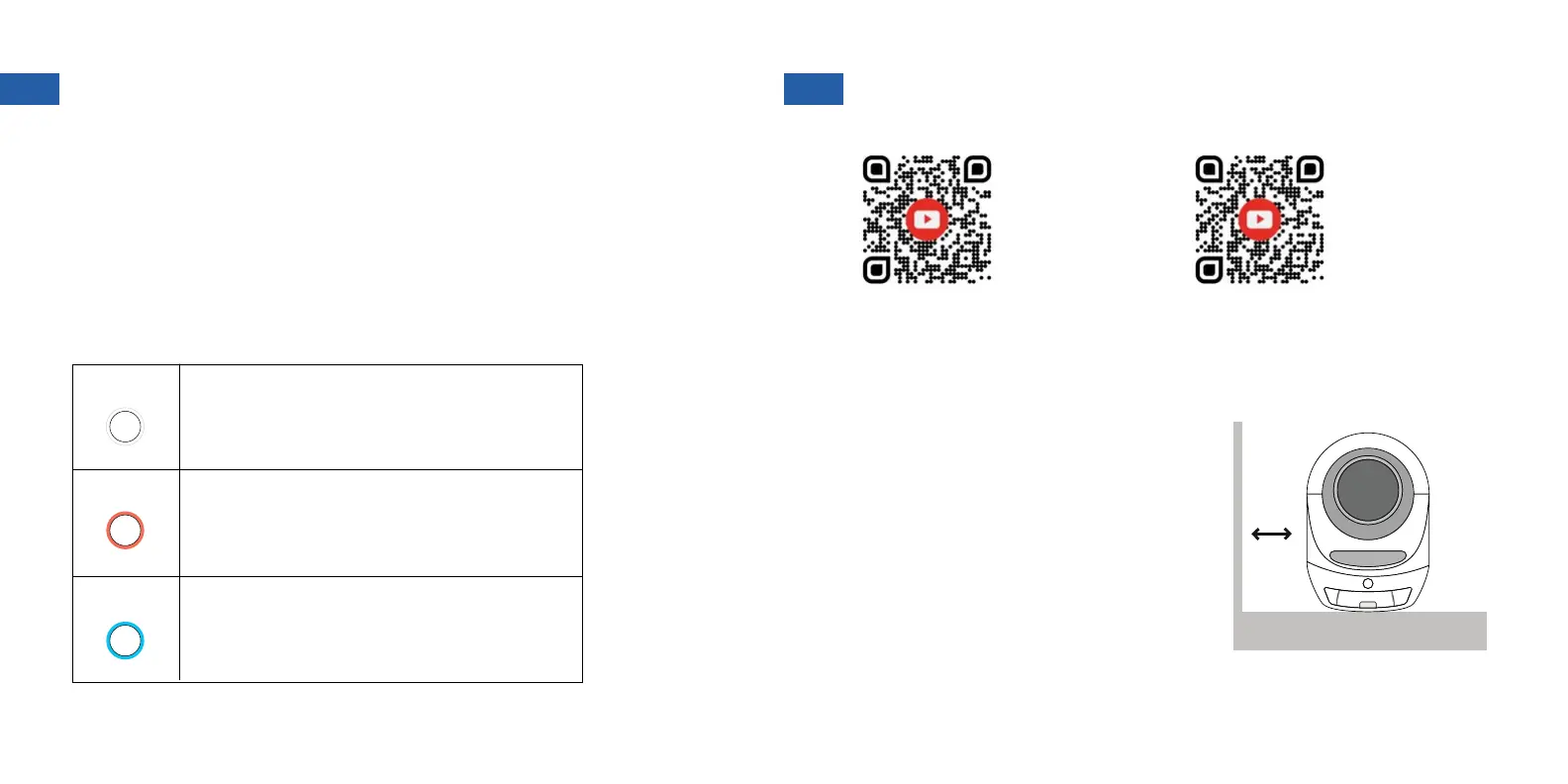
Steady On: Automatic mode
Blinking Slowly: Connect failure
Flashing Quickly: Ready to pair with app
Steady On: Manual mode
Blinking Slowly: Waste drawer full
Flashing Quickly: Hardware error
Steady On: UV sterilization cycle running
Blinking Slowly: Weight sensor calibration
WHITE
RED
BLUE
Light indicators
Place unit on a at even surface to ensure
all sensors function properly. Do not place
unit directly on carpet or rugs. If your unit
must go in a carpeted area, please use a
rm base underneath.
Allow at least 1 inch of distance from walls
and furniture.
1. PLACEMENT
WATCH:
Setting up your
Leo’s Loo Too
WATCH:
Pairing your
Leo’s Loo Too
with the app
POWER BUTTON AND INDICATORS SET UP INSTRUCTIONS
SOLID FLAT SURFACE
1+ INCH
5
6


 To Next Page