7. CONFIGURATION MENU
The
Configuration
Menu
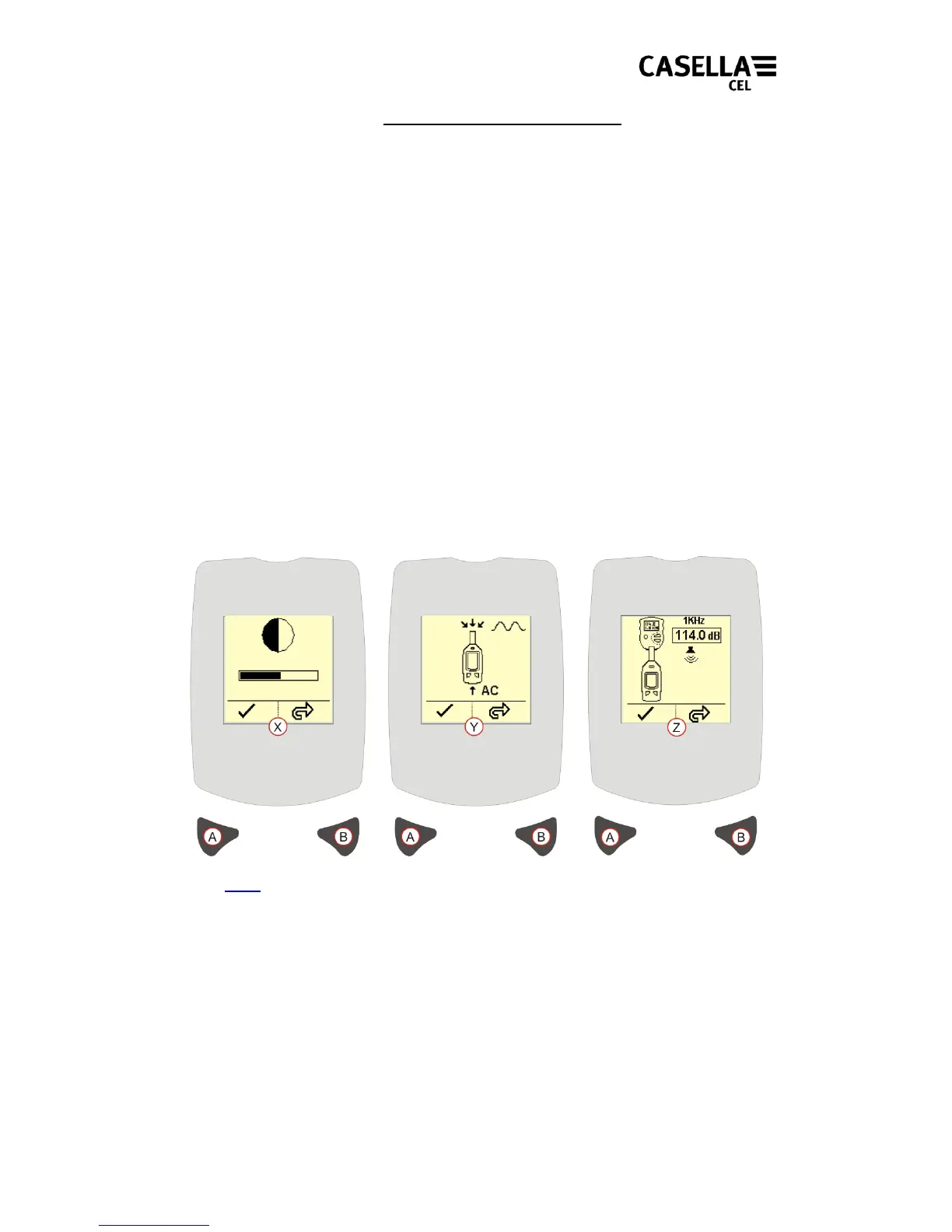
(Refer to Figure 9)
is
used
to
make
changes
to
the Display
Contrast, Calibration Level and the Signal Input Source.
To access the Configuration Menu press and hold the Right key when switching the
instrument on (by pressing the Power ON key).
DISPLAY CONTRAST – [Figure 9 Reference X]. Press Right key (B) to adjust the
Contrast. When the contrast is considered ideal press Left key (A) to accept the
changes and progress to the Calibration Level screen.
SIGNAL INPUT SOURCE
– [
Figure 9 Reference Y
].
Note:
This option is for the use of acoustic
laboratories only.
This screen allows the Signal Input to be routed from the inbuilt microphone, or from
an external signal connected via the auxiliary 2.5mm headphone socket. Press Right
key (B) to toggle between microphone input and alternating current input.
The default Power-Up selection is Microphone Input. Press the Left key (A) to confirm
any changes.
CALIBRATION LEVEL – [Figure 9 Reference Z].
This
screen
is
used
to
set
the
nominal output
level
of
the
acoustic
calibrator e.g. 114.0dB.
Press Right key (B) to
adjust the calibration level.
Ref er
to
the
calibration
certificate
for
the
acoustic
calibrator
for
the
calibrator
output
level. P
ress Left key (A) to accept the changes and
progress to the main measurement screen.
Figure 9 Configuration Menu
Back to Index
13



 To Next Page