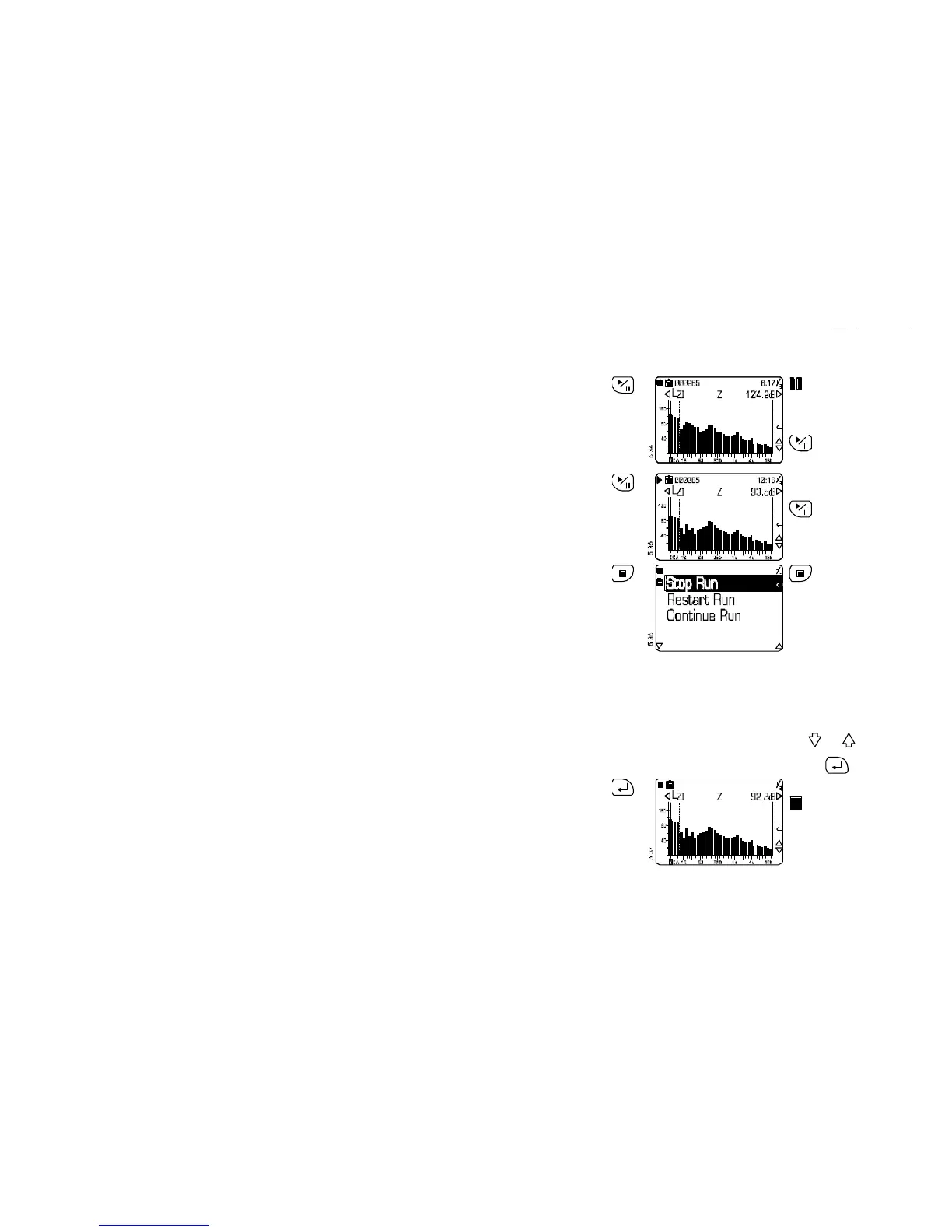
Operation Press Display Shows Comments
15. If some
sound
occurs that
must be
excluded
from the
frequency
measure-
ment
indicates that data
collection is paused (for
example while someone
speaks to the operator),
however timing continues
without interruption.
can be used to pause
measurement only from a
Run screen.
16. When the
sound to
be
excluded
has
stopped
Data collection is resumed
and the run icon displayed.
can be used to
resume a paused
measurement only from a
Pause screen.
17. When
sufficient
data has
been
collected
can be used to end
measurement only from a
Run screen.
The current run is stopped
and three options are
offered.
Stop Run:
End run and store data (go
to Step 1 for another
measurement).
Restart Run:
Abort current run and start a
new one (return to Step 3).
Continue Run:
Ignore “Stop” and continue
with current run (return to
Step 9).
Use and to select
an option, then confirm it by
pressing .
18. Confirm
end of run
The current run is ended and
all data from the run stored.
indicates that the run
has stopped.
CEL-450/490 Operators Handbook - Page 53
Operation



 To Next Page