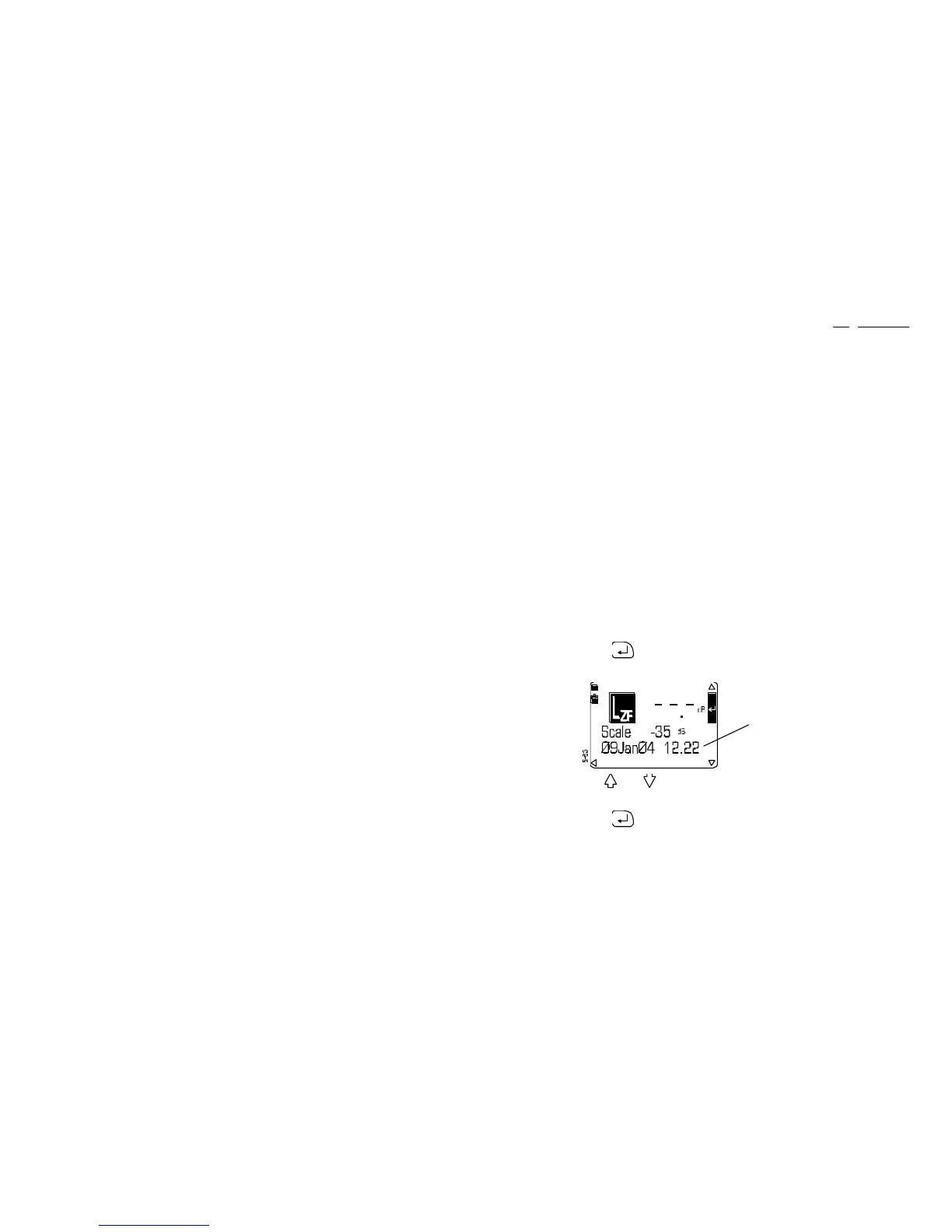
1. Start from the sound level meter Line Input Calibration screen
Broadband L
ZF
measure mode will be selected automatically by
the sound level meter.
2. Connect the recorder output to the instrument IN terminal.
3. Switch the recorder to replay mode.
4. Replay the recorded calibration signal.
5. Adjust the Replay Level control on the recorder so that the sound
level meter display indicates the calibration level for the
microphone and response used.
6. Stop the recorder.
The system is now calibrated to replay at accurately determined
levels with the calibration signal near the top of the input range,
which gives the widest possible replay dynamic range.
However, the instrument measurement range may need to be
adjusted so that the display scale gives a correct indication of the
recorded values.
7. Press to enter quick edit mode.
8. Use and to select the measurement range that was noted
for the measurement.
9. Press again to confirm the calibration and any scale change.
Date and time of last calibration
CEL-450/490 Operators Handbook - Page 61
Operation



 To Next Page