CEL-63x Environmental & Occupational Noise Meter
9 Casella CEL
2 Features
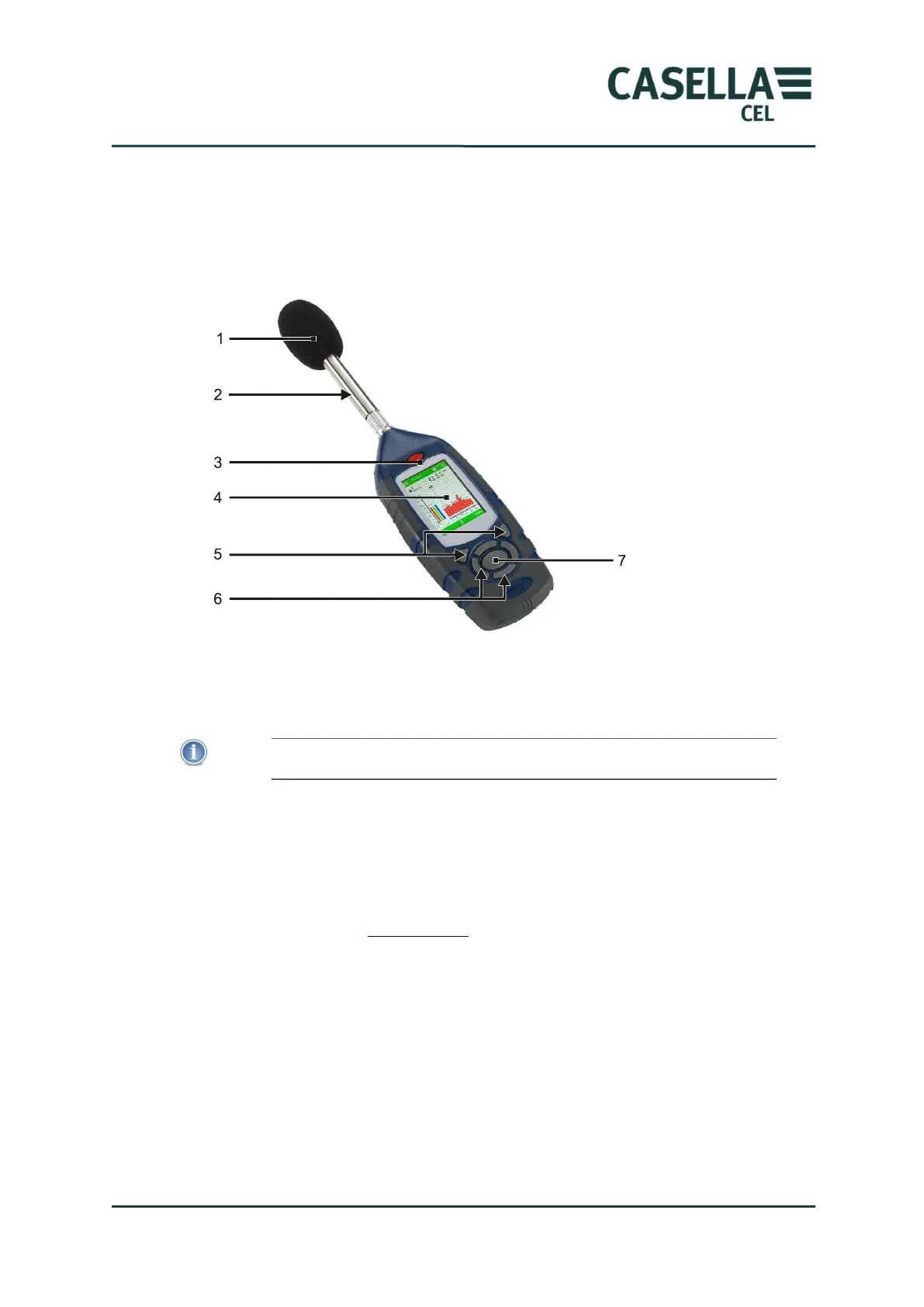
Figure 1 shows the main features of the CEL-63x instrument. Refer to Figure 1
when you perform the tasks and instructions in this User Manual.
Figure 1. Main features of the CEL-63x sound level meter
1. Windshield (to cover the removable microphone)
2. Pre-amplifier (removable – pull the knurled body of the pre-amplifier
connector away from the instrument body)
When you attach the pre-amplifier to the instrument, make certain the
red dot faces towards the front of the instrument.
3. ON/OFF key
4. Display screen
5. Soft keys
6. Navigation keys
7. Run/Stop key
Refer to section 4.2 “User controls” on page 24 for a description of the Soft
keys, of the Navigation keys, and of the Run/Stop key.



 To Next Page