
 Need help?
Do you have a question about the CashDro CashDro3 and is the answer not in the manual?
Lists the tools and materials required for performing maintenance tasks on the Bill Device.
Details the process for cleaning the Bill Validator using specific cleaning cards and ensuring proper operation.
Explains how to remove and clean the recyclers set and inspect the chassis for jams or obstructions.
Presents a table with recommended maintenance periods based on the average number of bills processed daily.
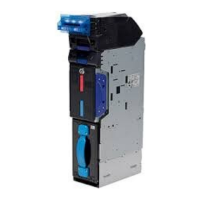
The CashDro3 Bill Device is an integrated system designed for efficient and secure handling of banknotes, primarily for retail or similar environments requiring automated cash management. It comprises several key components working in conjunction to validate, store, and dispense bills, aiming to minimize jams and increase dispensing speed.
At its core, the CashDro3 Bill Device serves as an automated bill validator and recycler. It accepts banknotes, verifies their authenticity, and then sorts them into designated recyclers or a stacker. The device is equipped with a bill validator that processes incoming bills, and a set of recyclers for storing and dispensing specific denominations. A stacker is also included to hold excess bills that cannot be accommodated in the recyclers or for specific operational needs. The entire system is housed within a chassis, ensuring structural integrity and protection of internal components.
The bill validator is the entry point for banknotes. It features a front opening for bill insertion, switches for operational control, and LED indicators to communicate its status. Once a bill is validated, it is directed to the recyclers or the stacker. The recyclers are designed to store and dispense bills of different denominations, with a default configuration of 5€ and 10€ notes. This recycling capability allows the device to provide change efficiently, reducing the need for manual intervention and improving transaction speed. The stacker acts as an overflow or storage unit for bills that exceed the recyclers' capacity or are not designated for recycling.
The device's operational status is clearly communicated through LED indicators on both the validator and the recyclers. For the validator, a blue LED indicates activation, a front-off state signifies standby, and a red or green LED indicates an incidence or error. For the recyclers, a green LED means they are initializing, an off state indicates standby, and a red LED signals an error during firmware updating. This visual feedback system allows users to quickly assess the device's current state and identify any issues.
Connectivity is crucial for the CashDro3 Bill Device to integrate with a larger system, such as a MiniPC and a power supply. It features three connectors on the back of the chassis for power and communication cables, ensuring seamless data exchange and power delivery.
The CashDro3 Bill Device is designed for ease of use and efficient cash handling. Bills are stored in the recyclers using a stacking system, which is optimized to minimize jams and enhance dispensing speed. The recyclers module typically consists of two recyclers, each capable of holding up to 100 bills. However, this capacity can vary if bills are not in optimal condition (e.g., slightly doubled). When a recycler reaches its maximum capacity, any additional bills are automatically directed to the stacker.
A critical operational guideline is to never keep the door open for recyclers during an operation, as this could disrupt the system's functionality and potentially lead to errors or jams.
For changing the denomination of any recycler, specific plastic guides must be purchased and installed in the recyclers module. This feature provides flexibility, allowing the device to adapt to different currency requirements or operational needs. Users are advised to consult the manual available in the private area of the web for detailed instructions on this process.
Before operation, it is recommended to perform a series of checks to ensure the device is in proper working order. These include verifying the correct assembly of the Bill Validator, Bill Recycler, and Stacker, ensuring no loose elements are present. Bills should be properly stacked in the Recyclers module. The connectors of the Recyclers module and Bill Validator must be intact, and there should be no visible external damage to the device. The firmware version should be verified as proper, and all switches should be in the OFF position. Finally, the optical sensors of the Bill Validator should be checked for any scratches, as these could affect validation accuracy.
Regular maintenance is essential to ensure the longevity and optimal performance of the CashDro3 Bill Device. The maintenance routine includes cleaning and periodic checks, with specific tools required for these tasks. These tools include a can of compressed air, alcohol-free LCD cleaner, an anti-static microfiber cloth, a set of cotton swabs, a pair of gloves, and a cleaning card specifically designed for the Bill Validator.
Cleaning the Bill Validator is a key maintenance task. This is done using specific cleaning cards, which are designed to apply pressure to internal components and clean embedded sensors, as well as the anterior and posterior surfaces of the optical rounded lenses. Unlike flat cleaning cards, these specialized cards can reach sensor holes and effectively clean all surfaces as they pass through the mechanism. The cleaning process should be performed with the CashDro3 device powered on and in the charge screen. The cleaning card should be inserted when the validator's front LED is blue, indicating it is active. The card cleans the sensors and alignment mechanism upon entry and again upon departure. After insertion, the cleaning card is automatically ejected. This process should be repeated several times until the cleaning card shows signs of having absorbed dirt from the validator. If the validator's LED is not blue during the process, users should wait a few seconds for moisture to dissipate, then restart CashDro and continue. The cleaning card should be discarded once it appears black or dry.
Beyond the validator, the chassis and recyclers also require maintenance. Users must remove the recyclers set to check for any jams or foreign objects that could impede proper operation. This is achieved by pressing the blue button on top of the recyclers set and pulling it out. Once removed, the chassis should be inspected to ensure that belts are properly positioned and that sensors are clean and unblocked. The rear of the recyclers set should also be checked.
Since the cleaning card primarily cleans the validator, other indicated sensors need to be manually reviewed for dirt or obstructions. These include various sensors related to the recyclers (RC1 End sensor LED, RC2 End sensor LED, RC1 Full Sensor PT, RC2 Full sensor PT, Recycle Unit Sensor, Lifter Home position Sensor LED, Lifter Home position Sensor PT, Lifter Home position Sensor Prism, Recycle Unit Sensor Prism), transport sensors (Transport sensor 1, Transport sensor 2, Transport sensor 1 Prism, Transport sensor 2 Prism), and double notes detection sensors (Double Notes Detection Sensor LED, Double Notes Detection Sensor PT).
The frequency of maintenance depends on the average number of bills inserted per day (BPD). For ≤ 325 BPD, maintenance is recommended every 3 months. For ≤ 500 BPD, it's every 2 months. For ≤ 750 BPD, it's every 1 month. The overall period for maintenance is whichever comes first: 30,000 bills or 3 months. Each service session is estimated to take between 7 to 10 minutes per unit. This structured maintenance schedule helps ensure the device remains in optimal condition, minimizing downtime and extending its operational life.
 General
| Brand | CashDro |
|---|---|
| Model | CashDro3 |
| Category | Cash Counter |
| Bill dispenser capacity | 60 notes |
| Connectivity | Ethernet |
| Power | 100-240 VAC |
| Hopper Capacity (notes) | 500 notes |
| Power Supply | AC 100-240V, 50/60Hz |

 To Next Page