Need help?
Do you have a question about the Cashino KP-628E and is the answer not in the manual?
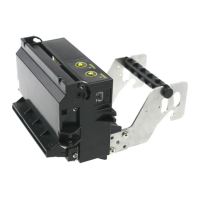
Provides a general description of the KP628E kiosk thermal printer's components.
Details the key functional characteristics and capabilities of the KP628E printer.
Instructions on how to print a self-test page for diagnostics and information display.
Explains the meaning of different LED status indicators on the printer for operational feedback.
Describes the methods for placing paper rolls, supporting horizontal/vertical orientations.
Details the procedure for installing a paper roll into the printer, including auto-feeding.
Provides steps to clear cutter jams and paper jams from the printer mechanism.
A comprehensive list of all available commands for controlling printer functions and operations.
Detailed explanations and parameters for various printer command categories.
Commands related to advancing paper and printing data with paper feed operations.
Commands for configuring various printing parameters like line spacing and margins.
Command to set the horizontal position for printing on the paper.
Command to define the left margin for text and graphics placement.
Controls character attributes like font, highlight, bold, and underline.
Command to adjust the width and height of printed characters.
Enables or disables white printing mode for specific character types.
Command to apply or remove underline formatting for printed text.
Controls 90-degree rotation for printed characters and graphics.
Aligns text and graphics to the left, middle, or right of the print area.
Activates or deactivates Chinese character processing mode.
Deactivates Chinese character mode and cancels related settings.
Manages user-defined character sets, allowing selection or deletion.
Allows creation and definition of custom characters for printing.
Removes previously defined user customized characters.
Sets the character set for international language support.
Selects the character code page for displaying various character sets.
Command to input vertical data for printing graphics modules.
Command to input horizontal data for printing graphics modules.
Command to define bitmap data that can be stored and printed later.
Command to print previously defined downloaded bitmaps.
Command to define and store bitmaps in the printer's non-volatile memory.
Command to print bitmaps stored in the printer's non-volatile memory.
Moves the print position to the next defined tab stop.
Sets the positions for horizontal tab stops on the paper.
Sets the position of Human Readable Interpretation (HRI) text relative to the barcode.
Adjusts the height of the 1D barcode in dots.
Adjusts the width of the 1D barcode by specifying the unit size.
Command for printing various types of 1D barcodes with specified encoding and data.
Queries and retrieves the real-time status of the printer, such as operational or error states.
Sets the mode and type for generating QR codes, including version and size.
Configures the error correction level for QR codes to ensure data integrity.
Stores QR code data into the printer's buffer for later printing.
Command to print a QR code with specified data and parameters.
Provides detailed information for setting up QR code graph parameters.
Command to print two QR codes simultaneously with independent settings.
Initializes the printer to its default settings and clears buffers.
Initiates printing of a self-test page containing firmware and interface information.
Commands for controlling paper cutting operations, including feed and cut actions.
Executes a full cut of the printed paper.
Executes a partial cut of the printed paper.

 To Next Page
 General