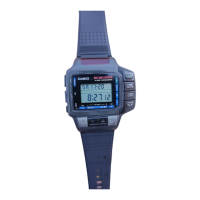
Operation Guide 1174
1
MO0603-EA
About This Manual
• Button operations are indicated using the letters shown in
the illustration.
P
78
90
4
56
•
123
=
A
B
C
D
▲
78
90
4
56
•
123
=
A
• After you perform an operation in any mode, pressing C returns to the Timekeeping
Mode.
• An input tone sounds each time you press a button. You can switch the confirmation
tone on and off in the Calculator Mode.
Alarm Mode
78
90
4
56
•
123
=
▲
Stopwatch Mode
P
78
90
4
56
•
123
=
78
90
4
56
•
123
=
Timekeeping Mode
A
B
▲
▲
General Guide
• You can use the Remote Control functions while in the Timekeeping Mode.
• Press C to change from mode to mode. Each mode is explained in detail on the
following pages.
Calculator Mode
C
D
Timekeeping Mode
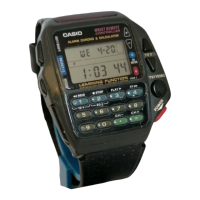
In addition to normal timekeeping, the Timekeeping Mode
also provides you with remote control capabilities for your
TV, video tape deck, and other devices equipped with a
remote control unit.
• This watch only controls devices equipped with a remote
control unit.
• For details on how to set the time and date, see “To set
the time and date”.
Note
The explanations in this manual use button symbols (K,
L,
●
), button markings (
1
,
2
, etc.), and letters
(A, B, etc.) to indicate buttons on the watch.
Example: Press D to switch on the television.
P
78
90
4
56
•
123
=
A
B
C
D
Signal Emitter
A
B
C
P
TV
J
Press B.
About the Timekeeping sub-modes
The Timekeeping Mode is made up of four sub-modes. Use the B button while in the
Timekeeping Mode to switch between the sub-modes.
• If you leave the watch in the TV, Video or Learning Mode without performing an
operation for about two or three hours, the watch automatically returns to the Normal
Timekeeping Mode.
• To manually return to the Normal Timekeeping Mode, press C to change to the
Calculator Mode. Next, use C to change to the Timekeeping Mode.
P
L
Normal Timekeeping
Mode
Video Mode
(for video tape deck
remote control)
TV Mode
(for television
remote control)
J
P
LEARN
J
Learning Mode
(for remote control
of other devices)
About the TV and Video Tape Deck remote control function
In order to be able to use this watch for remote control of a television or video tape
deck, you must first set the appropriate manufacturer code. The manufacturer code
tells the watch what signals to use for remote control. The Manufacturer Code Table
shows the names of the manufacturers that correspond to each code. For full details
on how to actually set the manufacturer code, see “To set the manufacturer code”.
Some TV or tape deck models may not work properly with this watch,
even though they are made by one of the manufacturers in the
Manufacturer Code Table. Also, you may find that you can control a TV or
tape deck using a code for a manufacturer that is different from the ones
in the table. For details on finding the code you should use, see “How to
find the right code”.
Notes
• Replacing the battery will cause the remote control data setting (TV/video
manufacturer codes) to be altered. Be sure that you make a note of your codes
before you have the battery replaced.
• There are some manufacturers with more than one code. Try the various codes
available for your equipment to find the one that works best.
• You have to set separate codes for your TV and tape deck, even if they are made by
the same manufacturer.
• You might not be able to use this watch to control models that combine a TV and
tape deck into a single unit, multi-functional TVs that can be used as computer
monitors, or other televisions or tape decks equipped with special functions.
Manufacturer code (TV)
Manufacturer
FERGUSON
FUNAI
GOLDSTAR
GRUNDIG
HITACHI
JVC
MITSUBISHI
NEC
PANASONIC
Manufacturer
PHILIPS
PIONEER
SAMSUNG
SANYO
SHARP
SONY
TELEFUNKEN
TOSHIBA
Code
17, 18
15, 16, 41, 42
06, 12, 13, 29, 32
20, 21, 22
03, 25, 26, 27, 28, 29
03, 04, 05, 30
03, 19
03, 29, 31, 32
02, 08, 09, 10
Code
06, 28
33
06, 12, 14, 15, 29, 32
03, 35, 36, 40
01, 03, 37
03, 07
23, 24
03, 38, 39, 40
Manufacturer
AKAI
FERGUSON
FUNAI
GOLDSTAR
GRUNDIG
HITACHI
JVC
MITSUBISHI
NEC
NOKIA
Code
24, 25, 33
17, 18
15
26
20, 21, 22
04, 27, 42
03, 04, 05
06, 19
28, 29
30
Manufacturer code (video tape deck)
Manufacturer
PANASONIC
PHILIPS
PIONEER
SAMSUNG
SANYO
SHARP
SONY
TELEFUNKEN
TOSHIBA
Code
02, 14
07, 08, 09, 10
31
16, 32, 33
34, 35, 36, 37, 38
01
11, 12, 13
06, 23
39, 40, 41
SET
TV
TV Mode indicator
To set the manufacturer code
1. Switch on the TV or video tape deck whose
manufacturer code you want to set.
2. In the Timekeeping Mode, press B to select the TV
Mode (
TV
) or Video Mode ( ).
• Select TV Mode if you want to set the code for your TV,
or the Video Mode to set the code for your video deck.
3. Hold down A until a manufacturer code appears
flashing on the display.
B
A
C
Signal Emitter
D
Manufacturer code
4. While the TV or video manufacturer code setting display is shown, press K to
increase the code number.
• Holding down K increases the code number at high speed.
• See the Manufacturer Code Table for details on manufacturer codes.
5. To test whether or not the displayed manufacturer code
is correct for your equipment, point the Signal Emitter
(red window) at your TV or tape deck and press D.
• If the above operation switches the power of your TV or
tape deck off, it means that the correct code has been
selected.
• Certain TVs and tape decks may be slow to respond
after receiving a remote control signal. With such units,
try holding down D for one or two seconds.
• If nothing happens when you press D, use steps 4 and
5 to try another code.


 To Next Page
 General