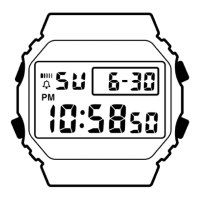
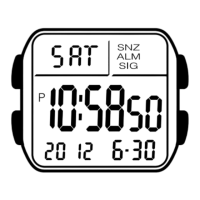
Operation Guide 3228
MO1106-EA
About This Manual
• Button operations are indicated using the letters shown
in the illustration. Keypad keys are indicated by their
main keycap markings within square brackets in bold,
such as [2].
• Each section of this manual provides you with the
information you need to perform operations in each
mode. Further details and technical information can be
found in the “Reference” section.
Keypad
E E-1
Contents
General Guide ......................................................................................................... E-4
Timekeeping ............................................................................................................ E-6
Data Bank .............................................................................................................. E-13
Calculator .............................................................................................................. E-21
Alarms .................................................................................................................... E-29
Stopwatch .............................................................................................................. E-36
Dual Time ............................................................................................................... E-38
Illumination ............................................................................................................ E-41
Reference .............................................................................................................. E-45
Specifications ....................................................................................................... E-49
E-2
Procedure Lookup
The following is a handy reference list of all the operational procedures contained in
this manual.
To set the time, date and language ....................................................................... E-6
To toggle between 12-hour and 24-hour timekeeping ....................................... E-10
To toggle the Timekeeping Mode time between DST and Standard Time ........ E-11
To display the Dual Time screen and Data Bank screen
in the Timekeeping Mode ................................................................................ E-12
To input the name and then the phone number of new Data Bank record ...... E-14
To input the telephone number and then the name of
new Data Bank record ..................................................................................... E-17
To recall Data Bank records ................................................................................. E-18
To edit a Data Bank record ................................................................................... E-19
To delete a Data Bank record ............................................................................... E-20
To perform arithmetic calculations ..................................................................... E-23
E-3
To change the exchange rate and the operator ................................................. E-26
To check the current exchange rate and operator setting ................................ E-27
To perform a currency conversion calculation .................................................. E-27
To turn the input tone on and off ......................................................................... E-28
To set an alarm time ............................................................................................. E-31
To test the alarm ................................................................................................... E-33
To turn alarms 2 through 5 and the Hourly Time Signal on and off ................. E-34
To select the operation of alarm 1 ....................................................................... E-35
To measure times with the stopwatch ................................................................ E-37
To set the Dual Time ............................................................................................. E-39
To toggle Dual Time Mode time between DST and Standard Time ................... E-40
To display the Timekeeping screen and Data Bank screen
in the Dual Time Mode .................................................................................... E-40
To turn on illumination manually ......................................................................... E-41
To turn the auto light switch on and off .............................................................. E-43
To specify the illumination duration ................................................................... E-44
E-4
General Guide
• Press B to change from mode to mode.
• In any mode, press L to illuminate the display.
Timekeeping Mode
▲
B
▲
Data Bank Mode
B
B
E-5
Alarm ModeCalculator Mode
▲
▲
▲
▲
Stopwatch Mode
Dual Time Mode
B
B
B
E-6
Timekeeping
Use the Timekeeping Mode to set the time, date and
language. You can also view the Dual Time Mode screen
or Data Bank Mode screen from the Timekeeping Mode.
Note
This watch is capable of displaying text for the day of the
week in any one of 13 different languages (English,
Portuguese, Spanish, French, Dutch, Danish, German,
Italian, Swedish, Polish, Romanian, Turkish, and
Russian).
To set the time, date and language
1. In the Timekeeping Mode, hold down A until the
seconds digits start to flash. This is the setting screen.
2. Use C and B to move the flashing in the sequence
shown below to select other settings.
Seconds
Year Month–Day
Day of week
Language indicator
PM indicator
Hour : Minutes
E-7
• The currently selected language indicator flashes on the display while the
Language setting is selected in the above sequence.
3. When the setting you want to change is flashing, use the keypad to change it as
described below.
• You must input two digits for the year, month, day, hour, and minutes settings. If
you want to specify 3 o’clock, for example, input 03 for the hour. For the year
setting, input the two rightmost digits.
To do this:
Reset the seconds to
00
Do this:
Press [0].
Seconds Year Month Day
Minutes Hour Language
CCC
BBB
BB
CC
CB BC
E-8
• While the language indicator is flashing on the display, use [+] and [÷] to cycle
through the language indicators as shown below until the one for the language
you want to select is displayed.
Indicator Language
ENx English
POR Portuguese
ESP Spanish
FRA French
NED Dutch
Indicator Language
DAN Danish
DEU German
ITA Italian
SVE Swedish
POL Polish
Indicator Language
RO
Romanian
T)R Tur ki sh
PUC Russian
Do this:
Input values on the keypad keys.
• The flashing moves to the right each time you input a value.
• While the hour or minutes is flashing (12-hour timekeeping
only), press [=PM] to toggle between AM (A indicator) and
PM (P indicator).
Use [+] and [÷].
To do this:
Change the year,
month, day, hour, or
minutes
Change the language
[+]
[÷]
E-9
4. Press A to exit the setting screen.
• The day of the week is automatically displayed in accordance with the date (year,
month, and day) settings.
• See the “Day of the Week List” at the back of this manual for information on
abbreviations used.
• In addition to the day of the week display, the language setting also affects the type
of characters you can input for the name in the Data Bank Mode.
• Pressing A in the Timekeeping Mode displays the indicator for the currently
selected language. Keeping A depressed for about two seconds changes to the
Timekeeping Mode setting screen (indicated by the flashing seconds digits). If you
accidentally display the setting screen, press A again to exit.

 Need help?
 General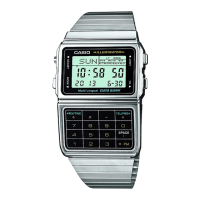

 To Next Page