To Next PageTo Next Page
 Need help?
Do you have a question about the Casio 5176 and is the answer not in the manual?
Notes on the limitations and responsibilities regarding the watch's measurement functions.
Procedure to set the Home City and toggle Daylight Saving Time (DST).
Procedure to adjust the current time, date, and time format settings.
Procedure to manually adjust the position of the hour and minute hands.
How to enter/exit the mode, view pressure/temperature, and set display units.
Information and procedure for calibrating the watch's pressure and temperature sensors.
How to specify a reference altitude and select measurement units for altitude and pressure.
How to view times in other time zones using World Time Mode.
Guidance for resolving common issues like time setting errors, sensor problems, and battery indicators.
This document describes the operation of a CASIO watch, model 5176, which integrates various sensors and timekeeping functions. The watch is designed for outdoor activities like hiking and mountain climbing, providing measurements for barometric pressure, temperature, and altitude.
The watch features seven distinct modes: Timekeeping, World Time, Barometer/Thermometer, Altimeter, Stopwatch, Countdown Timer, and Alarm. Navigation between these modes is typically done by pressing button C. The display can show either dark figures on a light background or light figures on a dark background, with all examples in the manual using dark figures on a light background. Button operations are indicated by letters A, B, C, and D.
Auto Return Features: The watch automatically returns to the Timekeeping Mode if no button operation is performed for two or three minutes in the Alarm Mode, or for about one hour after entering the Barometer/Thermometer Mode. If a setting screen with flashing digits is left unattended for two or three minutes, the watch exits the setting screen automatically.
Initial Screens: When entering the World Time Mode or Alarm Mode, the data viewed during the last exit from that mode will be displayed first.
Scrolling: Buttons B and D are used to scroll through data on setting screens. Holding these buttons down during a scroll operation will scroll through data at high speed.
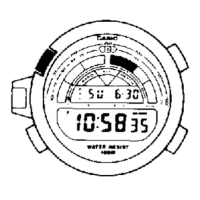
The Timekeeping Mode is used to set and view the current time and date. The graphic in the center of the display indicates the passage of seconds.
Configuring Home City Settings: There are two Home City settings: selecting the Home City and choosing between standard time or daylight saving time (DST). To configure Home City settings:
Configuring Current Time and Date Settings: This procedure adjusts the current time and date settings. Changing the digital Home City data should cause the analog time setting to change accordingly. If the analog time does not match the digital time, the home positions of the hands may need adjustment. To change current time and date settings:
Hand Home Position Correction: The hour and minute hands can be misaligned due to strong magnetism or impact. This can be corrected manually in the Hand Setting Mode. To adjust home positions:
This mode uses a pressure sensor to measure air pressure (barometric pressure) and a temperature sensor to measure temperature. To enter and exit Barometer/Thermometer Mode:
Display Units: Users can select hectopascals (hPa) or inchesHg (inHg) for barometric pressure, and Celsius (°C) or Fahrenheit (°F) for temperature. This is done in the unit specification settings.
Barometric Pressure Differential Pointer: This pointer indicates the relative difference between the most recent barometric pressure reading and the current barometric pressure value displayed in Barometer/Thermometer Mode. It indicates pressure changes in the range of ±5 hPa, in 1-hPa units.
Pressure Sensor and Temperature Sensor Calibration: The sensors are factory-calibrated but can be adjusted if serious errors are noticed. Important: Incorrect calibration can lead to incorrect readings. Compare watch readings with a reliable thermometer. If adjustment is needed, remove the watch from your wrist and wait 20-30 minutes for its temperature to stabilize. To calibrate the pressure sensor and temperature sensor:
Barometer and Thermometer Precautions: The pressure sensor measures air pressure changes for weather predictions, not for precision. Sudden temperature changes can affect readings. Temperature measurements are affected by body temperature, direct sunlight, and moisture. For accuracy, remove the watch from your wrist, place it in a well-ventilated, shaded area, and wipe off moisture. Allow 20-30 minutes for stabilization.
The watch displays altitude values based on air pressure readings from a built-in pressure sensor. Altitude can be measured based on preset values (International Standard Atmosphere conversion values) or a user-specified reference altitude. To take an altimeter reading:
Specifying a Reference Altitude Value: Altitude readings are subject to error from air pressure changes. It is recommended to update the reference altitude value whenever accurate information is available. To specify a reference altitude value:
How the Altimeter Works: The altimeter bases its measurements on International Standard Atmosphere (ISA) values, which define relationships between altitude, air pressure, and temperature. Generally, air pressure and temperature decrease as altitude increases. There are two standard methods of expressing altitude: Absolute altitude (height above sea level) and relative altitude (difference between two places).
Altimeter Precautions: Altitude estimates are based on air pressure, so readings may vary with pressure changes. The sensor is also affected by temperature, so avoid temperature changes during measurements. Do not rely on this watch for professional or industrial precision, or during activities with sudden altitude changes (e.g., skydiving). Commercial aircraft cabins are pressurized, so watch readings will not match flight crew indications.
This procedure specifies the units for Barometer/Thermometer Mode and Altimeter Mode. Important: When TYO (Tokyo) is selected as the Home City, the altitude unit is automatically set to meters (m), barometric pressure to hectopascals (hPa), and temperature to Celsius (°C). These settings cannot be changed. To specify units:
Precautions Concerning Simultaneous Measurement of Altitude and Temperature: While both measurements can be performed simultaneously, each requires different conditions for optimal results. For temperature accuracy, remove the watch from your wrist to eliminate body heat. For altitude accuracy, keep the watch on your wrist or at a constant temperature. Removing the watch from your wrist can affect pressure sensor readings momentarily.
This mode allows viewing the current time in 31 time zones (48 cities) around the globe. The selected city is called the "World Time City". To enter World Time Mode:
Specifying Standard Time or Daylight Saving Time (DST) for a City:
The stopwatch measures elapsed time, split times, and two finishes. To enter Stopwatch Mode:
The countdown timer can be set to a preset time and sounds an alarm when it reaches zero. To enter Countdown Timer Mode:
The watch has five independent daily alarms and an Hourly Time Signal. When an alarm is on, an alarm tone sounds for about 10 seconds daily at the preset time. The Hourly Time Signal causes the watch to beep twice every hour on the hour. To enter Alarm Mode:
To turn an alarm and the Hourly Time Signal on and off:
The display is illuminated for easy reading in the dark. To turn on illumination:
Illumination Precautions: Illumination may be hard to see under direct sunlight. It turns off automatically when an alarm sounds. Frequent use runs down the battery. The watch may emit an audible sound due to EL panel vibration, which is not a malfunction.
The button operation tone sounds with each button press. It can be turned on or off. Even if off, alarms, Hourly Time Signal, and Countdown Timer Mode alarm still operate normally. To turn the button operation tone on and off:
Time Setting:
Sensor Modes:
World Time Mode:


 General