E-48
3. Press
E
to toggle the illumination duration between three seconds (
LT3
displayed) and 1.5 seconds
(
LT1
displayed).
4. After all of the settings are the way you want, press
A
to exit the setting screen.
About the Auto Light Switch
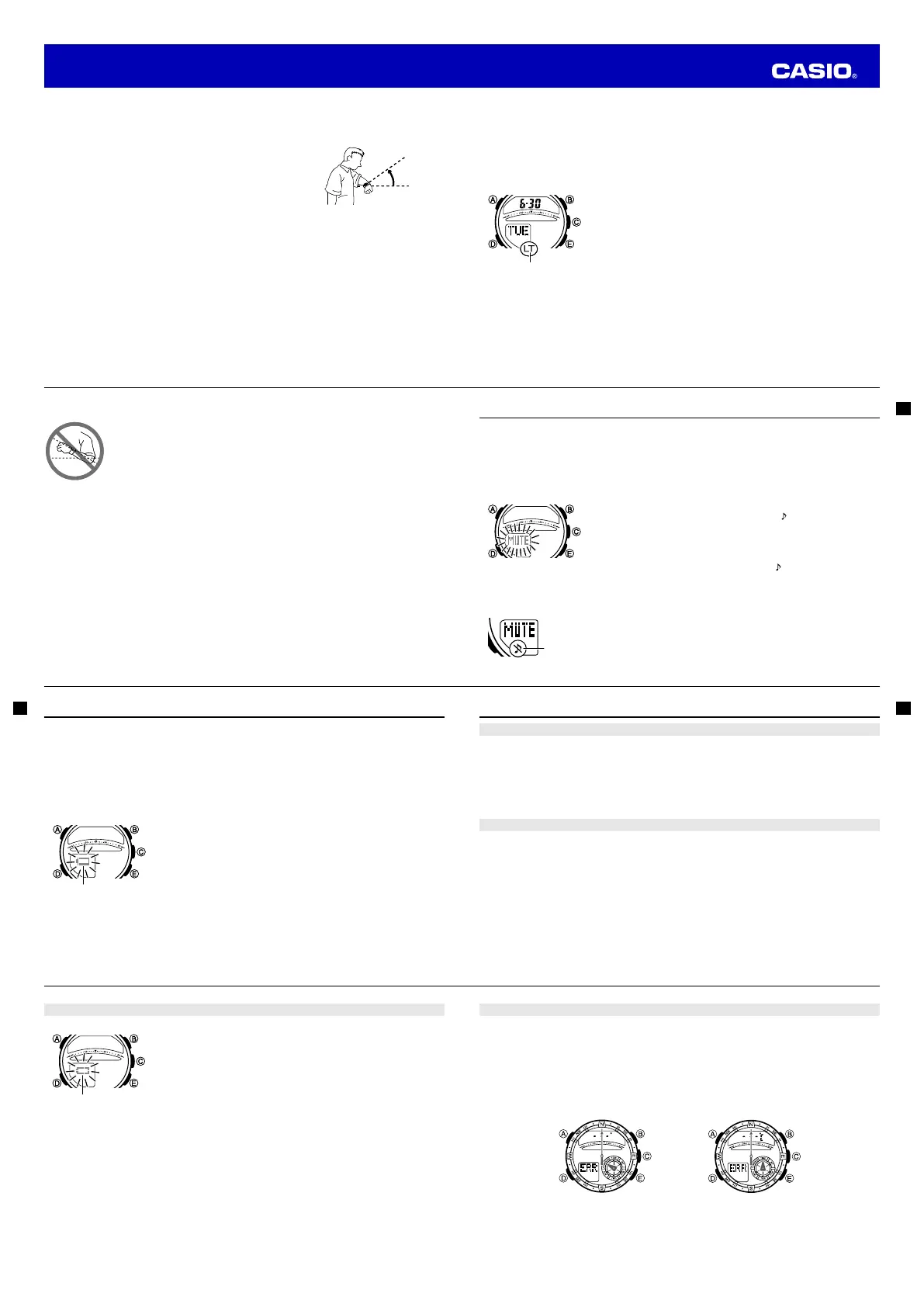
While the Auto Light Switch is enabled, illumination will turn on
whenever you position your wrist as described below in any mode.
Moving the watch to a position that is parallel to the ground and
then tilting it towards you more than 40 degrees causes
illumination to turn on.
Warning!
•
Always make sure you are in a safe place whenever you are reading the display of the watch
using the auto light switch. Be especially careful when running or engaged in any other activity
that can result in accident or injury. Also take care that sudden illumination by the auto light
switch does not startle or distract others around you.
•
When you are wearing the watch, make sure that its auto light switch is turned off before riding
on a bicycle or operating a motorcycle or any other motor vehicle. Sudden and unintended
operation of the auto light switch can create a distraction, which can result in a traffi c accident
and serious personal injury.
More than
40°
Wear the watch on the
outside of your wrist
More than
40°
Wear the watch on the
outside of your wrist
E-49
Note
• The auto light switch is always disabled, regardless of its enabled/disabled setting, when any one of
the following conditions exists.
While an alarm is sounding
While the watch is in the Digital Compass Mode
• If you have Auto Light enabled, display illumination may be delayed if you angle the watch towards
your face while a temperature reading operation is being performed.
To enable or disable the auto light switch
In the Timekeeping Mode, hold down
B
for about three seconds to
toggle the auto light switch between enabled (
LT
shown in the lower
display) and disabled (
LT
not displayed).
• The auto light switch enabled indicator (
LT
) is on the lower display in
all modes while the auto light switch is turned enabled.
• The auto light switch remains enabled for about six hours. After that
disables automatically.
Illumination Precautions
• Illumination may be hard to see when viewed under direct sunlight.
• Illumination turns off automatically whenever an alarm sounds.
• Frequent use of illumination runs down the battery.
Auto light switch
enabled indicator
Auto light switch
enabled indicator
E-50
Auto light switch precautions
• Illumination may not turn on if the face of the watch is more than 15 degrees above
or below parallel. Make sure that the back of your hand is parallel to the ground.
• Illumination turns off after the preset illumination duration (page E-47), even if you
keep the watch pointed towards your face.
• Static electricity or magnetic force can interfere with proper operation of the auto
light switch. If illumination does not turn on, try moving the watch back to the
starting position (parallel with the ground) and then tilt it back towards your face
again. If this does not work, drop your arm all the way down so it hangs at your
side, and then bring it back up again.
• You may notice a very faint clicking sound coming from the watch when it is shaken
back and forth. This sound is caused by mechanical operation of the auto light
switch, and does not indicate a problem with the watch.
E-51
Button Operation Tone
When enabled, the button operation tone sounds any time you press one of the watch’s buttons. You can
enable or disable the button operation tone as desired.
• Even if you disable the button operation tone, the alarm, Hourly Time Signal, and Countdown Timer
Mode alarm all operate normally.
To enable or disable the button operation tone
1. In the Timekeeping Mode, hold down
A
until
ADJ
appears in the lower display.
• When you release
A
(after ADJ appears), SET will be fl ashing in the upper display.
2. Use
D
to cycle through settings on the lower display until the current
button operation tone setting (
MUTE
or
KEY
) is shown.
• See the sequence in step 2 of the procedure under “To change the
current time and date settings” (page E-15) for information about
how to scroll through setting screens.
3. Press
E
to toggle the button operation tone setting between enabled (
KEY
) and disabled (
MUTE
).
4. After the setting is the way you want, press
A
to exit the setting screen.
Note
• The mute indicator is displayed in all modes when the button operation tone is disabled.
Mute indicatorMute indicator
E-52
Low Battery Indication
A low battery indicator appears on the display when battery voltage drops below a certain level. Availability
of some functions becomes limited while the low battery indicator is displayed. If the low battery indicator
remains on the display, have the battery replaced as soon as possible.
Note
• For information about battery life guidelines and supported battery types, see the product
specifi cations.
See “Specifi cations” (page E-57).
The following describes how display of the low battery indicator affects watch operation.
• The watch enters the Timekeeping Mode.
• Display illumination becomes disabled.
• Alarms are disabled.
• Sensor readings are disabled.
Note
• Repeated use of sensor readings, display illumination, alarms, and/or other functions over a short
period can result in a momentary drop in battery voltage. This can cause temporary display of the
low battery indicator and limited availability of some watch functions.
Low Battery indicatorLow Battery indicator
E-53
Troubleshooting
Time Setting
■
The current time setting is off by a couple of hours.
Your Home City setting may be wrong (page E-13). Check your Home City setting and correct it, if
necessary.
■
The current time setting is off by one hour.
You may need to change your Home City’s standard time/daylight saving time (DST) setting. Use the
procedure under “To change the current time and date settings” (page E-15) to change the standard time/
daylight saving time (DST) setting.
World Time Mode
■
The time for my World Time City is off in the World Time Mode.
This could be due to incorrect switching between standard time and daylight saving time.
See “To confi gure World Time City and summer time settings” (page E-38) for more information.
E-54
Battery
■
The low battery alert is fl ashing.
A low battery indicator appears on the display when battery voltage drops
below a certain level. Availability of some functions becomes limited while
the low battery indicator is displayed. If the low battery indicator remains
on the display, have the battery replaced as soon as possible.
The following describes how display of the low battery indicator affects
watch operation.
• The watch enters the Timekeeping Mode.
• Display illumination becomes disabled.
• Alarm sound becomes disabled.
• Sensor operations become disabled.
Note
• Repeated sensor readings, display illumination, alarm sounds, or use
of other functions over a short period can result in a momentary drop
in battery voltage. This can cause temporary display of the low battery
indicator and limited availability of some watch functions.
Low battery alertLow battery alert
E-55
Bearing and Temperature Readings
■
The temperature unit setting won’t change.
The temperature unit setting is always Celsius (
°C
) whenever
TOKYO
is selected as the Home City. In
this case, the setting cannot be changed.
■
“ERR” appears while a sensor operation is in progress.
Subjecting the watch to strong impact can cause sensor malfunction or improper contact of internal
circuitry. When this happens,
ERR
(error) will appear on the lower display and sensor operations will be
disabled.
Digital Compass
Operation
Temperature
Measurement
• If
ERR
appears while a measurement operation is being performed in a sensor mode, restart the
measurement. If
ERR
appears on the lower display again, it can mean there is something wrong with
the sensor.
• If
ERR
keeps appearing during measurement, it could mean there is a problem with the applicable
sensor.
Operation Guide 5415



 To Next Page
 Loading...