EasyManua.ls Logo

Casio Casiotone CT-660 - User Manual

Casio Casiotone CT-660
28 pages
Print Icon
To Next Page IconTo Next Page
Loading...
sae
is.
Se
=
\
\)
\;
CoN
AWN
~
\
AW
OPERATION
AW
WW
NOY
MANUAL
2
NOY
“MANUAL
DE
AW
OPERACION
30
a
etetentnaaennenal
+
a
ei
Se,
of
pe
et
rel
.
ae)
ren
mn
mn
ae
ane
cae
ee
eters
nn
ee
ne
eres
Ame
ete
ee
suis
ete
bere
Oe
Te
ee
ee
4
&
wee
Se
eee
2
eee
rene
—.——--
ee
me
ee
ee
ewe
ee
pa
Sete
"
bee
ee
ee
Ee
see!
ws
ae
a
ae
ee
=
=
ee
a
Ee
a
ed
3$4224666535S
76
4.9
PEs
ee
Win
eee
tre
teas
=
:<
a
obs
see
eil
\
. |
=
3
2
..
®
»
¥
q
.
ie
&
ee:
oY
.
;
ts
ASS
%
DD
q
3245322
‘-
§
“~.
a
os
Ss
x,
2
fm
5
ma
2
a
%
3
2
Y
‘a
eo
aq
y
2
te
Yo
oe
4 q
»
Y
"
5
4
;
.
aR
'
.
a’
:
f
+h
\
a
me
\
.
a?
|
;
e
Y
=
AAA
MA
Aba
Ay
,
+
5
i‘
\\
~
AX
:
\
on%:
;
ee
=n
we
°
ee"
Sas
-
ae
|
\
Y
*
.
La
a
y
.
«
Fs
»
.
Question and Answer IconNeed help?

Do you have a question about the Casio Casiotone CT-660 and is the answer not in the manual?

Overview

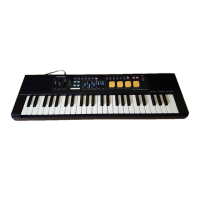
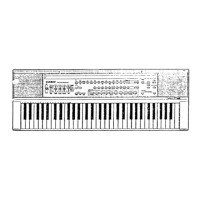
The Casio CT-660 Casiotone is an electronic musical instrument designed for ease of operation and exceptional sound quality, offering a wide range of sophisticated features and functions.

Function Description:

The CT-660 features a 61-key keyboard with 10-note polyphony, allowing for complex musical arrangements. It boasts 30 preset tones, including Piano, Harpsichord, Vibraphone, Jazz organ, Pipe organ, Brass-ens, Flute, Chorus, Jazz guitar, Bells, Funky clavi, Metallic sound, Synth-ens, Percussion, Honky-tonk piano, Elec piano, Marimba, Organ, Accordion, Strings, Oboe, Synth-reed, Harp, Synth-celesta, Synth-clavi, Fantasy, Miracle, Bass (Wood bass/Slap bass), and Sound effect 1-2.

A key feature is the innovative Tone Bank function, which allows users to combine the characteristics of two preset sounds (a "Primary" and a "Secondary" sound) to create a total of 465 different sound combinations. When the Tone Bank is active, the polyphony changes to 5-note.

The instrument includes 20 Auto-rhythms (Rock 1-2, 8 beat 1-2, 16 beat 1-2, Disco 1-2, Pops 1-2, Slow rock 1-2, Swing, Samba, Bossa nova, Waltz, Reggae, Tango, Beguine, March) generated from 49 PCM rhythm sources. The tempo of these rhythms can be adjusted from 40 to 256 beats per minute, with a reset to 132 bpm by pressing both tempo keys simultaneously.

Auto-accompaniment is provided through the Casio Chord system (One-finger method) and standard chord fingering (Fingered 1 and Fingered 2 modes). In these modes, the lower 15 octaves of the keyboard become accompaniment keys, and the upper part becomes a 4-note polyphonic melody keyboard. The Casio Chord system simplifies chord playing, allowing for major, minor, seventh, and minor seventh chords with minimal key presses. The Fingered 1 mode provides a single bass line and two backing chord patterns that change only when a chord of at least 3 notes is played. Fingered 2 mode offers a single bass line and a single backing chord pattern, allowing for manual addition of notes in two-note polyphony on the accompaniment keyboard and rhythmic chord playing.

The Auto Harmonize function automatically adds harmony to melodies when using the Casio Chord or fingered chord functions. If Tone Bank is ON, harmony is added using the "Secondary" sound, and the primary sound performance becomes monophonic.

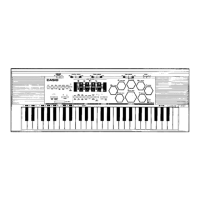
The CT-660 also features 8 built-in Sound Effect pads (FOREST, OCEAN, STREET, SPACE WARS, RAINY DAY, EVENING, CONCERT HALL, WILD WESTERN) to add unique atmospheric effects to performances. These effects last for about ten seconds and can be altered using the FADE and HOLD pads. The HOLD pad allows effects to sound continuously, while the FADE pad enables natural fade-in and fade-out.

A Registration Function allows users to store and recall up to 4 sets of keyboard settings, including preset tones, Tone Bank sounds, Sound Effect selections, HOLD pad ON/OFF status, Auto-rhythm settings, and Auto Harmonize ON/OFF status.

The Performance Memory Function enables recording of up to 1250 notes, including changes in preset tones, tone banks, auto-rhythms, rhythm start/stop, intro patterns, fill-in patterns, sound effects, auto-harmonize on/off, and registration selections.

MIDI (Musical Instrument Digital Interface) functionality allows connection to other MIDI-equipped instruments and devices. The CT-660 supports single-channel MIDI mode (Mode 3: Omni Off, Poly) for transmitting/receiving MIDI messages as a single keyboard (6-note poly). It also supports multi-timbral mode (Mode 4: Omni Off, multi), splitting to receive MIDI messages on channels 1 through 3, with channel 4 used as a fourth voice or for MIDI clock setting (EXT or INT). In multi-timbral mode, polyphony is 6-note for CH-1, 4-note for CH-2, 2-note for CH-3, and 4-note for CH-4 (when used as a fourth voice). Preset tones can be assigned to each MIDI channel. The keyboard can also function as a MIDI percussion sound source, with 49 percussion instrument sounds assigned to independent MIDI note numbers.

Important Technical Specifications:

  • Model: CT-660
  • Number of keys: 61 keys
  • Polyphonic: 10-note polyphonic (5-note with Tone Bank active)
  • Preset tones: 30
  • Tone bank sounds: 465 combinations
  • Auto-rhythms: 20
  • Rhythm source: 49 PCM rhythm sources
  • Built-in effects: Stereo delay, Stereo panning
  • Registration memory: 4 banks
  • Real-time memory: Up to 1250 notes
  • Terminals: Line out L/R (output impedance: 3 KΩ, output voltage: 1V (RMS) MAX), headphone jack, sustain jack, foot volume jack, AC adaptor jack (DC 9V), MIDI (IN/OUT/THRU)
  • Tuning control: A4=442 Hz ±30 cents
  • Built-in speakers: 12 cm dia x 2
  • Power source: 3-way AC/DC power source
    • AC: 100, 117, 220, 240 V (±10 V), 50/60 Hz, with optional AD-5 AC adaptor
    • DC: 6 D size (SUM-1/R20P) manganese dry batteries (approx. 6 hours battery life)
    • Car battery: Requires optional CA-5 car adaptor
  • Power consumption: 7.7 W
  • Dimensions: 938(W) × 320(D) x 89(H) mm (36 15/16" (W) x 12 5/8" (D) x 3 1/2" (H))
  • Weight: 6.3 kg (13.9 lbs) including batteries
  • Standard accessories: 6 "D" size batteries, score stand, dust cover
  • Auto power off function: Approximately 6 minutes after the last operation

Usage Features:

  • Tuning Control: Adjusts the pitch of the entire keyboard within ±30 cents for easy tuning with other instruments.
  • Volume Sliders: Separate sliders for Main volume, Accompaniment volume, Rhythm volume, and Sound effect volume allow for precise mixing.
  • Demo Button: Plays a preset demonstration tune showcasing the unit's features. The tune plays in an endless loop and can be stopped by pressing the button again. The keyboard is inoperable during the demo.
  • Synchro/Fill-in Button: Enters synchro start standby, starting rhythm when an accompaniment key is pressed. During performance, inserts a fill-in pattern.
  • Intro/Ending Button: Starts auto-rhythm with a one-measure intro pattern. During performance, stops rhythm with an appropriate ending pattern.
  • Tempo Control Buttons: Adjusts the tempo of auto-rhythms.
  • Chord/MIDI Selector: Switches between Casio Chord functions (OFF, FINGERED 1 & 2, ON) and MIDI functions.
  • Tone Selectors & Rhythm Selectors: Buttons for selecting preset tones and auto-rhythms, with indicator lights for active rows.
  • Sound Effect Pads: Eight dedicated pads for triggering various sound effects.
  • FADE Pad: Controls fade-in and fade-out of sound effects.
  • HOLD Pad: Sustains sound effects continuously.
  • Registration Select/Set Buttons: For storing and recalling keyboard settings.
  • Record Button: Initiates recording of performance memory.
  • Jacks: Sustain jack, Foot volume jack, Output jacks (L/R) for external amplification (stereo output recommended for preset tones and sound effects), AC adaptor jack, and Headphone jack.

Maintenance Features:

  • Battery Replacement: Open the battery compartment cover, remove old batteries, and load new D size batteries, ensuring correct polarity. It is advisable to replace all six batteries at the same time for longer life.
  • Auto Power Off: The unit automatically powers off after approximately 6 minutes of inactivity to conserve power. Power can be restored by cycling the power switch OFF and then ON.
  • Troubleshooting Chart: A comprehensive chart is provided to diagnose common issues such as no sound, inoperative functions, and occasional interference, offering solutions like checking volume, connections, and power settings.
  • Care Instructions:
    • Avoid heat, humidity, and direct sunlight.
    • Avoid severe impacts and dropping the unit; protect the keyboard and keys during transport.
    • Keep the unit free of liquids, dust, and particles; prevent foreign matter from entering between keys.
    • Never attempt to modify any part of the unit to prevent damage.
    • Clean the keyboard with a soft cloth dampened with a mild detergent solution, squeezed until almost dry.
    • Remove batteries before extended storage to prevent leakage and circuitry damage.
    • In case of malfunction, consult the troubleshooting chart or contact a dealer; do not attempt self-repair.

Casio Casiotone CT-660 Specifications

General IconGeneral
BrandCasio
ModelCasiotone CT-660
CategoryElectronic Keyboard
LanguageEnglish

Related product manuals