— 1 —
Model Note Capacity PCB ass'y TAB-LSI
CSF-4450 Version✽E AE Standard 32KB Z855-1E ASS'Y (MC100012✽1) OC3015-F1 SUB ASS'Y
CSF-4650 EE Standard 64KB Z855-1E ASS'Y (MC100012✽2)
FE B.O.S.S.
CSF-4950 IE Standard 128KB Z855-1E ASS'Y (MC100012✽3)
JE B.O.S.S.
CSF-4450 Version✽F AF Standard 32KB Z855-1 ASS'Y (MC100011✽1) COF3011-F1 SUB ASS'Y
CSF-4650 EF Standard 64KB Z855-1 ASS'Y (MC100011✽2)
FF B.O.S.S.
CSF-4950 IF Standard 128KB Z855-1 ASS'Y (MC100011✽3)
JF B.O.S.S.
Version
RESET
5M 111A
Backup Battery Cover
XX XXXE: Version-]E
XX XXXA: Version-]F
When the last letter of production number is E it is version-]E. When A, version-]F.
CSF-4✽50 includes 2 kinds of version-✽E and version-✽F as shown in the table above. Although the TAB-LSI is different
between two versions the functions are exactly the same.
A difference of two versions (✽E and ✽F) cannot be confirmed from the appearance, but it is recognized by production
number on back of the backup battery cover as shown below.
VERSION TABLE
FEATURES
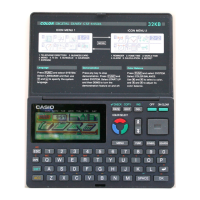
3-color display
The display shows data in three colors: orange, blue and green. Different colors can be used to highlight
specific dates in the Calendar, and even the color of text data can be specified.
Desktop Menu System
Simply point to the item that represent the function you want to use and press a button.
Do Today Function
Every time you turn on the unit, any Schedule Keeper items scheduled for that date appear on the
display.
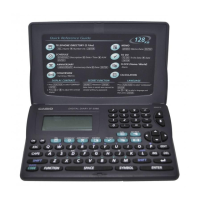
Powerful data bank functions
Telephone Directory, Business Card Directory, Memo, To Do, Expense Manager, Reminder, and
Schedule Keeper.
Secret Drawer
A convenient place to lock up confidential information using a secret password.


 To Next Page
 Loading...