18
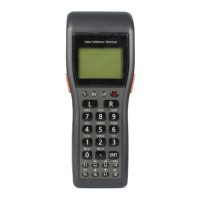
4. On the terminal, make the System Menu appear by holding down the S and . (decimal) keys
together as you turn on the power on the terminal.
1 : EXECUTE AP
2 : SET MODE
3 : DATE/TIME
4 : TRANSMIT
5 : VERSION
5. Select “4: TRANSMIT” in Fig. 2.7.
1 : MULTI INSTALL
2 : AP INSTALL
3 : DUPLICATE HT
4 : UTILITY
5 : PROTOCOL
6 : PORT
7 : SPEED
MLT
SIR
19K
6. Check that parameters 5, 6 and 7 (Protocol, Port, Speed) in Fig. 2.8 are correctly set. For
example, if using the cradle (either DT-964IOE Satellite Cradle or HA-E60IO Bridge Basic
Cradle) these settings would be MLT, SIR and 19K respectively.
7. Select “2: AP INSTALL” in Fig. 2.8 and then the screen below appears.
1 : A DRIVE
2 : B DRIVE
8. Select “1: A DRIVE”. In fact, the application is not copied to Drive A or B. It is installed in an
area called the ‘Application storage area’. This is part of the RAM memory – in the DT-700
mode it has not drive letter but in the normal mode it is known as Drive C.
Fig. 2.7
Fig. 2.8
Fig. 2.9



 To Next Page
 Loading...