Need help?
Do you have a question about the Casio FR-1011S and is the answer not in the manual?
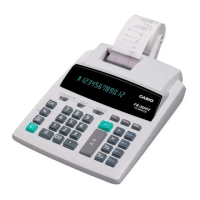
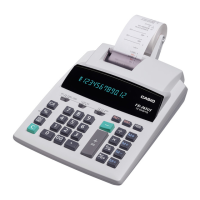
This document is an operation manual for the CASIO FR-1011S and FR-1211S electronic printing calculators.
The calculators are described as advanced, precise electronic units with Digitron visual displays, capable of solving and providing printed records for all types of business calculations. They feature a "stop-start" motor system for quiet printing, and a heavy-duty, adding-machine-like keyboard designed for quick blind-touch operations. The manual aims to help users understand the various control keys and functions through simple examples.
* or G* key is pressed. Pressing * prints the number of times the key was pressed.* or G*.. key in addition/subtraction, and the decimal point is automatically displayed/printed at 2 decimal positions (when decimal mode selector is set to "CUT," "UP," or "5/4").CA key. Occurs when an entry exceeds 12 digits, the integer part of an answer exceeds 12 digits, or an accumulated total in memory exceeds 12 digits.* or G* key.C key clears mis-entered numbers.CA key clears wrong entries/commands after a command key is pressed, allowing a restart.+ or - clears wrong entries/commands before transferring to grand total. If a mis-operation is found after transfer, subtract the same number from the grand total and re-operate.CA clears working registers before accumulation. If a mis-operation is found after accumulation, M+ or M- adds or subtracts the same number to/from memory and re-operates.FEED until paper appears at the back of the paper-cutter (2), insert roll-holders (3) into brackets, and set roll-paper onto the holder. Paper tape should be advanced by FEED key when cutting; never pull by hand to avoid malfunctions. Anti-dust type roll-paper is recommended for legible printing. General
| Brand | Casio |
|---|---|
| Model | FR-1011S |
| Category | Calculator |
| Language | English |


 To Next Page