Need help?
Do you have a question about the Casio fx-83 and is the answer not in the manual?
Instructions to return calculator settings and modes to default values, clearing memory.
Overview of COMP, STAT, and TABLE modes for general, statistical, and table calculations.
Control calculation performance, expression entry, and display using FIX, SCI, MthIO, or LineIO.
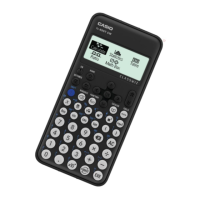
The Casio fx-83GT PLUS is a scientific calculator highly recommended for engineering students at Levels 2 and 3, featuring over 250 functions. It incorporates a "natural display" that supports input and output using mathematical notation, such as fractions and roots, enhancing its utility for complex calculations.
The fx-83GT PLUS offers three primary calculation modes:
The calculator also supports different display and input/output modes:
To return the calculator's settings and modes to their initial (default) values and clear all memory data, use the following keystrokes:
SHIFT -> 9 (Clear) -> 3 (All) -> = (Yes) -> AC (Reset all)
The "Clear?" menu offers options: 1: Setup, 2: Memory, 3: ALL. Selecting 3: ALL performs a complete reset.
To switch between calculation modes (COMP, STAT, TABLE), use the Mode menu. For Level 2 engineering, the COMP mode is primarily used.
To set the calculator to COMP mode:
MODE -> 1 (COMP)
The Mode menu displays: 1: COMP, 2: STAT, 3: TABLE.
The Setup menu controls how calculations are performed and how expressions are entered and displayed. To change the input/output mode from MathIO to LineIO:
SHIFT -> SETUP -> 2 (LineIO)
The Setup menu provides options for:
1: MthIO (Mathematical Input/Output)2: LineIO (Line Input/Output)3: Deg (Degrees)4: Rad (Radians)5: Gra (Grads)6: Fix (Fixed decimal places)7: Sci (Scientific notation/significant digits)8: Norm (Normal display format)The calculator display uses various symbols to indicate its current state or specific functions:
SHIFT RCL STO).RCL).SHIFT 9 3 = AC) that clears all settings and memory data, effectively returning it to its factory default state. This is useful for troubleshooting or preparing the calculator for a new user.The Casio fx-83GT PLUS is a versatile and robust tool designed to meet the computational needs of engineering students, providing a blend of advanced functionality and user-friendly features.
 General
| Brand | Casio |
|---|---|
| Model | fx-83 |
| Category | Calculator |
| Language | English |


 To Next Page