앫19앫
• Example: To calculate σn1, σn, o, n, Σx, and Σx
2
for the
following data : 55, 54, 51, 55, 53, 53, 54, 52
Enter SD Mode F F 1
A m = (Memory Clear)
55
S 54 S 51 S 55 S
53 S S 54 S 52 S
(Sample Standard Deviation σn1) A N =
(Population Standard Deviation σn) A A =
(Arithmetic Mean o) A M =
(Number of Data n) 0 k
(Sum of Values Σx) 0 H
(Sum of Squares of Values Σx
2
) 0 G
Data Input Precautions
• S S inputs the same data twice.
•You can also input multiple entries of the same data us-
ing
A G. To input the data 110 ten times, for example,
press 110
A G 10 S.
• The above results can be obtained in any order, and not
necessarily that shown above.
•To delete data you have just input, press
A U.
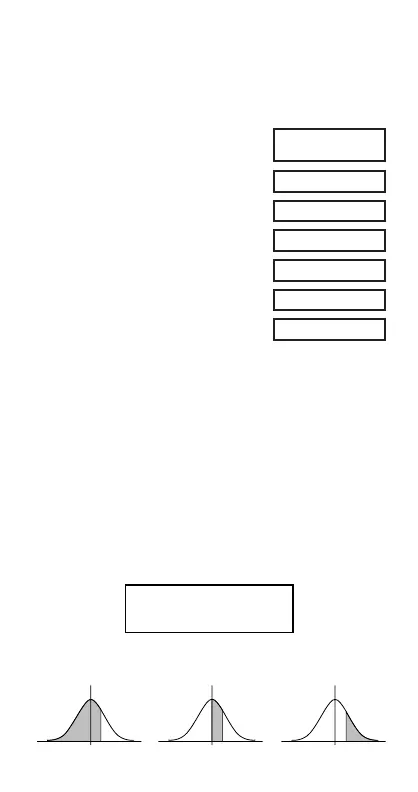
k Probability Distribution Calculations
•Press A D to produce the screen shown below.
•Input a value from
1 to 4 to select the probability
distribution calculation you want to perform.
52.
00
SD
1.407885953
00
1.316956719
00
53.375
00
8.
00
22805.
00
427.
00
1
2
3
4
P
(
Q
(
R
(
→
t
P(t)R(t)Q(t)


 To Next Page
 Loading...