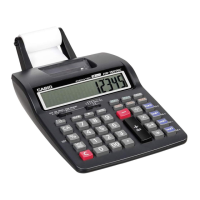
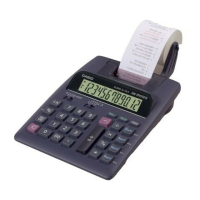
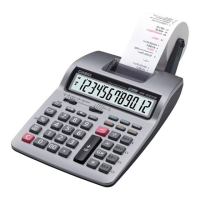
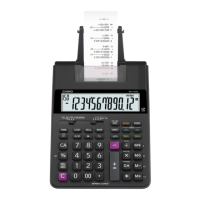
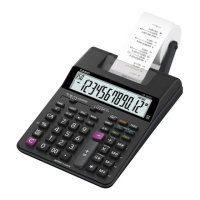
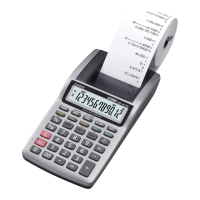
This document is the operation manual for the HR-150LA Electronic Printing Calculator manufactured by Casio Computer Co., LTD. It provides comprehensive instructions for its use, maintenance, and technical specifications.
Function Description
The HR-150LA is an electronic printing calculator designed for various arithmetic operations, including addition, subtraction, multiplication, division, percentages, and calculations involving memory. It features a print function that allows users to keep a physical record of their calculations. The calculator supports both decimal and fixed-point calculations, offering flexibility for different types of numerical tasks. It also includes an independent memory function, which allows for storing and recalling values without affecting ongoing calculations. The auto power-off function helps conserve battery life by automatically shutting down the calculator after a period of inactivity.
Important Technical Specifications
- Power Supply: The calculator can be powered by either an AC adaptor (AD-4180) or four AA-size manganese batteries. The AC adaptor is rated for 120V AC, 60Hz, 5W (for USA/Canada) or 220V AC, 50Hz, 5W (for Europe/Australia/Asia).
- Battery Life: Approximately 1,200 hours of continuous operation on type R6P (SUM-3) batteries.
- Operating Temperature: 0°C to 40°C (32°F to 104°F).
- Dimensions: 97mm (W) x 215mm (D) x 47mm (H) (3-13/16" W x 8-1/2" D x 1-7/8" H).
- Weight: Approximately 420g (14.8 oz) including batteries.
- Display: The calculator features a display that shows up to 12 digits.
- Printing: It uses standard paper rolls (58 mm wide, 80 mm max. diameter) and an ink roller (IR-40). The printing speed is approximately 2.0 lines per second.
- Decimal System: The calculator supports a decimal point system with settings for 0, 2, 3, 4, 6, and F (floating decimal).
- Rounding System: It offers options for rounding up, rounding down, or no rounding (cut-off).
Usage Features
The HR-150LA is designed for ease of use with clearly labeled keys and a straightforward operational flow.
- Basic Arithmetic Operations: Users can perform addition, subtraction, multiplication, and division using dedicated keys.
- Percentage Calculations: A percentage key simplifies calculations involving percentages.
- Memory Functions: The calculator includes keys for Memory Plus (M+), Memory Minus (M-), Memory Recall (MR), and Memory Clear (MC). The independent memory allows for storing and recalling values without interfering with ongoing calculations.
- Grand Total Function: A GT key is available for calculating the grand total of all results obtained from multiplication and division operations.
- Item Count: The calculator can display the number of items entered, which is useful for tracking multiple entries.
- Decimal Selector: Users can choose the number of decimal places (0, 2, 3, 4, 6) or a floating decimal (F) for their calculations, providing precision control.
- Rounding Selector: The rounding selector allows users to specify how results should be rounded: up, down, or cut-off (no rounding).
- Print/Non-Print Selector: A selector allows users to toggle the printing function on or off, enabling them to choose when to print their calculations.
- Feed Key: A dedicated feed key allows users to advance the paper roll.
- Correction Key: The "C" key clears the last entered number, while the "AC" key clears all entries and calculations, except for the independent memory.
- Time Calculations: The calculator can perform time calculations, displaying results in hours and minutes.
- Tax Calculations: The calculator includes a tax rate setting function, allowing users to easily calculate amounts with or without tax.
- Cost/Sell/Margin Calculations: Dedicated keys for Cost, Sell, and Margin enable quick calculations of profit margins.
Maintenance Features
Proper maintenance ensures the longevity and optimal performance of the HR-150LA calculator.
- Paper Roll Replacement: The manual provides clear instructions for replacing the paper roll. Users should use standard paper rolls (58 mm wide, 80 mm max. diameter) and ensure the paper is inserted correctly to avoid jams.
- Ink Roller Replacement: The ink roller (IR-40) needs to be replaced when printouts become faint or illegible. The manual details the steps for removing the old ink roller and installing a new one. It advises users to avoid touching the ink roller directly to prevent ink stains.
- Battery Replacement: When the printout becomes faint or the display shows nothing, it indicates that the batteries are low and need to be replaced. The manual instructs users to replace all four AA-size batteries simultaneously and to use manganese batteries for optimal performance. It also warns against mixing old and new batteries or different types of batteries.
- Cleaning: The calculator should be cleaned with a soft, dry cloth. Harsh chemicals, thinners, or benzene should not be used as they can damage the casing.
- Storage: When not in use for extended periods, the batteries should be removed to prevent leakage and damage to the calculator. The calculator should be stored in a cool, dry place, away from direct sunlight, extreme temperatures, and moisture.
- Troubleshooting: The manual includes a section on troubleshooting common issues, such as faint printouts, display problems, and incorrect calculations, providing solutions for users to resolve minor problems themselves.
- AC Adaptor Usage: When using the AC adaptor, ensure it is the correct model (AD-4180) and that the voltage matches the local power supply to prevent damage to the calculator.
- General Care: Avoid dropping the calculator or subjecting it to strong impacts. Do not attempt to disassemble or modify the calculator, as this will void the warranty. Keep the calculator away from water and other liquids.

 Need help?
 General

 To Next Page