EasyManua.ls Logo

Casio Magical Light ML-1 - External Connections (ML-2 Only); Phones;Output Jack Usage; Troubleshooting Common Issues; No Sound and Low Battery Problems

Casio Magical Light ML-1
12 pages
Print Icon
To Next Page IconTo Next Page
To Previous Page IconTo Previous Page
Loading...
ae
one
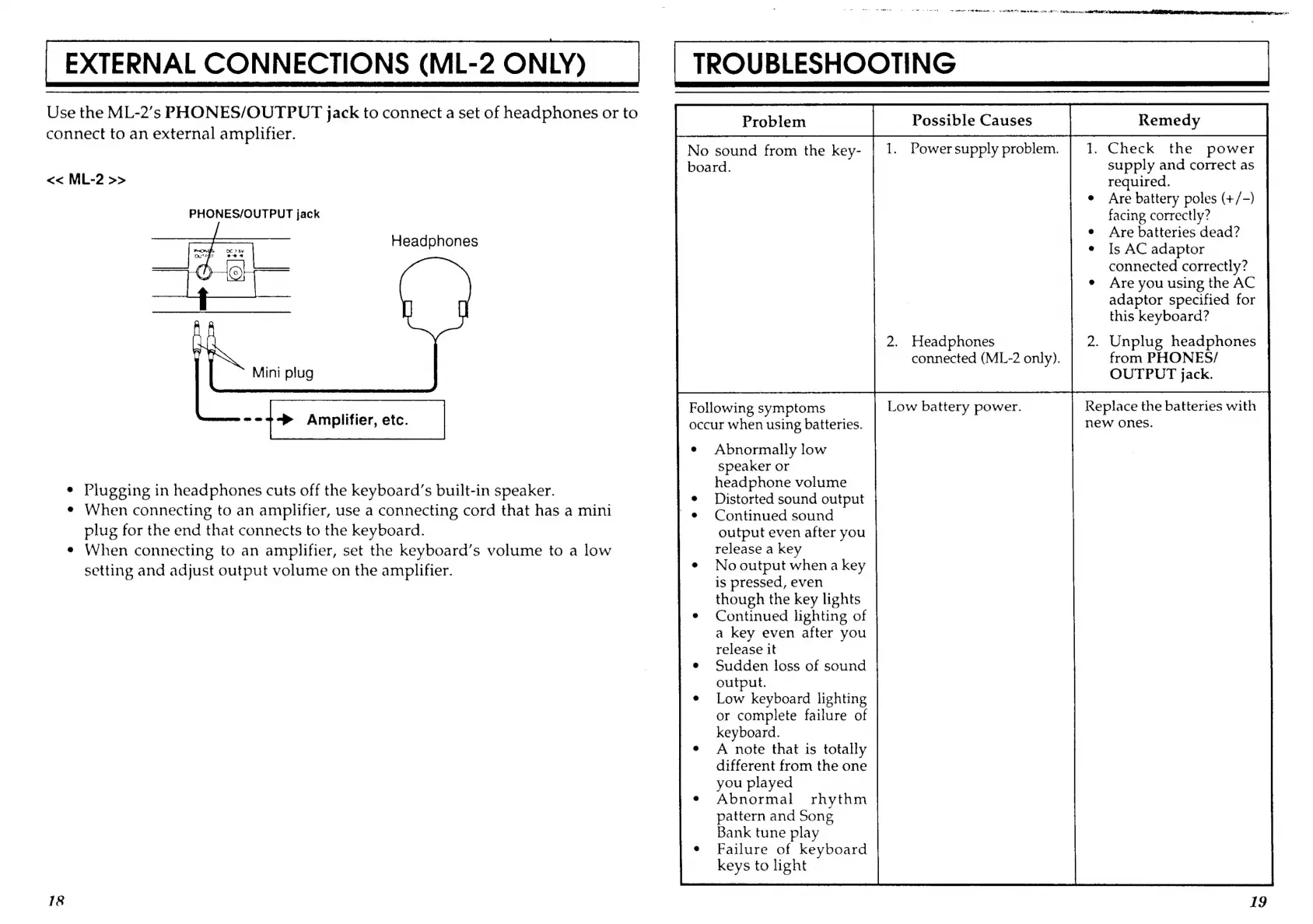
Use
the
ML-2’s
PHONES/OUTPUT
jack
to
connect
a
set
of
headphones
or
to
connect
to
an
external
amplifier.
No
sound
from
the
key-
1.
Power
supply
problem.
.
Check
the
power
board.
supply
and
correct
as
<<
ML-2
>>
required.
Are
battery
poles
(+/-)
facing
correctly?
Headphones
Are
batteries
dead?
Is
AC
adaptor
connected
correctly?
Are
you
using
the
AC
adaptor
specified
for
this
keyboard?
2.
Headphones
.
Unplug
headphones
connected
(ML-2
only).
from
PHONES/
OUTPUT
jack.
a
Following
symptoms
Low
battery
power.
Replace
the
batteries
with
--7~
Amplifier,
etc.
occur
when
using
batteries.
new
ones.
Abnormally
low
PHONES/OUTPUT
jack
Mini
plug
speaker
or
e
Plugging
in
headphones
cuts
off
the
keyboard’s
built-in
speaker.
Laine
pacer
¢
When
connecting
to
an
amplifier,
use
a
connecting
cord
that
has
a
mini
Conhnwed-coand
plug
for
the
end
that
connects
to
the
keyboard.
output
even
after
you
e
When
connecting
to
an
amplifier,
set
the
keyboard’s
volume
to
a
low
release
a
key
setting
and
adjust
output
volume
on
the
amplifier.
No
output
when
a
key
is
pressed,
even
though
the
key
lights
Continued
lighting
of
a
key
even
after
you
release
it
Sudden
loss
of
sound
output.
Low
keyboard
lighting
or
complete
failure
of
keyboard.
A
note
that
is
totally
different
from
the
one
you
played
Abnormal
rhythm
pattern
and
Song
Bank
tune
play
Failure
of
keyboard
keys
to
light
18